955725_4
48
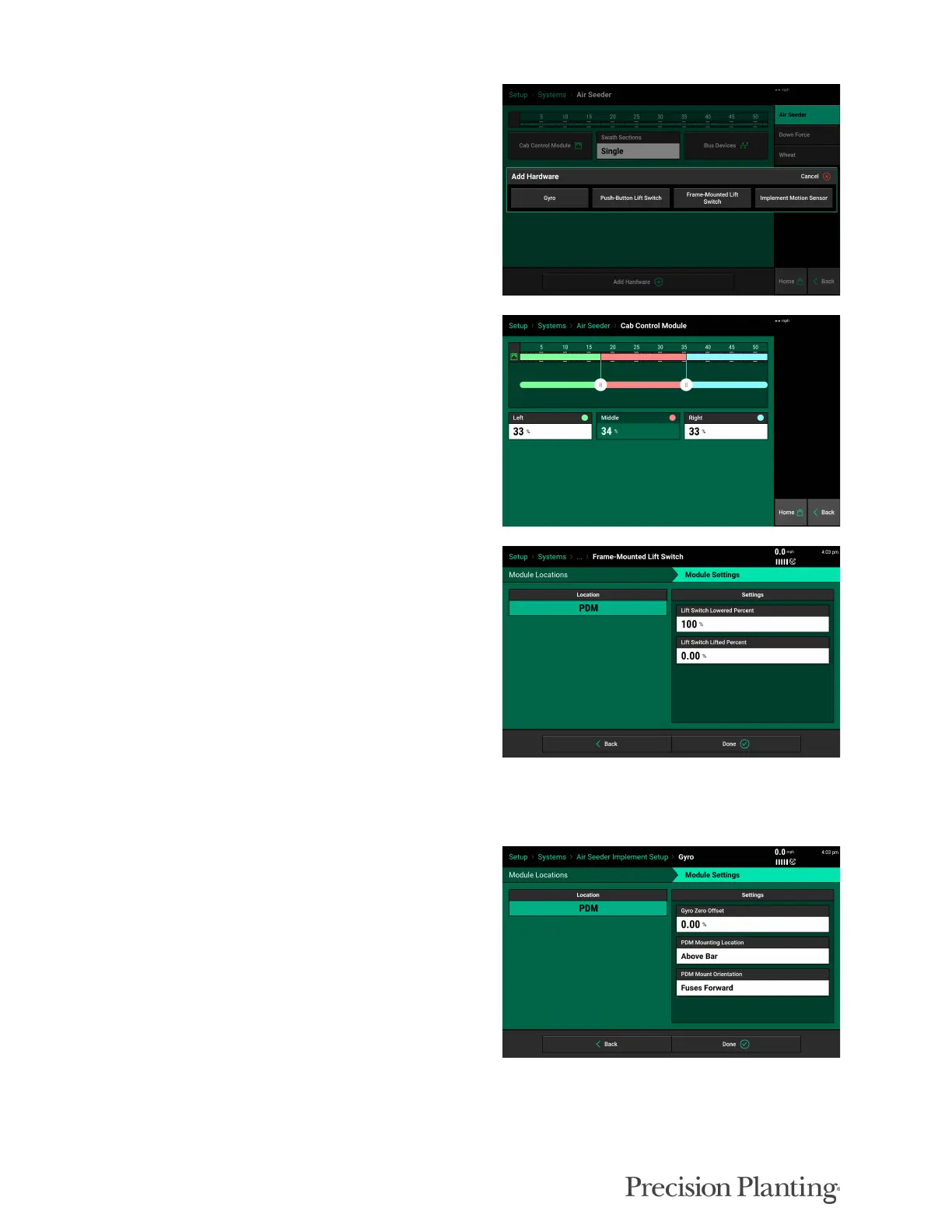
Add Hardware – Once Bus Devices have been
set up, click “Add Hardware” to add other
hardware such as Lift Switch.
Cab Control Module — The CCM section
switches, or middle 3 switches, can be configured
to control custom percentages of the implement.
Adjust the sliders or tap the boxes to enter a
custom percentage.
Lift Switch — Add the location and calibration
for the lift switches installed. Current lift switch
position can be viewed on the diagnose page once
the Lift Switch is configured.
Note: if you are using a Frame-Mounted Lift Switch with an adapter harness (725798) plugged
into an SRM, set up the lift switch as a Push-Button Lift Switch.
Gyro — A Gyro must be set up for any systems
with a PDM installed. Check the physical
mounting positioning of the PDM to set the PDM
mounting location and Fuse orientation in the
Gyro settings.



 To Next Page