955725_4
56
DOWN FORCE SENSOR
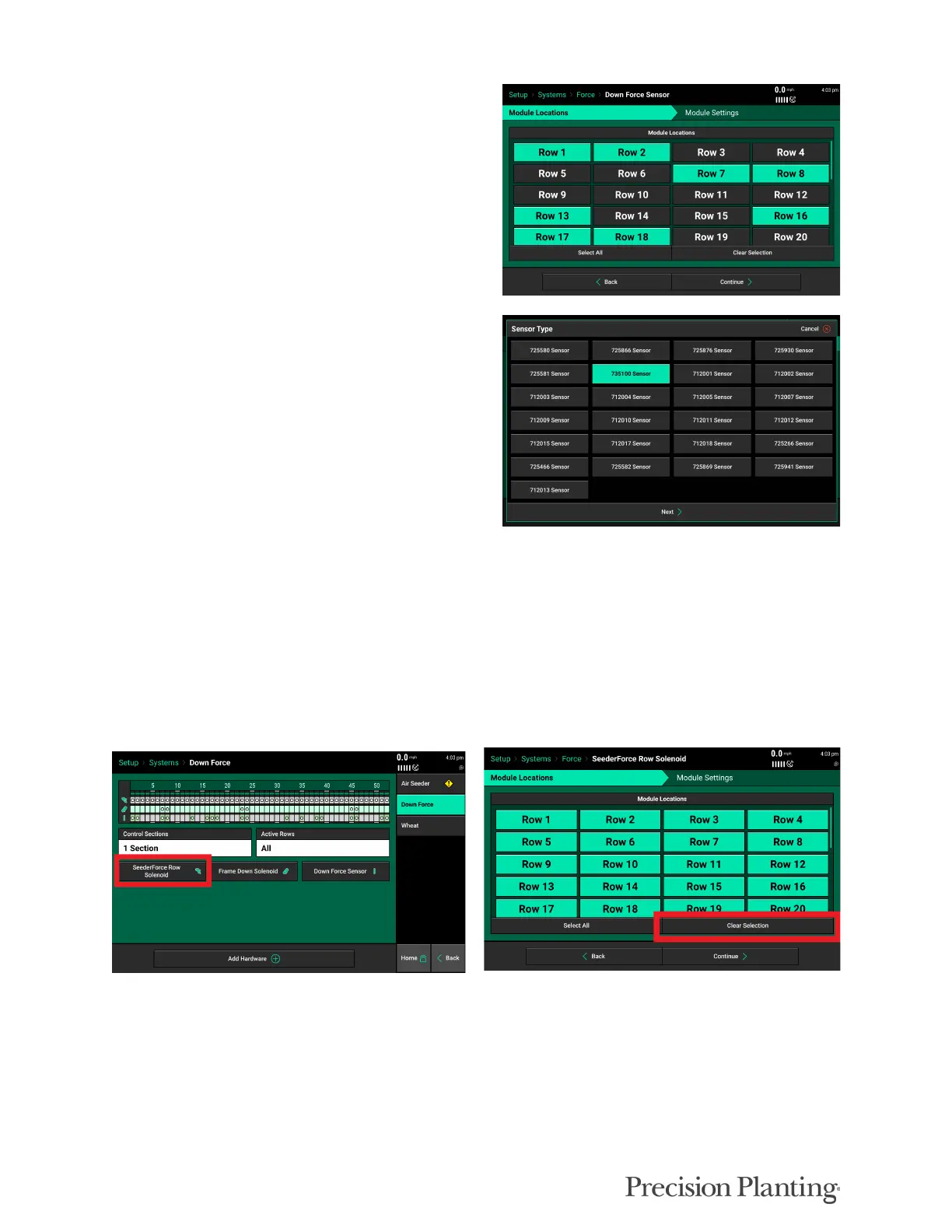
Select “Add Hardware” and select “Down Force
Sensor”.
Select the rows that have a down force sensor on
them. Refer to Appendix E.
Change the Sensor Type to 735100 for all Seeder
down force sensors.
Although the calibration offset can be manually adjusted, it should always be set through the
Zero Down Force Sensors Calibration and not manually adjusted unless otherwise directed by
Product Support.
To remove hardware, select the assigned hardware box (such as SeederForce Row Solenoid in
Figure1) and then select “Clear All” on the row assignment page (figure2). Click Done.
Figure 1.
Figure 2.



 To Next Page