EasyManua.ls Logo

Pro-Tech BE-0986 - Lan Port

Default Icon
122 pages
Print Icon
To Next Page IconTo Next Page
To Previous Page IconTo Previous Page
Loading...
Chapter 3 Hardware Configuration
BE-0986 SERIES USER MANUAL
Page: 3-12
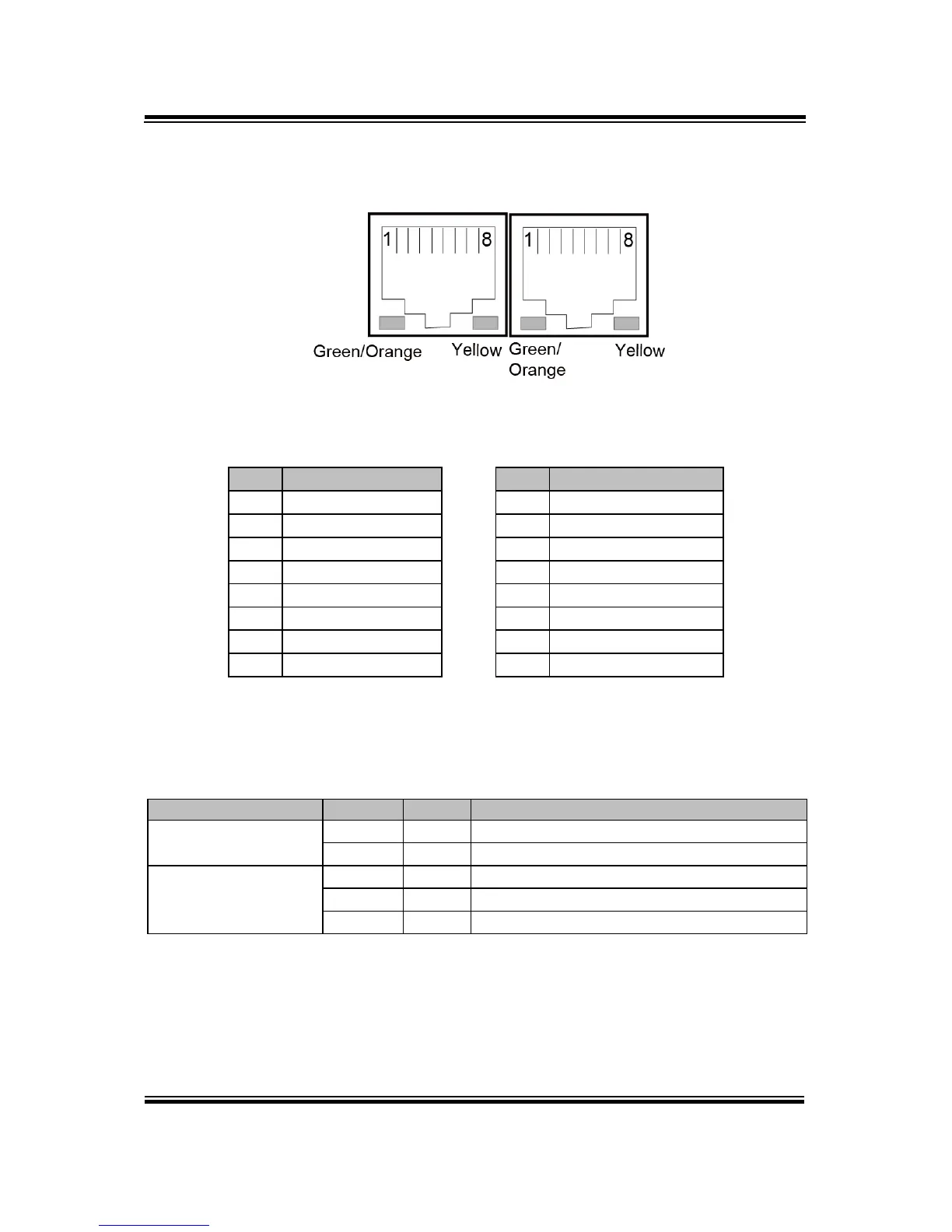
3.4.5 LAN PORT
LAN1 and LAN2: LAN RJ-45 Port (rear I/O)
LAN1 Pin Assignment LAN2 Pin Assignment
PIN
ASSIGNMENT
PIN
ASSIGNMENT
1
LAN1_MDIP0
1
LAN2_MDIP0
2
LAN1_MDIN0
2
LAN2_MDIN0
3
LAN1_MDIP1
3
LAN2_MDIP1
4
LAN1_MDIP2
4
LAN2_MDIP2
5
LAN1_MDIN2
5
LAN2_MDIN2
6
LAN1_MDIN1
6
LAN2_MDIN1
7
LAN1_MDIP3
7
LAN2_MDIP3
8
LAN1_MDIN3
8
LAN2_MDIN3
LAN LED Status
There are LAN LED indicators on the rear side of the mainboard. By observing their
status, you can know the status of the Ethernet connection.
LAN LED Indicator
Color
Status
Description
Right Side LED
Yellow
Blink
LAN Message Active
-
Off
No LAN Message Active
Left Side LED
Green
On
10/100Mbps LAN connection is enabled.
Orange
On
Giga LAN connection is enabled.
-
Off
No LAN switch/hub is connected
LAN1 / LAN2

Table of Contents