WOL from classic shutdown state (S5),
please turn off 'fast startup' feature in OS.
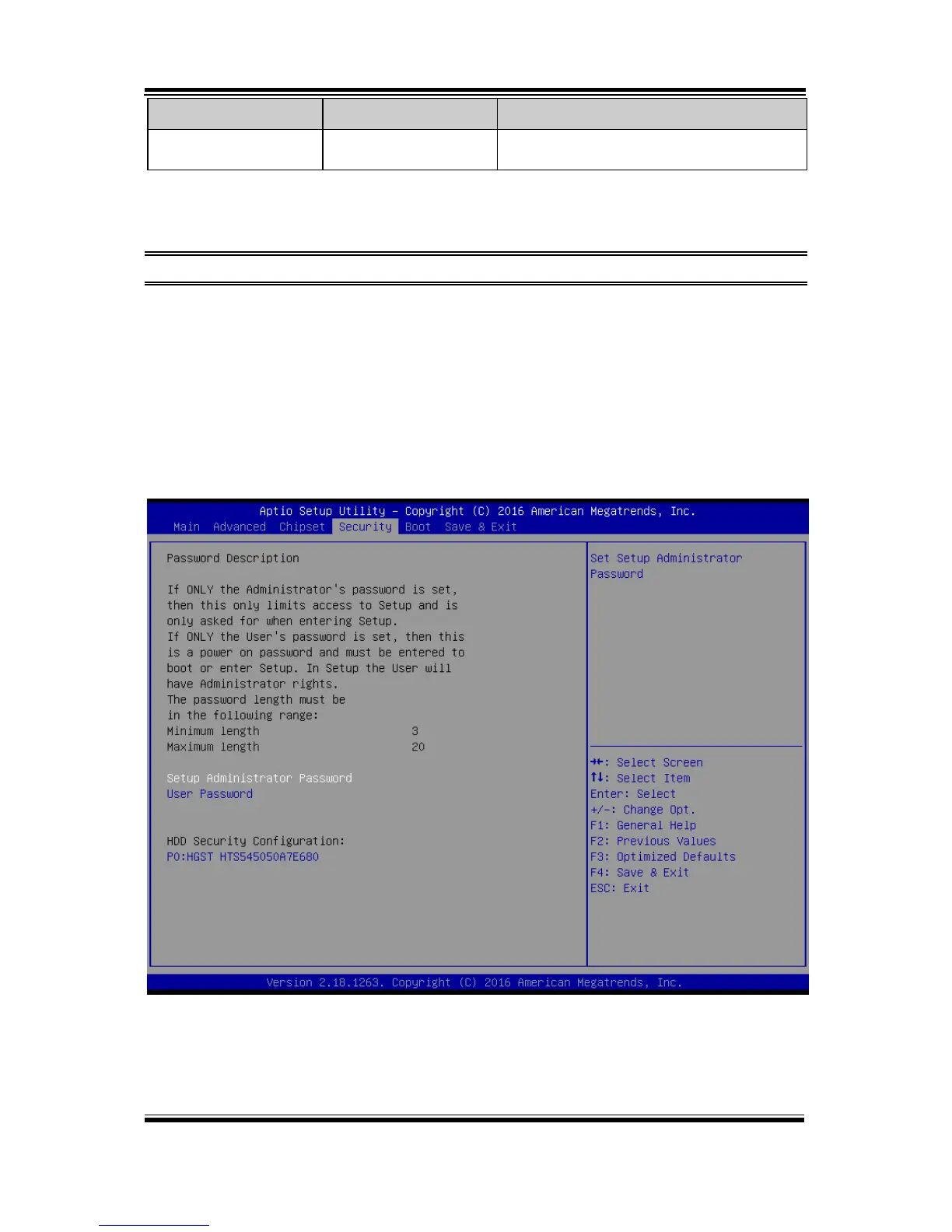
5.6 Security
Menu Path Security
From the Security menu, you are allowed to create, change or clear the administrator
password. You will be asked to enter the configured administrator password before
you can access the Setup Utility.
By setting an administrator password, you will prevent other users from changing
your BIOS settings. You can configure an Administrator password and then configure
a user password. An administrator has much more privileges over the settings in the
Setup utility than a user. Heed that a user password does not provide access to most of
the features in the Setup utility.
Security Screen



 To Next Page