BE-0986 SERIES USER MANUAL
5.4.3 Advanced – Hardware Monitor
Menu Path Advanced > Hardware Monitor
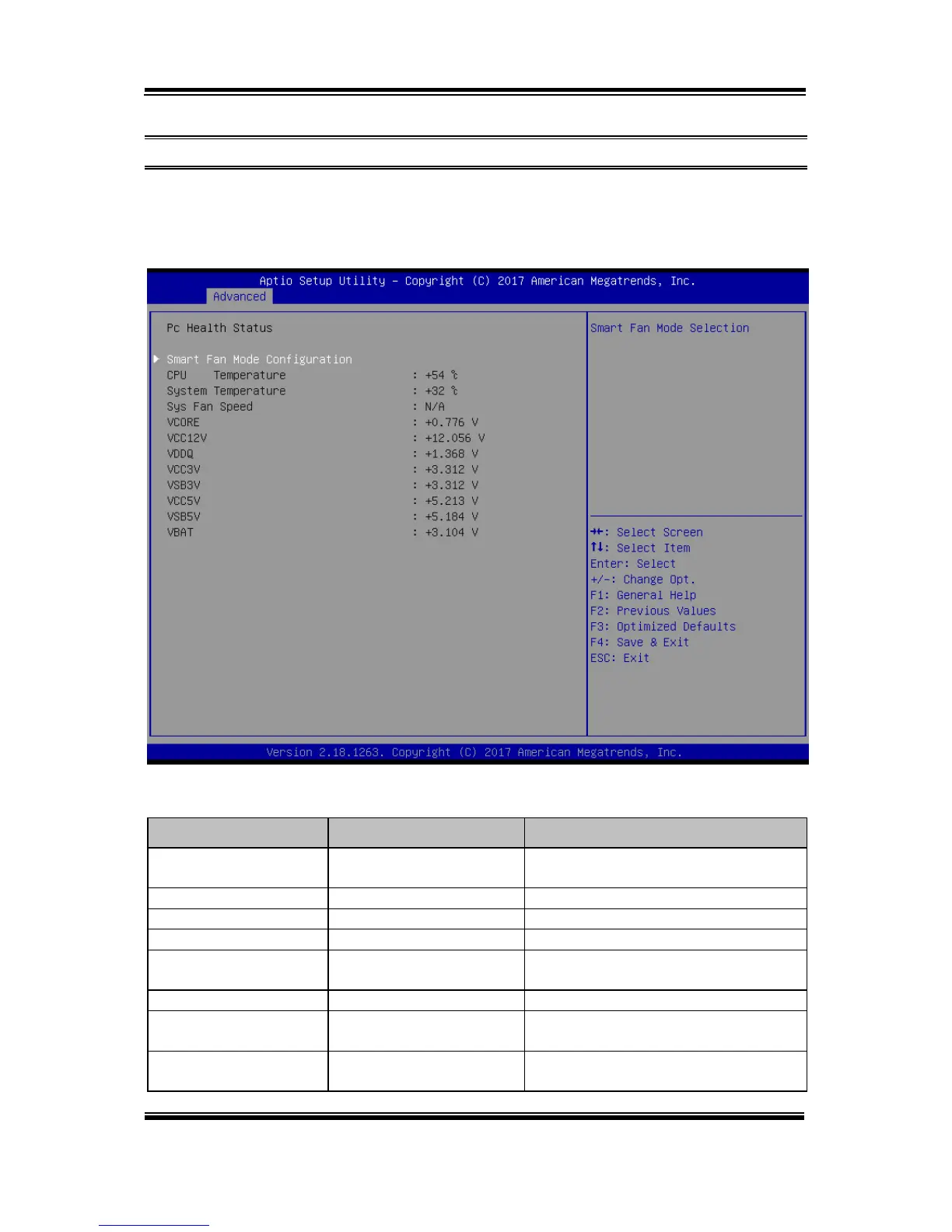
The Hardware Monitor allows users to monitor the health and status of the system
such as CPU temperature, system temperature, system fan speed and voltage levels in
supply.
Hardware Monitor Screen
Smart Fan Mode
Configuration
Smart Fan Mode Selection.
Displays the processor's temperature.
Displays the system's temperature.
Displays system fan speed.
Detects and displays the VCORE
CPU voltage.
Detects and displays 12V voltage.
Detects and displays the voltage level
of the VDDQ in supply.
Detects and displays the voltage level
of VCC3V in supply.



 To Next Page