EasyManua.ls Logo

Pro-Tech BE-0986 - F81966 Super IO Configuration - Serial Port 3 Configuration

Default Icon
122 pages
Print Icon
To Next Page IconTo Next Page
To Previous Page IconTo Previous Page
Loading...
Chapter 5 BIOS Setup
BE-0986 SERIES USER MANUAL
Page: 5-25
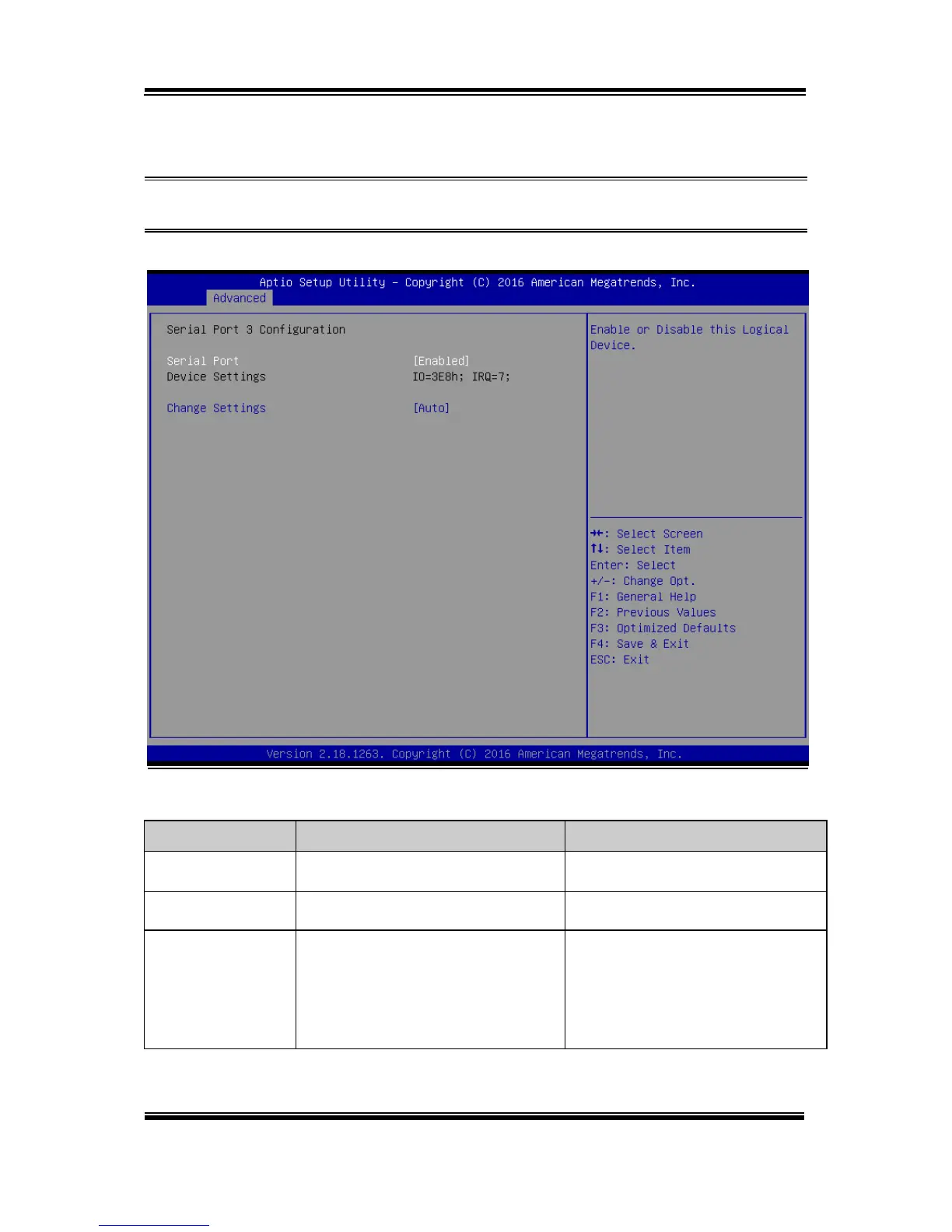
F81966 Super IO Configuration - Serial Port 3 Configuration
Menu Path Advanced > F81966 Super IO Configuration > Serial Port 3
Configuration
Serial Port 3 Configuration Screen
BIOS Setting
Options
Description/Purpose
Serial Port
- Disabled
- Enabled (default)
Enables/Disables COM3.
Device Settings
No changeable options
Reports the current COM setting.
Change Settings
- Auto (default)
- IO=3E8h; IRQ=7
- IO=3E8h; IRQ=3,4,5,7,9,10,11,12;
- IO=2E8h; IRQ=3,4,5,7,9,10,11,12;
- IO=2F0h; IRQ=3,4,5,7,9,10,11,12;
-IO=2E0h; IRQ=3,4,5,7,9,10,11,12;
Allows users to change Device's
Resource settings. New settings will
be reflected on this Setup Page after
System restarts.

Table of Contents