EasyManua.ls Logo

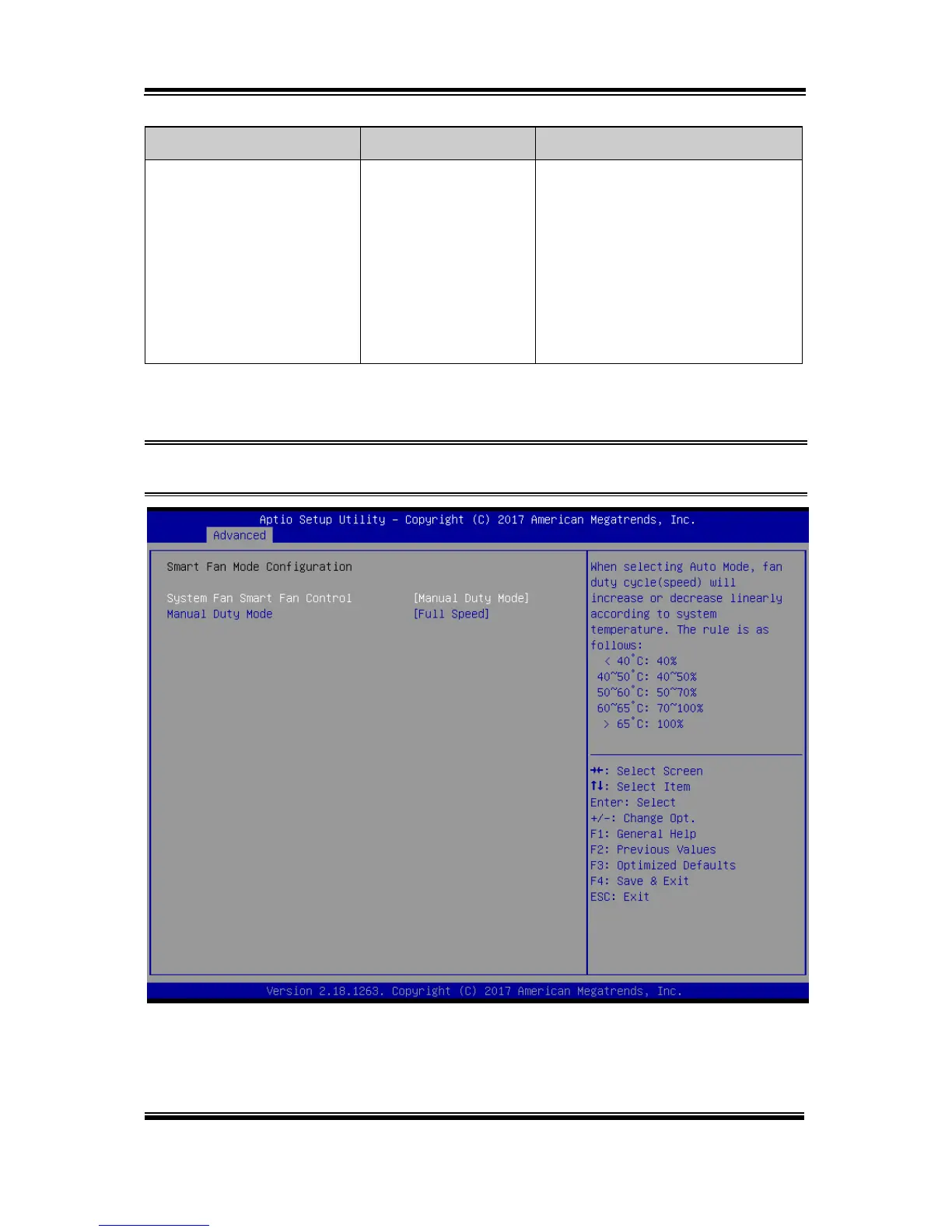
Pro-Tech BE-0986 - Smart Fan Mode Configuration - [Manual Duty Mode]

Default Icon
122 pages
Print Icon
To Next Page IconTo Next Page
To Previous Page IconTo Previous Page
Loading...
Chapter 5 BIOS Setup
BE-0986 SERIES USER MANUAL
Page: 5-13
BIOS Setting
Options
Description/Purpose
System Fan Smart Fan
Control
- Manual Duty Mode
- Auto Duty-Cycle
Mode (default)
When the “Auto Duty-Cycle Mode”
is selected, the fan duty cycle (speed)
will increase or decrease linearly
according to system temperature. The
rule is as follows:
< 40°C: 40%
40~50°C: 40~50%
50~60°C: 50~70%
60~65°C: 70~100%
> 65°C: 100%
Smart Fan Mode Configuration - [Manual Duty Mode]
Menu Path Advanced > Hardware Monitor > Smart Fan Mode
Configuration > [Manual Duty Mode]
Smart Fan Mode Configuration Screen

Table of Contents