EasyManua.ls Logo

Pro-Tech BE-0986 - Boot Configuration

Default Icon
122 pages
Print Icon
To Next Page IconTo Next Page
To Previous Page IconTo Previous Page
Loading...
Chapter 5 BIOS Setup
BE-0986 SERIES USER MANUAL
Page: 5-42
5.7 Boot
Menu Path Boot
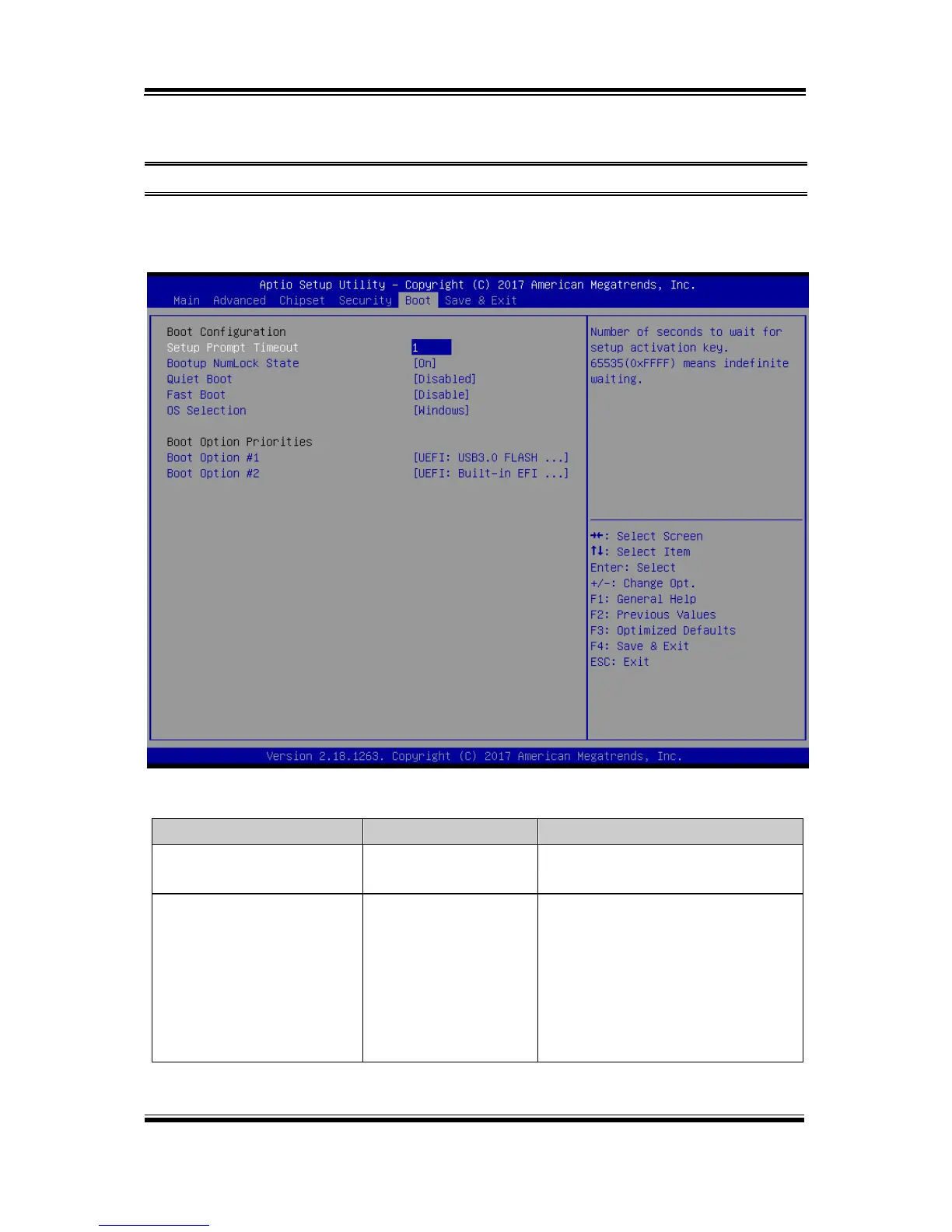
This menu provides control items for system boot configuration such as setting setup
prompt timeout, enabling/disabling quiet boot and fast boot and changing the boot
order from the available bootable device(s).
Boot Screen
BIOS Setting
Options
Description/Purpose
Setup Prompt Timeout
(Numeric) from
1 to 65535.
Number of seconds to wait for setup
activation key.
Bootup NumLock State
- On (default)
- Off
Selects the NumLock sate after the
system is powered on.
On: Enables the NumLock
function automatically after the
system is powered on.
Off: Disables the NumLock
function after the system is
powered on.

Table of Contents