Copyright © profichip GmbH, 2012
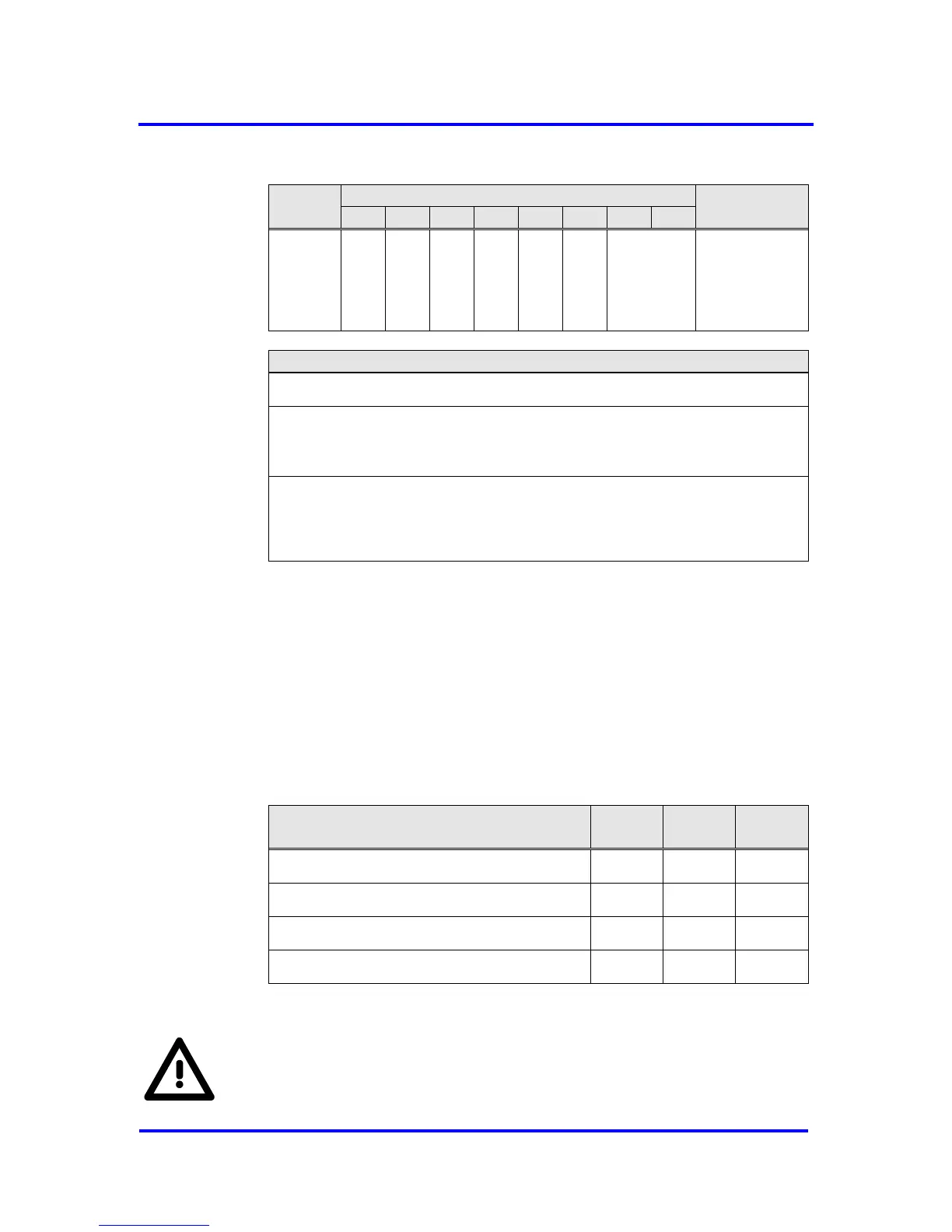
Next_DXBout_
Buf_Cmd
See coding
below
Next_DXBout_Buf_Cmd, Address 0BH:
State_U_Buffer: State of the User-Buffer
0 = no new U buffer
1 = new U buffer
Ind_U_Buffer: Indicated User-Buffer
01 = DXBout_Buf_Ptr1
10 = DXBout_Buf_Ptr2
11 = DXBout_Buf_Ptr3
Figure 7-13: Coding of Next_DXBout_Buf_Cmd
Monitoring
After receiving the DXB data the Link_Status in DXB_Status_Buf of the
corresponding Publisher is updated. In case of an error the bit Link_Error is
set. If the processing is finished without errors, the bit Data_Exist is set.
In state DATA-EXCH the links are monitored in intervals defined by the
parameterized watchdog time. After the monitoring time runs out, the
VPC3+S evaluates the Link_Status of each Publisher and updates the bit
Link_Status. The timer restarts again automatically.
WD_Time elapsed AND Data_Exist = 1
WD_Time elapsed AND Link_Error = 1
Figure 7-14: Link_Status handling
To enable the monitoring of Publisher-Subscriber links the watchdog
timer must be enabled in the Set_Prm telegram. The user must check
this.



 To Next Page