PROLiNK® PRC3801 Wireless AC1200 MU-MIMO Dual-Band Gigabit Router
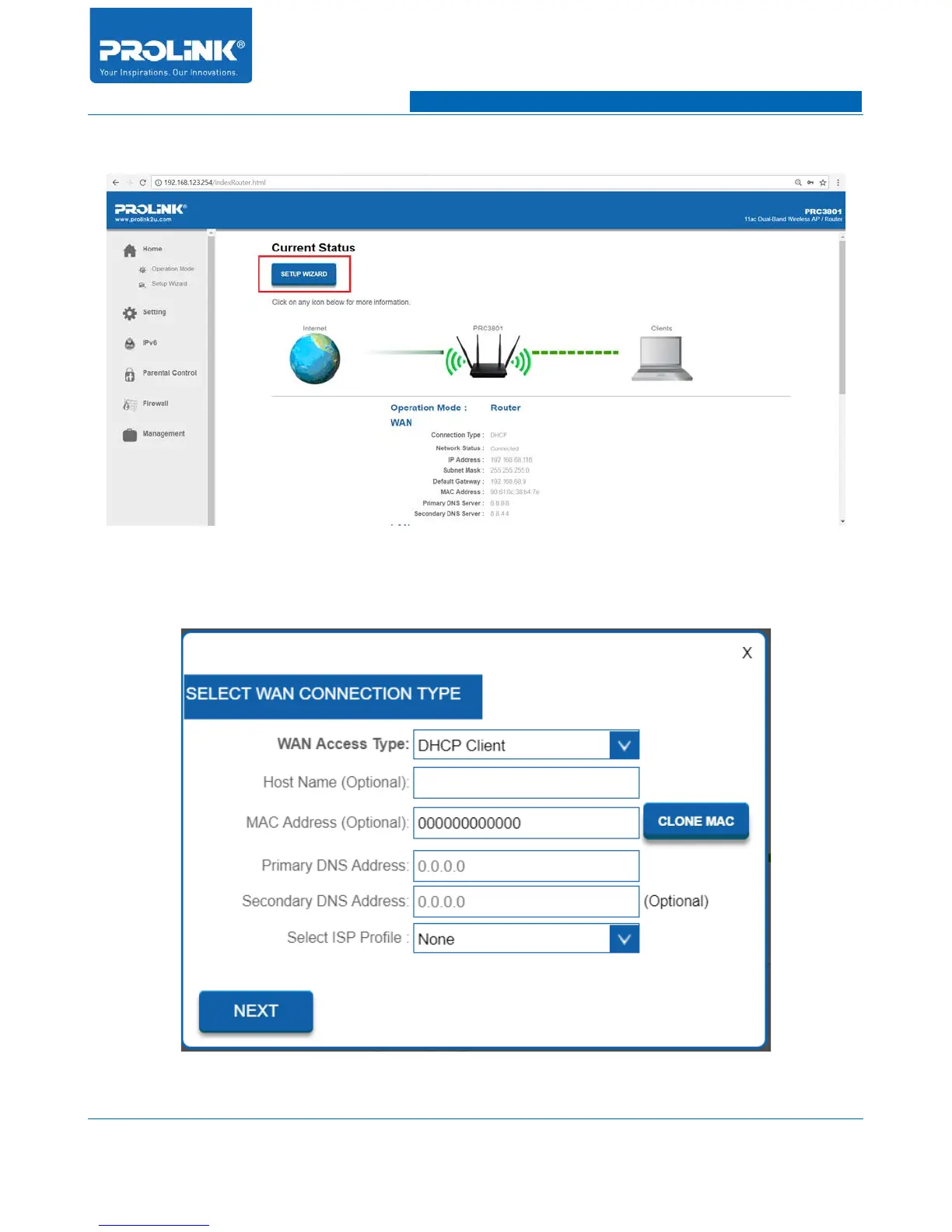
1. At Home Page, click on “SETUP WIZARD” button to begin configure the router.
2. Once click, a window will show up for you to configure the WAN connection type of router.
Select WAN Access type as DHCP Client, leave all the field empty and click Next.
10



 To Next Page