PROLiNK® PRC3801 Wireless AC1200 MU-MIMO Dual-Band Gigabit Router
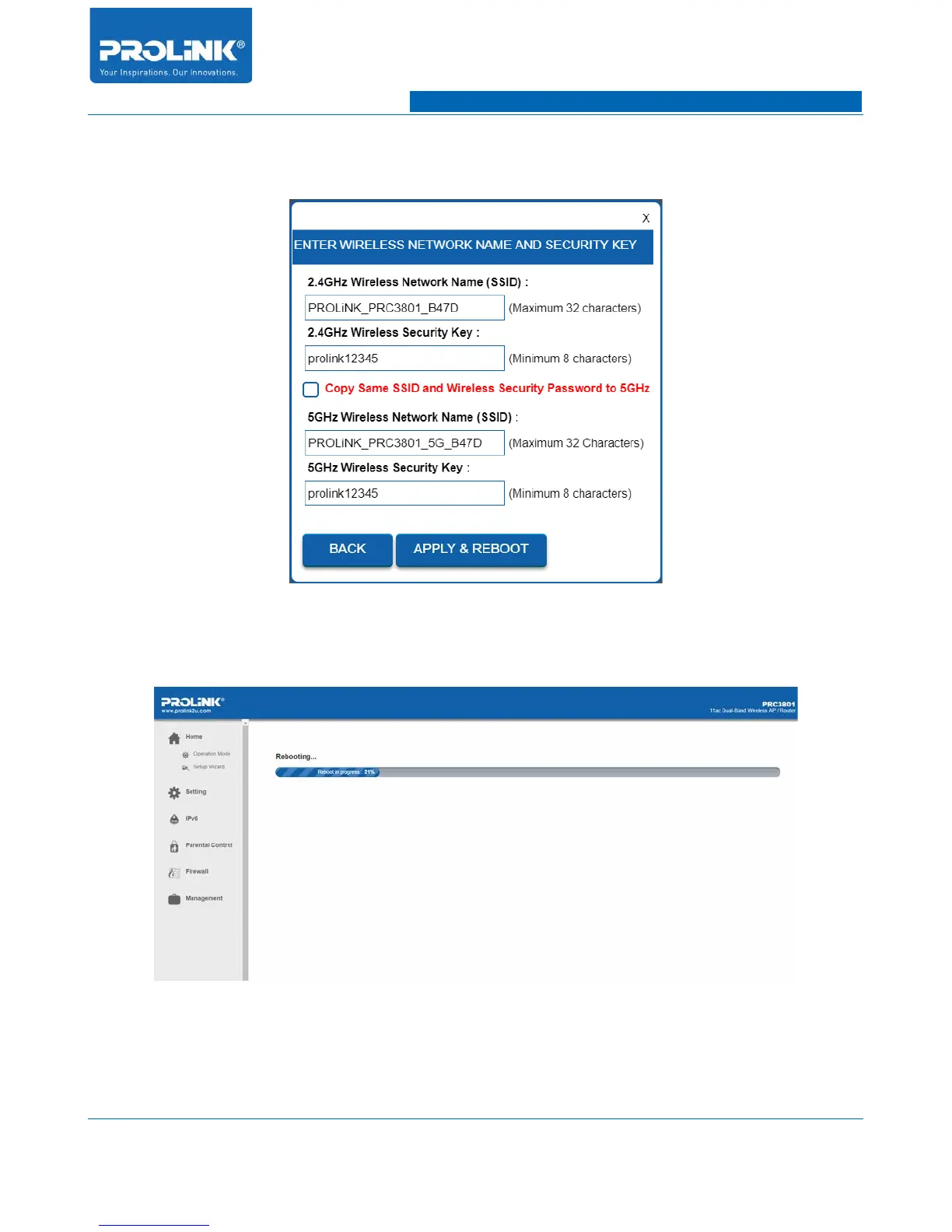
3. In Wireless Network Setting, you could set for Wireless SSID name and password for client to
connect with router.
4. After finish enter the SSID and password click “APPLY AND REBOOT” for PRC3801 to
begin configuring PRC3801 according to configured setting.
5. Once finish reboot, you will return back to PRC3801 Main Page with all the network status
updated according to configured setting.
11



 To Next Page