PROLiNK® PRC3801 Wireless AC1200 MU-MIMO Dual-Band Gigabit Router
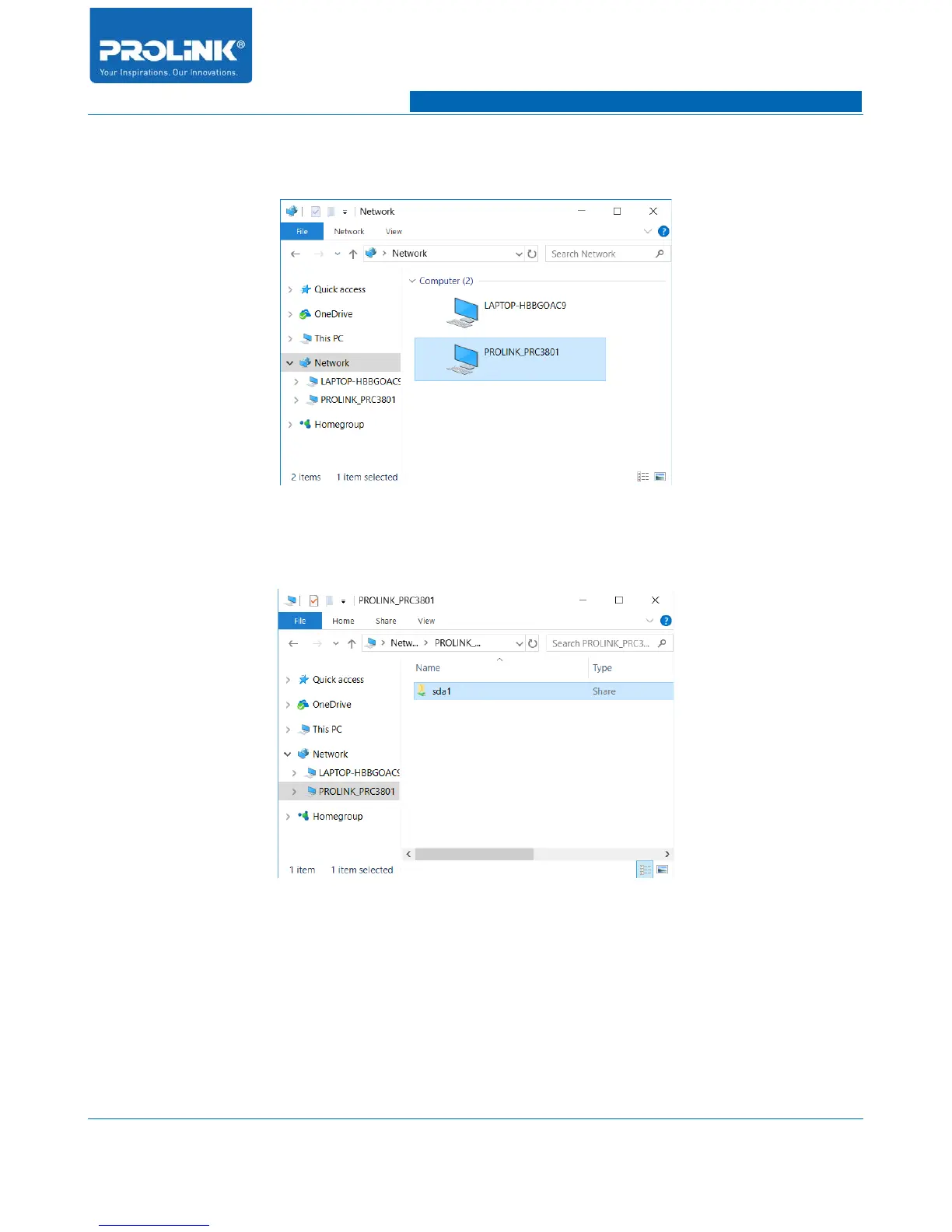
3. Click on the “Network” folder and you will notice a file icon name as
“PROLINK_PRC3801” appear on network folder.
4. Double click to access the file. Once you able to access the folder, in order to open or
browse USB Drive double click on network folder name as “sda1”.
5. After double click on the network folder you are now in USB Drive folder. You could
add and remove file inside USB Drive.
74



 To Next Page