Fitting the DULCOMETER
®
Compact
Controller into the cut-out in the control
panel
NOTICE!
Ribbon cable base
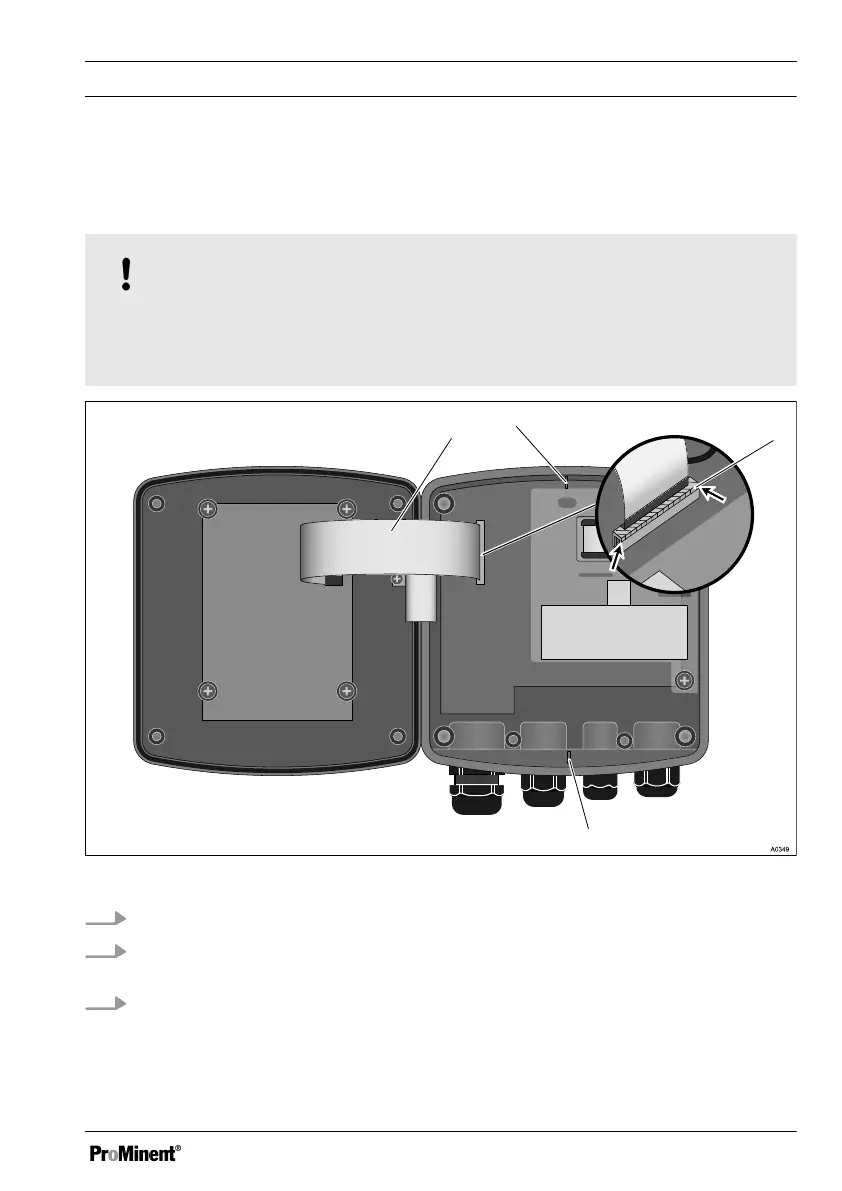
The base for the ribbon cable is firmly soldered onto the PCB. The base cannot be
removed. Open the base lock (3) to loosen the ribbon cable, see Fig. 6
Fig. 6: Loosening the ribbon cable
1.
Undo four screws and open the DULCOMETER
®
Compact Controller
2. Open the right and left lock (3) (arrows) on the base and pull the ribbon cable (1)
out of the socket
3. Use pliers to break off the catches (2 and 4). These are not needed for control
panel installation
Assembly and installation
25















 To Next Page