Q24/Q48 Tape Library Installation and Operations Manual
2.8 Rack mounting the library
The rack rail components are optional accessories depending on
the ordered configuration. Skip this section, when the rack rail
components are not included.
Required tools:
• #3 Phillips screwdriver
• T10 Torx screwdriver
Rack mounting the library:
1. Determine the location in which the library rack is to be installed.
2. Use a pencil to mark the location on each vertical rail in the rack.
3. In the rack mount kit are two sets of eight M6 screws. Determine the type of rack then choose
the appropriate type of M6 screws.
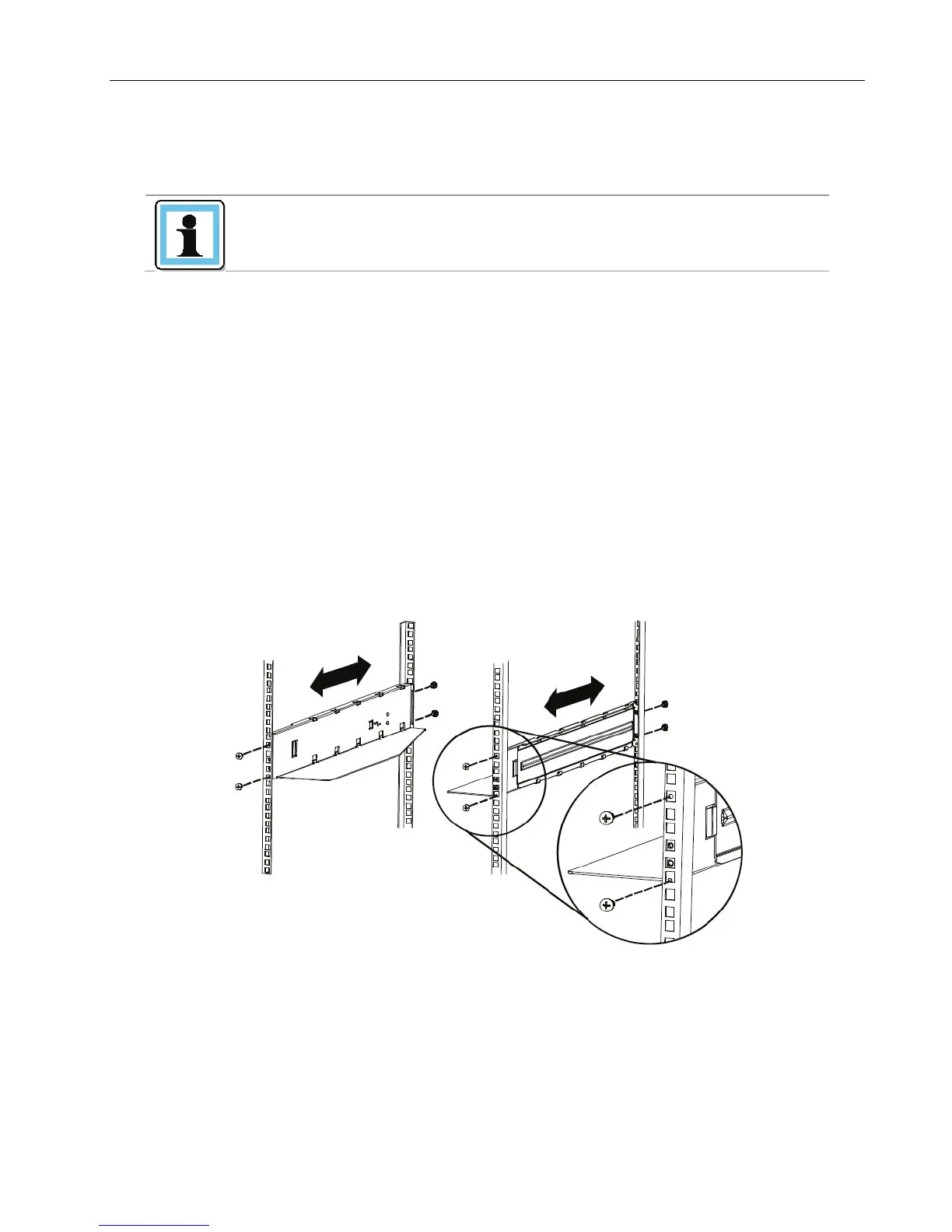
4. Secure one rail to each side of the rack in your chosen rack location with a #3 Phillips
screwdriver. Insure the rails are mounted level and at the same rack height on each side.
5. Secure both the front and back of each rack rail to the rack.
Figure 13 Install the rack rails
© Copyright QUALSTAR 2015 14



 To Next Page