Q24/Q48 Tape Library Installation and Operations Manual
4.7.2 Error Message format
The error message format is a fixed 4-byte length with the following content:
• Error type
• Error code
• Sub error code
• Internal code (active command code)
4.7.3 OCP error reporting
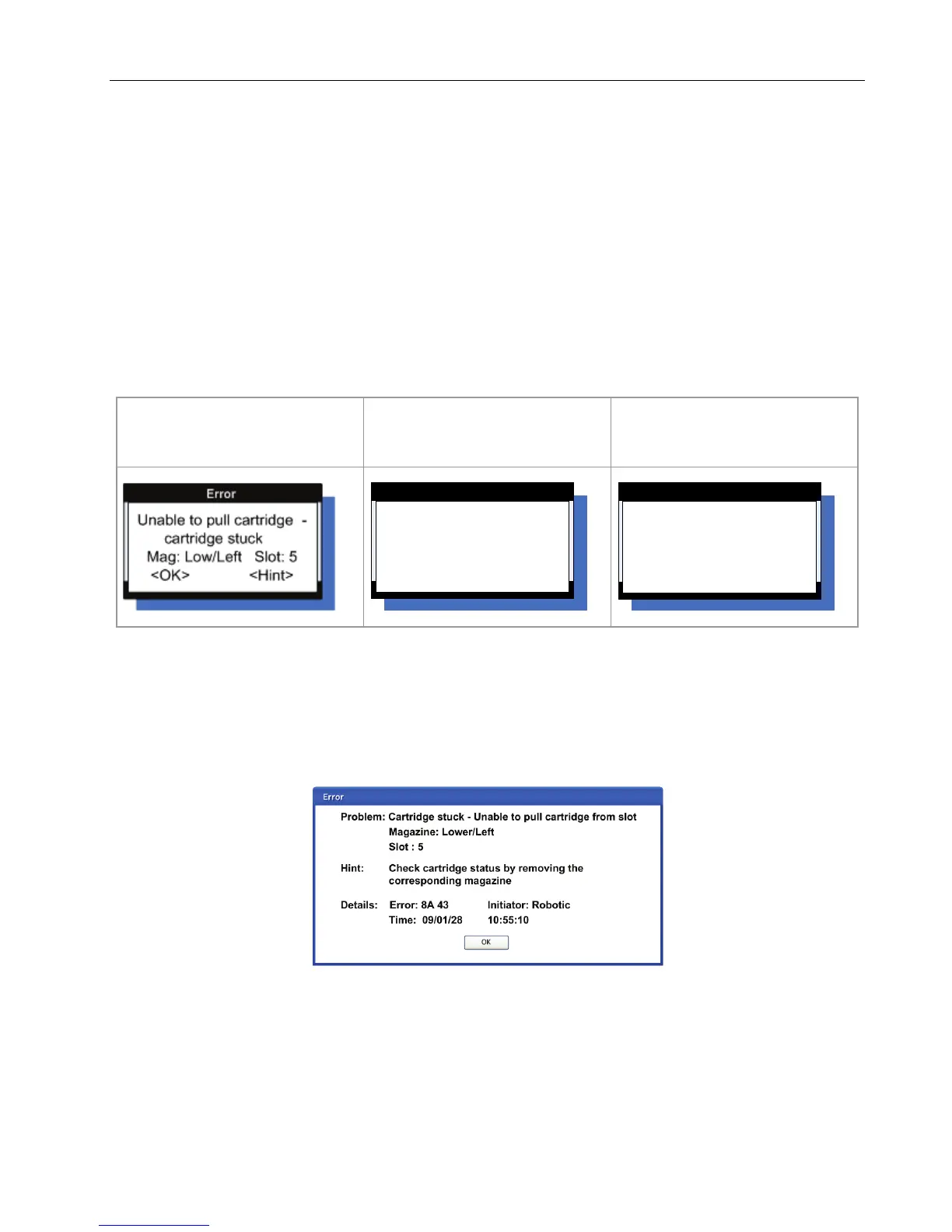
In case of an error or a warning, a popup message appears on the OCP. The information is shown in 3
different message displays, as shown in the following example:
1. General <Error> display
Select the <Hint> button
to show the <Hint> display.
Select the <Detail> button
to show the<Detail> display
Figure 64 OCP Error display
4.7.4 RMU error reporting
In case of an error or a warning, the following popup message appears on the RMU. All information will be
available in one message box, as shown in the following example:
Figure 65 RMU Error display
Check cartridge status by
removing the
corresponding magazine
<OK> <Detail>
Error -> Hint
Error : 8A 65
Initiator : Robotic
Time : 09/01/28 10:55:00
<OK> <Back>
Error->DetailsError -> Details
© Copyright QUALSTAR 2015 73



 To Next Page