Q24/Q48 Tape Library Installation and Operations Manual
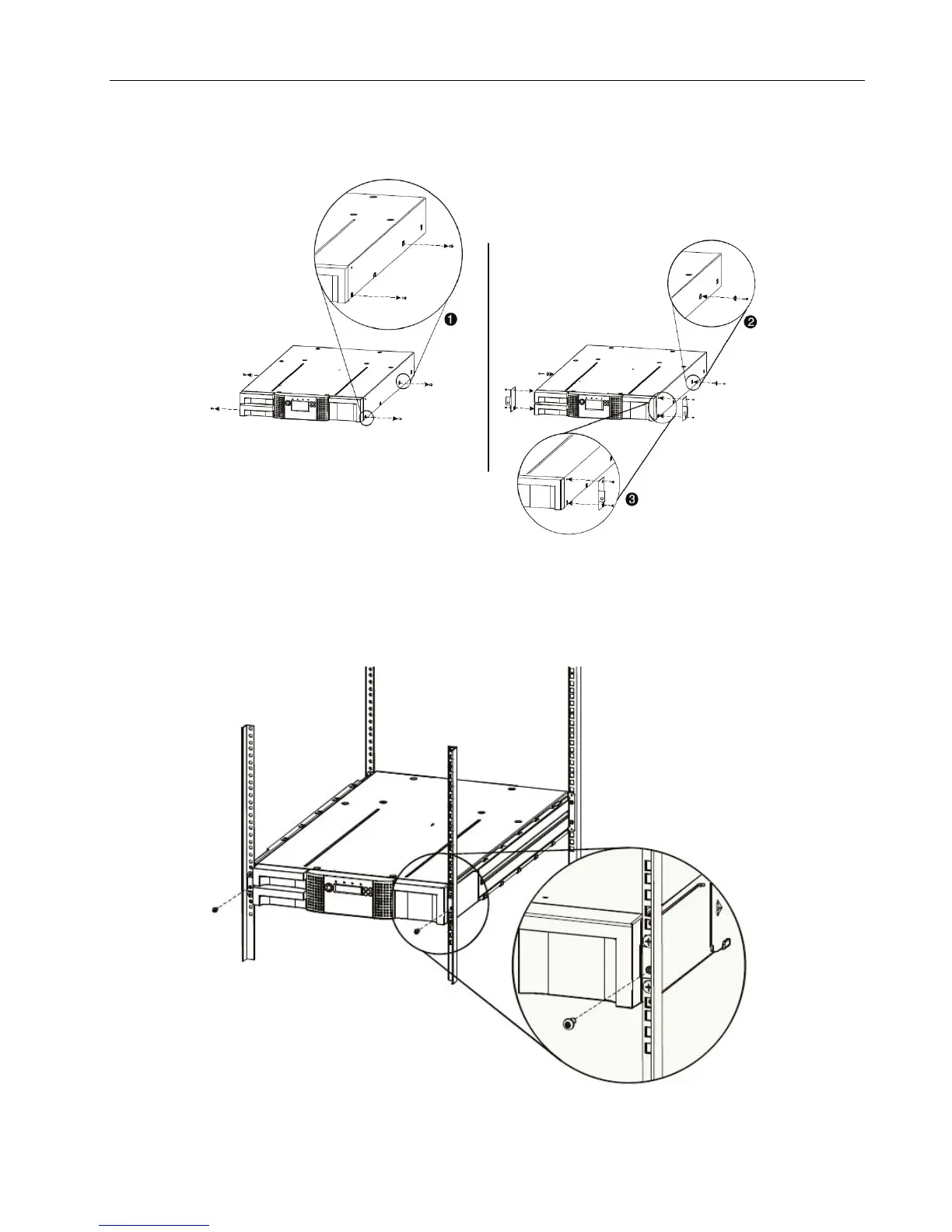
6. Install mounting brackets for the library using the Torx screws included in the rack mount kit.
Figure 14 Install the mounting brackets
7. Slide the library onto the rack rails.
8. Secure the library to the rack using a 3# Phillips screwdriver placed through the small holes in
the mounting bracket to tighten the M5 screw(s) on each side of the library.
Figure 15 Secure the library to the rack
© Copyright QUALSTAR 2015 15



 To Next Page