Q24/Q48 Tape Library Installation and Operations Manual
4.3 Removing tape cartridges from the library
Tape cartridges stuck in the Q24/Q48 Tape Library –
Risk of damaging devices
When the library is moved, any tape cartridge can become
dislodged from the magazines and can damage other tape
cartridges left in the library and the library media handler.
To avoid damage, remove all tape cartridges before moving the
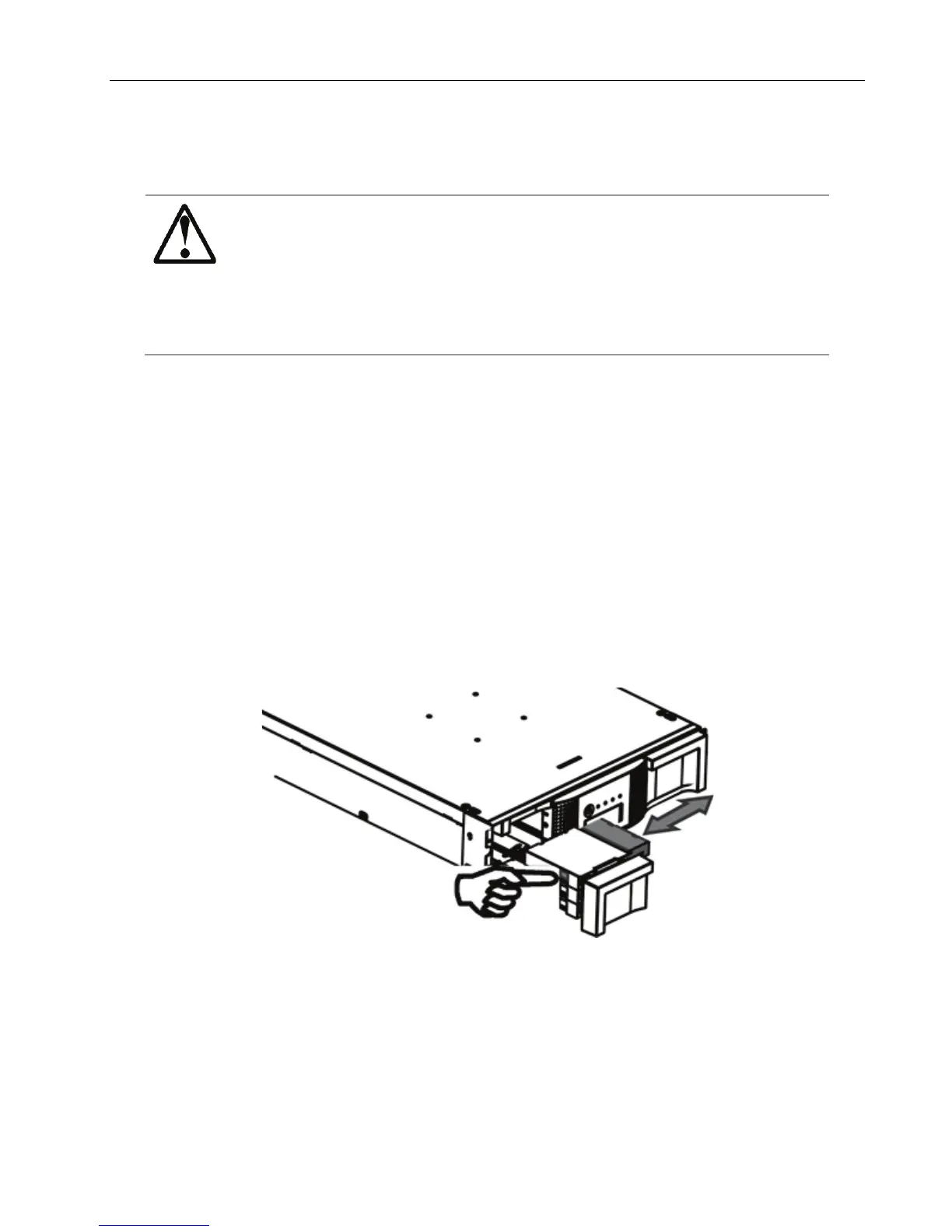
To remove a stuck tape cartridge, follow these steps:
1. Unlock the magazine using the:
• OCP, see Section 3.1.7
RMU, see Section 3.2.8.3
• Emergency release, if you are not able to unlock the magazine with the OCP or RMU,
see Section 4.4
2. Pull the mail slot or magazine out to access the tape cartridge.
3. To remove the tape cartridge:
• Use the finger holes to push the tape out of the slot.
• If required insert a new tape cartridge.
• Repeat this process until all stuck tape cartridges are removed.
Figure 61 Removing a stuck tape
4. Push the mail slot or magazine back into the library.
© Copyright QUALSTAR 2015 69



 To Next Page