Q24/Q48 Tape Library Installation and Operations Manual
3.2.9.2 Performing Drive Diagnostics
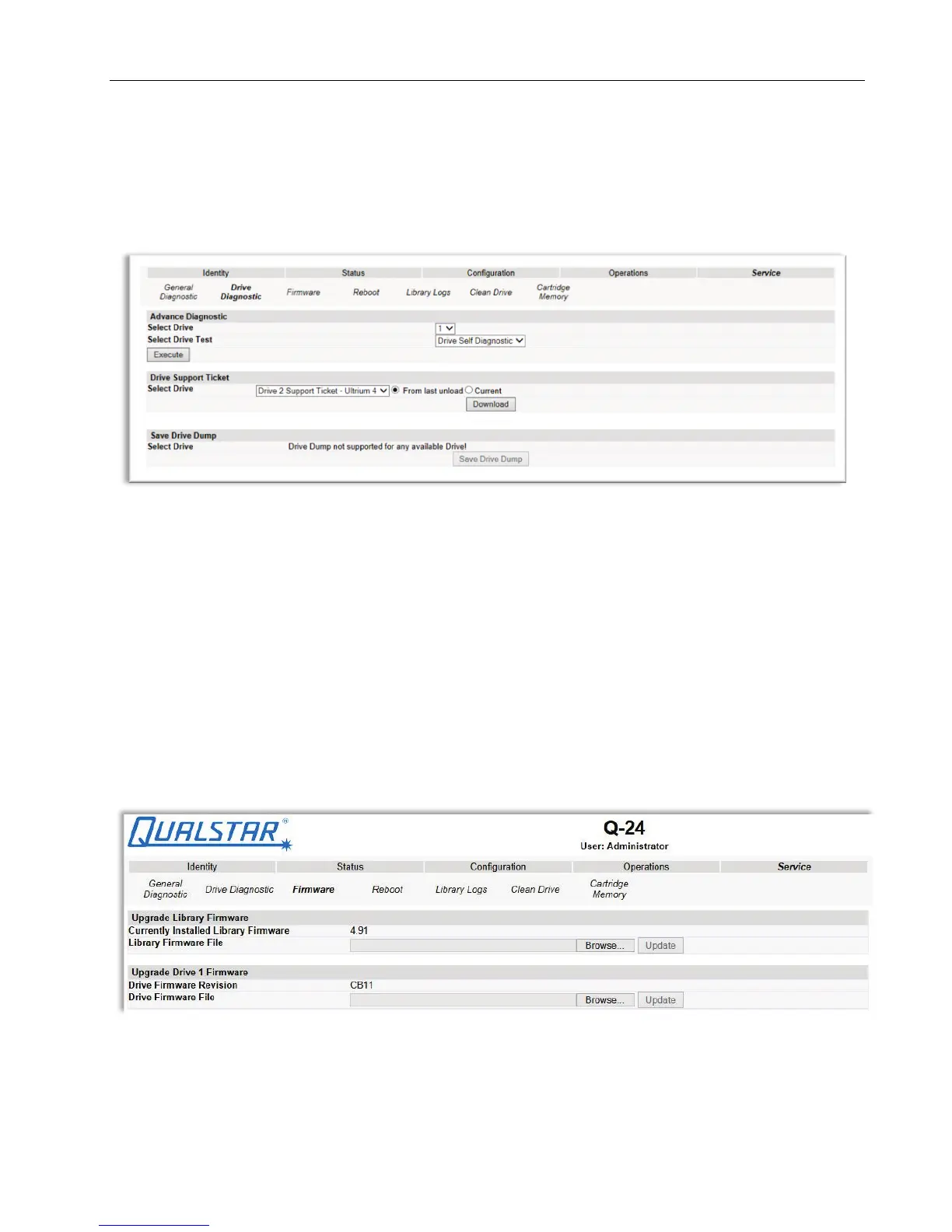
This page provides the system administrator with general tests to verify the usability and reliability of
the drive(s).
Figure 55 Drive diagnostics
Selections available are:
• Advance Diagnostic: Select Drive# and Select the Drive Test to be performed
• Drive Support Ticket: Select Drive# and choose last/current unload
• Save Drive Dump: Select Drive (once defined)
3.2.9.3 Determining and updating firmware
This page displays the current versions of the library firmware and drive(s) firmware. New firmware
can be uploaded to the library or a drive by using this page. After a firmware update, the system
restarts automatically.
Figure 56 Firmware updates
© Copyright QUALSTAR 2015 57



 To Next Page