Radioddity Extended manual for Radioddity DB25-D, DB40-D & GD-88 v3.0
© Radioddity 2023 page 166 of 252
To manually delete one or more records (‘Serial No’s) from your
current ‘Contact list’, first specify the total number of records
you want to delete within the field labeled ‘Delete QTY’, then
position the cursor at the Serial No you want to start the delete-
process at before you push the button ‘- Del’. Be careful as to not try deleting more
records than actually do exist.
To save the ‘Contact list’ to the radio, click on ‘Write’ within the top menu selection
of the CPS. Do not forget to do that.
12.12.2 Ham contacts
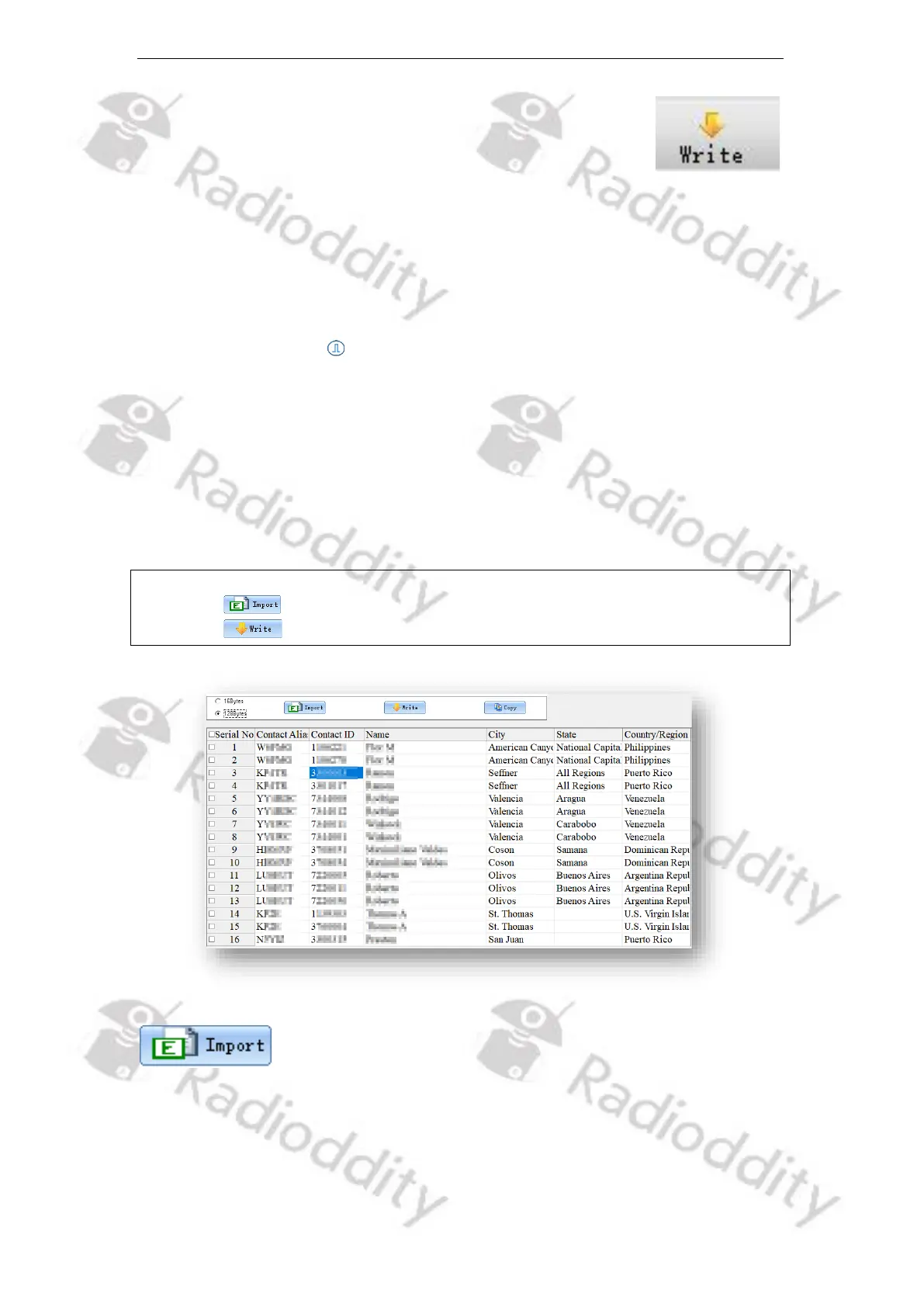
The ‘Ham contacts’ is mainly used for high-end users or amateur groups. At the
same time, it allows users to create, modify, edit, add and delete the ham contacts
list through a CSV file, or download the CSV file of the ham contacts from a
designated website or other ways directly import or copy it to the CSV file and
then import. This ‘Ham Contacts’ can hold up to 300,000 Contacts with details such
as ‘Contact Alias’ (call sign), ‘Contact ID’ (DMR ID), ‘Name’ (Name of operator), ‘City’,
‘State/Province’ and ‘Country’.
Notes: Getting the Ham contacts into the radio is a 2-step process,
1. sorted Ham contacts from a file to the CPS
2. the Ham contacts from the CPS to the radio
If you press the ‘Import’ button, you will be directed to the default file path of the
system in order to directly import a CSV file of digital contacts. For your
convenience we have included a sample file ‘Ham contacts_ALL_20200505193301
max 200000.csv ‘ within the installation directory of the Radioddity CPS. This



 To Next Page