Radioddity Extended manual for Radioddity DB25-D, DB40-D & GD-88 v3.0
© Radioddity 2023 page 44 of 252
5.5.5 Radioddity DB40-D Speaker-Microphone
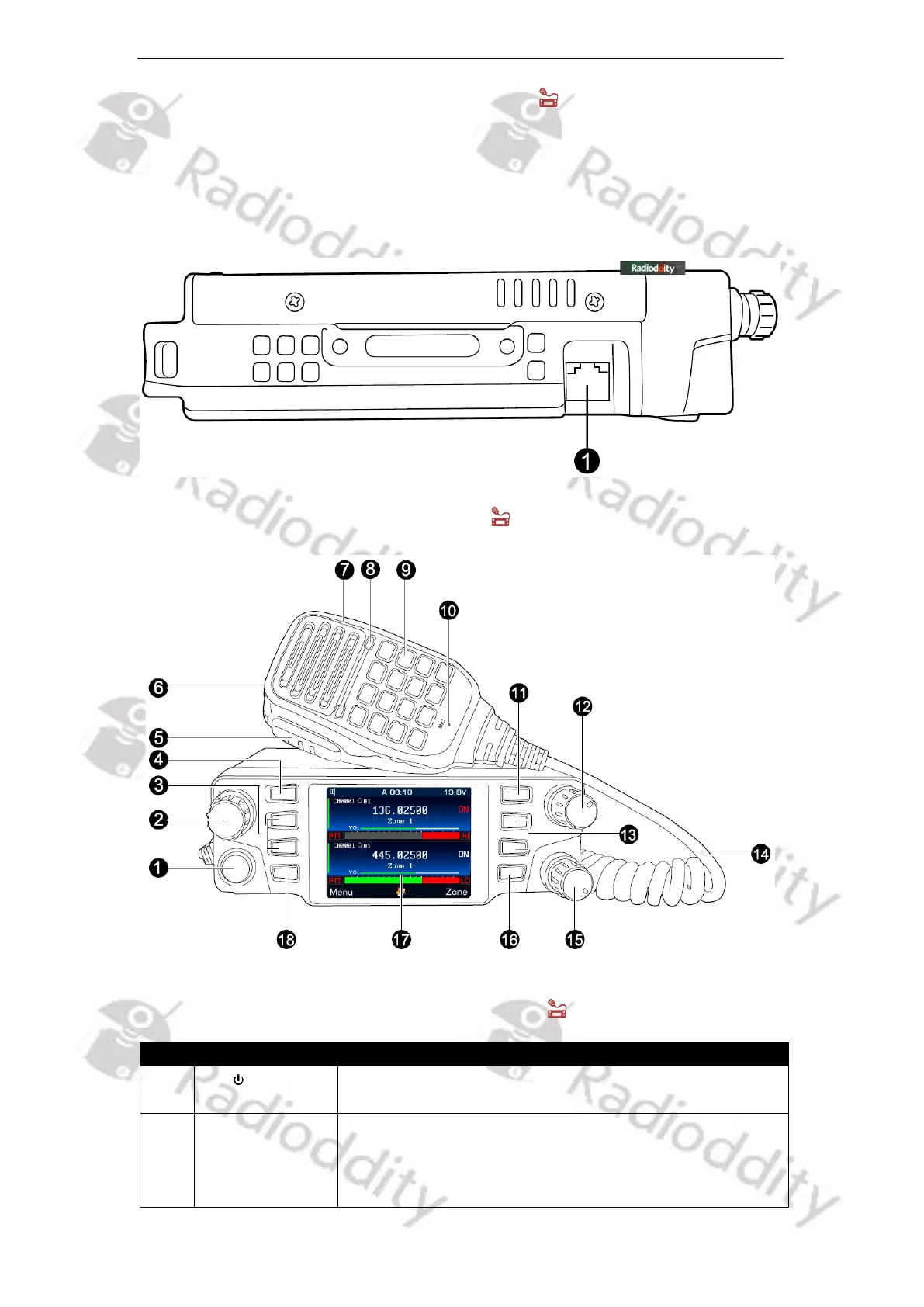
Please insert the provided Speaker-Microphone (with built-in speaker) to the RJ45
jack on left side of the radio to make voice communication. Press the connector
until you hear a click sound from the locating plate in place.
5.6 Radioddity DB40-D radio controls
5.6.1 Parts description & function applications
(1) Applies to channel, frequency and menu
operations of the VFO marked with ‘PTT‘
(2) Short-press for MENU, Select, OK
(3) Long press for EditChannel



 To Next Page