Radioddity Extended manual for Radioddity DB25-D, DB40-D & GD-88 v3.0
© Radioddity 2023 page 40 of 252
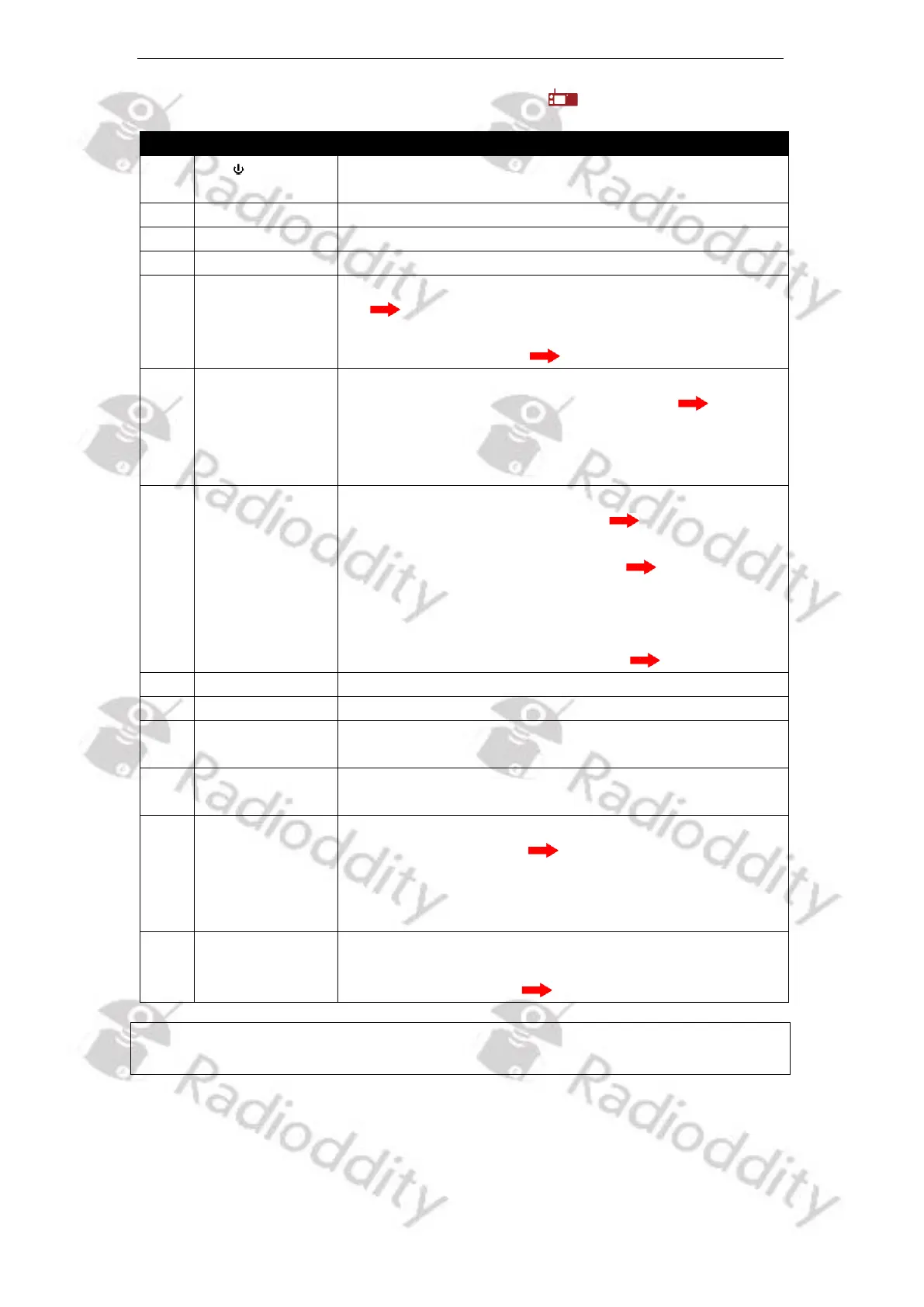
5.5.1 Parts description & function applications
Function description and applications
Press and hold it for more than 3 sec to turn the radio
on or off.
Programmable function key 1
Programmable function key 2
Programmable function key 3
1) Short press to set the volume of the VFO with the ‘
’ icon.
2) In analog mode, long press to set the squelch level
of the VFO with the ‘ ’ icon.
1) In analog mode, short press and rotate it to select
the signaling type of the VFO with the ‘ ’ icon.
2) 2) After selecting the signaling type, long press it to
change the signaling code / frequency. TX/RX
signaling code/frequency can be set.
1) In Standby, short press to switch between VFO A
and VFO B. The VFO with the ‘ ’ icon is the main
VFO for transmitting or menu set.
2) For operating the VFO with the ‘ ’ icon, in menu
mode, short press to return to the previous level,
and long press to exit menu mode.
3) In Standby, long press to enter the Channel-Edit
mode of the main VFO with the ‘ ’ icon.
Used to indicate the RX/TX status, etc.
Used to receive audio from others
Display various working states, and combine with
visual icons for easy use and operation
RJ45 (MIC)
connection port
Connect the original Speaker-Microphone to this port
[Menu]-key
[OK]-key
[Select]-key
1) In standby, short press to access the menu of the
main VFO with the ‘ ’ icon
2) In the current menu mode, short press to be
[Menu]-key or [OK]-key for parameter selection
and confirmation.
In standby, rotate the knob to operate and set
frequency, channel, menu selection and parameters
etc. of main VFO with ‘ ’ icon.
Notes: For convenient use, there are programmable [P]-keys for definition of various
functions.



 To Next Page