EasyManua.ls Logo

RAUMEDIC NeuroSmart - User Manual

RAUMEDIC NeuroSmart
61 pages
Print Icon
To Next Page IconTo Next Page
Loading...
RAUMED NeuroSmart Instruction Manual
Manufacturer: RAUMEDIC AG, Hermann-Staudinger-Strasse 2, 95233 Helmbrechts, Germany
zwo-541EN Rev 3 / 2022-05-03
Page 1 of 61
Instruction manual
RAUMED
®
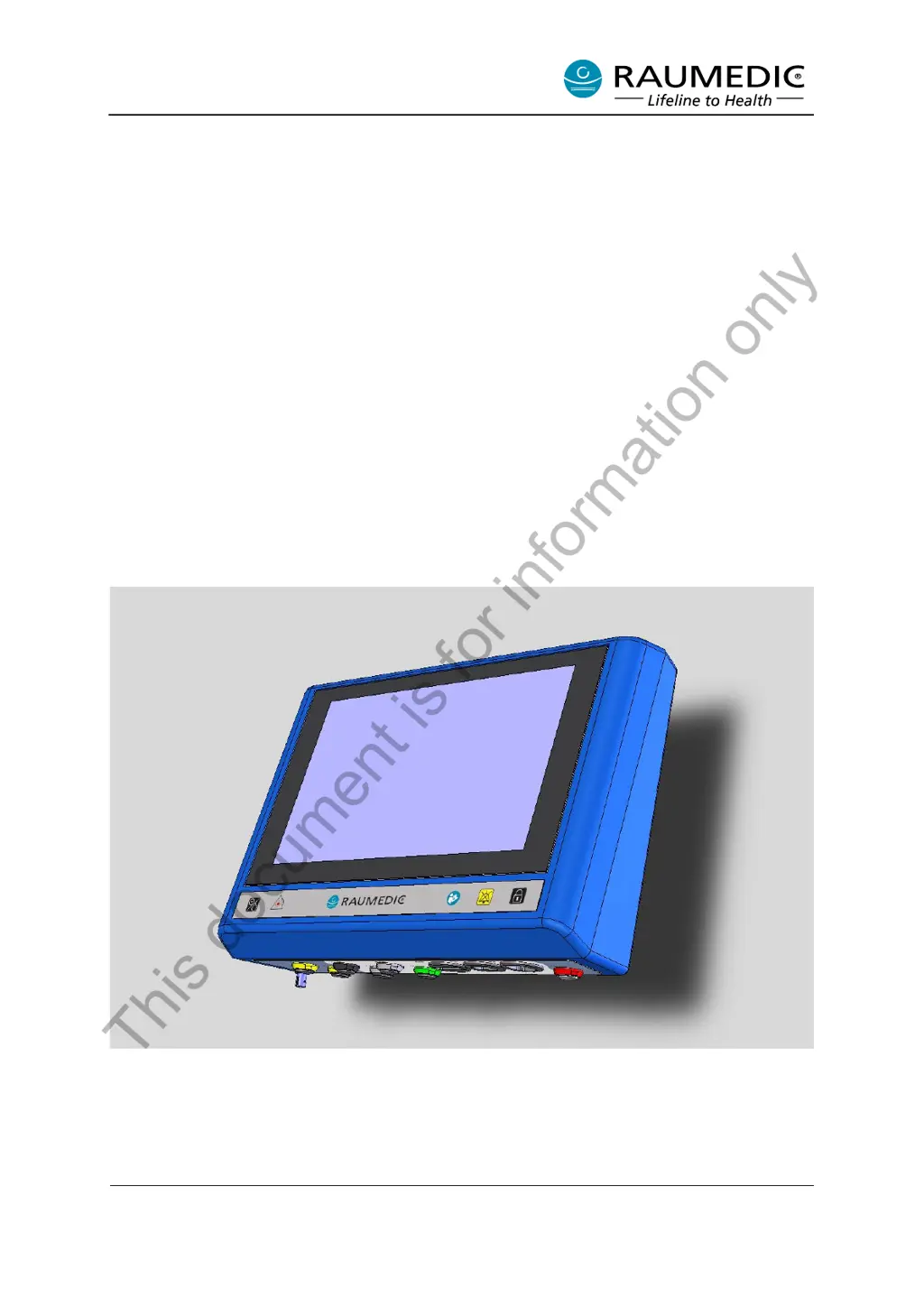
NeuroSmart
®
REF 095284-001 and
RAUMED
®
NeuroSmart
®
logO
095294-001
Edition with GUI Revision g3.22.
This document is for information only

Table of Contents

Questions and Answers

  • D
    dgouldAug 18, 2025
    What to do if my RAUMEDIC Medical Equipment shows 'Battery low'?
    • M
      Matthew RiveraAug 18, 2025
      If the RAUMEDIC Medical Equipment displays a 'Battery low' message, it means the device can operate for approximately 30 more minutes without a power adapter. Connect the adapter to continue operation.
  • C
    Christopher PetersAug 20, 2025
    Why can't I carry out zero calibration on my RAUMEDIC NeuroSmart Medical Equipment?
    • P
      Paul CoxAug 20, 2025
      If the zero calibration fails on your RAUMEDIC Medical Equipment, it might be because the pressure changed by more than 2 mmHg. Ensure the pressure is stable and then repeat the zero balance procedure.
  • C
    Christopher MooreAug 23, 2025
    What to do if the measured values are constant on RAUMEDIC NeuroSmart?
    • C
      Cindy DyerAug 23, 2025
      If the measured values on your RAUMEDIC Medical Equipment remain constant, it could indicate a defective or improperly connected catheter. Confirm this with OK. Check the pulsation of the pressure signals. If no pulsating pressure signals are displayed even though the catheter/transducer is connected to the patient, it is probably a sensor defect.
  • J
    jason91Aug 26, 2025
    What happens when the data storage is full on RAUMEDIC NeuroSmart Medical Equipment?
    • A
      amy25Aug 26, 2025
      When the data storage of your RAUMEDIC Medical Equipment is almost full, save the data to a PC. Otherwise, the oldest data will be overwritten.
  • G
    Gabriel KnightAug 27, 2025
    Why is the connection with NEUROVENT P-tel interrupted in RAUMEDIC NeuroSmart?
    • M
      Melissa RichardsonAug 28, 2025
      If the connection with the NEUROVENT P-tel is interrupted on your RAUMEDIC Medical Equipment, the NEUROVENT P-tel may be outside the reader's transmission range. Check the reader’s location and correct it if necessary.
  • C
    Colleen DouglasAug 30, 2025
    How to fix 'No connection to NEUROVENT P-tel possible' on RAUMEDIC?
    • R
      Robert MoranAug 30, 2025
      If no connection to the NEUROVENT P-tel is possible with your RAUMEDIC Medical Equipment, check the position of the reader antenna.
  • M
    Maria BerrySep 1, 2025
    Why is the amplitude of the measurement signal too low on RAUMEDIC NeuroSmart Medical Equipment?
    • J
      jim21Sep 1, 2025
      If the amplitude of the measurement signal for the oxygen partial pressure is too low on your RAUMEDIC Medical Equipment: * Check the catheter and the oxygen socket. * Check the plug connection and fibre optic cable. Clean the ST socket on the NeuroSmart and ST plug on the catheter.
  • R
    Robert BrewerSep 3, 2025
    How to correct a system time failure on RAUMEDIC NeuroSmart Medical Equipment?
    • E
      elizabethmitchellSep 4, 2025
      If there is a system time failure on your RAUMEDIC Medical Equipment, check the date and time and correct them if necessary.
  • B
    Benjamin StevensSep 6, 2025
    What to do if the O2 catheter is faulty on RAUMEDIC Medical Equipment?
    • D
      Donald AllenSep 6, 2025
      If the connected O2 catheter is faulty on your RAUMEDIC Medical Equipment, use another catheter.
  • K
    Kristen AyalaSep 8, 2025
    What to do if temperature channel is defective on RAUMEDIC NeuroSmart?
    • J
      Judith CooperSep 8, 2025
      If the temperature channel is defective or the temperature T2 is outside the measuring range on your RAUMEDIC Medical Equipment, check the cables and catheters or switch off T2.

Summary

General Information

Intended Use

Device intended for monitoring invasive physiological pressures and patient temperatures.

Operational Environment

Specifies where the device can be used, including clinical environments and during transport.

Indications

Conditions under which the NeuroSmart can measure and monitor physiological parameters.

Contra-indications

Situations where the NeuroSmart should not be used, such as in CT or MRI environments.

Safety Instructions

General Safety Instructions

Crucial guidelines for safe operation, including user qualifications and proper handling.

Cyber and Data Security

Instructions for protecting data and ensuring system security, including software updates.

Device Safety Symbols

Explains symbols on the device and their meanings for safe operation and compliance.

Packaging Safety Symbols

Details symbols found on the packaging, indicating handling and storage precautions.

Operation

Operating Functions

Overview of the device's main and important functions for monitoring and data management.

Start-up Procedures

Steps for initial device setup, including visual inspection and connection diagrams.

Operating Concept and Screen Layout

Describes the device's interface, including hard keys, touch display areas, and view arrangements.

Starting and Managing Measurements

Guides on initiating measurements, selecting functions, setting limits, and handling data.

Settings and Configuration

Instructions for adjusting system settings like language, scaling, date/time, and graphics.

Alarm System Management

Details on alarm types, visual/audible indicators, and settings for managing alarms.

Data Forwarding

How to connect and forward measured data to external devices via analogue outputs.

Expanded Physiological Parameters

Information on calculating and using advanced parameters like PRx, ORx, and CPPopt.

Error Handling and Troubleshooting

Information for Technical Support

Guide on accessing and providing device information to service personnel for error resolution.

Cleaning and Care

NeuroSmart Device Cleaning

Procedures for cleaning the main device unit, including disinfection and sterilization limitations.

Cable Maintenance

Guidelines for cleaning, disinfecting, and sterilizing cables to maintain functionality and safety.

Adapter Cleaning

Instructions for cleaning the power adapter, emphasizing avoiding immersion in liquids.

Electromagnetic Compatibility (EMC)

Measuring Accuracy and EMC

Performance characteristics related to electromagnetic disturbance phenomena and approved deviations.

General EMC Information

Guidance on using the device in environments with potential electromagnetic interference and precautions.

Electromagnetic Emissions

Classification of electromagnetic emissions and conformity standards for industrial and hospital use.

Electromagnetic Immunity

Details on immunity test levels for various electromagnetic interference scenarios.

Inspections and Maintenance

Safety Checks (SC)

Operator's obligation and recommendations for performing safety checks on medical devices.

Measurement Checks (MC)

Requirements and recommendations for performing measurement checks to ensure accuracy and compliance.

Technical Parameters (Specifications)

Technical Data Overview

Comprehensive technical specifications including dimensions, power, connectivity, and measurement ranges.

Environmental and Operating Conditions

Specifies operating, storage, and transport conditions, including temperature, humidity, and air pressure.

Environment and Disposal

Liability and Warranty

Appendices

RAUMEDIC NeuroSmart Specifications

General IconGeneral
CategoryMedical Equipment
ManufacturerRAUMEDIC
Resolution0.1 mmHg
Sensor LocationIntracranial
Sensor TypePressure sensor
UsageSingle-use
Temperature Range10°C to 40°C
DimensionsVaries by component
WeightVaries by component
CertificationsCE

Related product manuals