RAUMED NeuroSmart Instruction Manual
Manufacturer: RAUMEDIC AG, Hermann-Staudinger-Strasse 2, 95233 Helmbrechts, Germany
zwo-541EN Rev 3 / 2022-05-03
Page 27 of 61
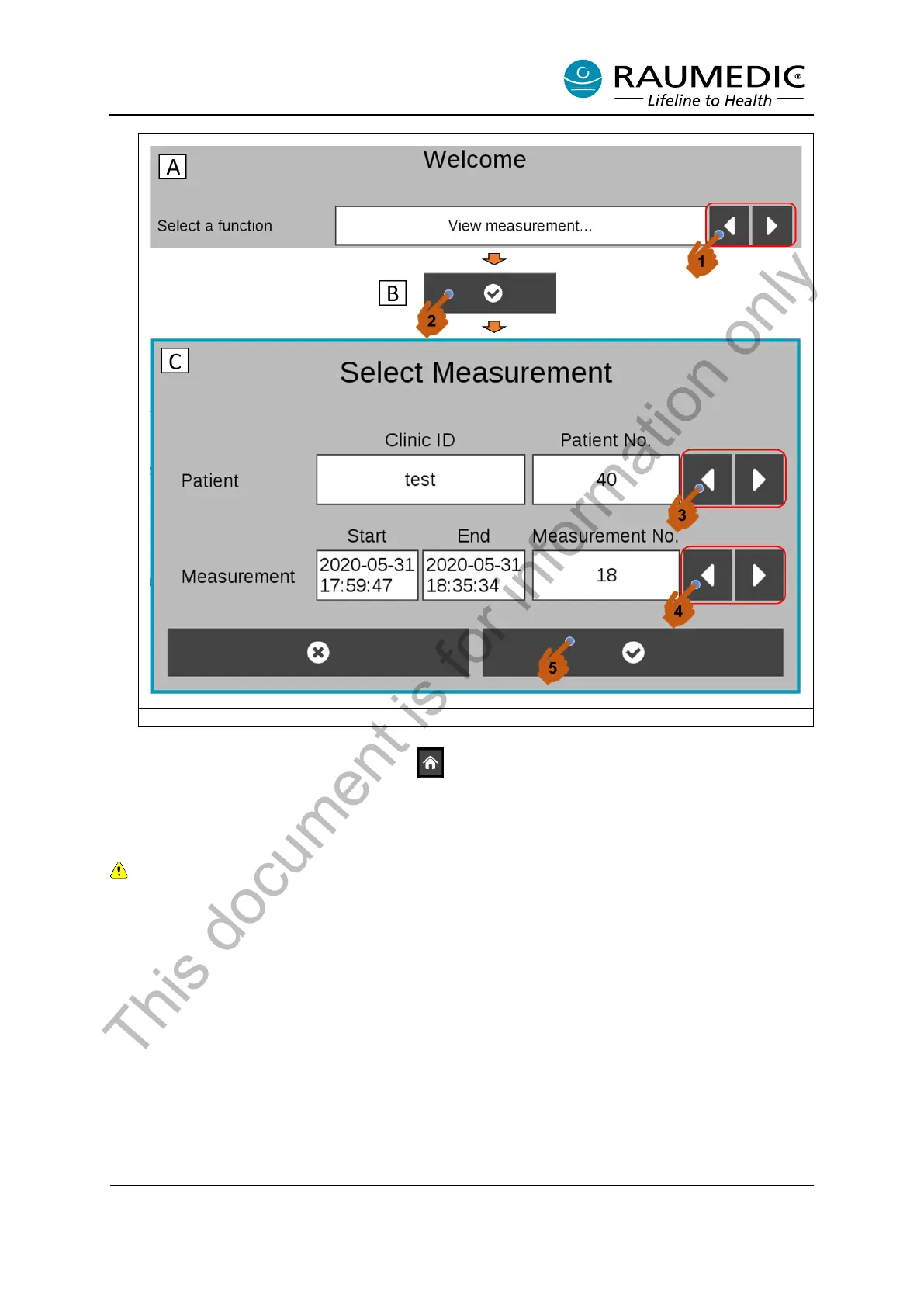
Figure 15: Select older trends
To display other trends, use the soft key to go back to the Start screen. Repeat steps <1>-<5>
as described above.
3.5.2 Setting the date/time
The date/time can only be set in the Start Screen mode. The date/time cannot be changed during a
measurement.
Please use the following procedure to set the date and time. <1> Switch on the NeuroSmart. When the
Start screen appears (see Figure 6), <2> press the Settings button. <3> Date and time can now be
adjusted with the Select buttons [1-3]. See Figure 16.
This document is for information only



 To Next Page