RAUMED NeuroSmart Instruction Manual
Manufacturer: RAUMEDIC AG, Hermann-Staudinger-Strasse 2, 95233 Helmbrechts, Germany
zwo-541EN Rev 3 / 2022-05-03
Page 26 of 61
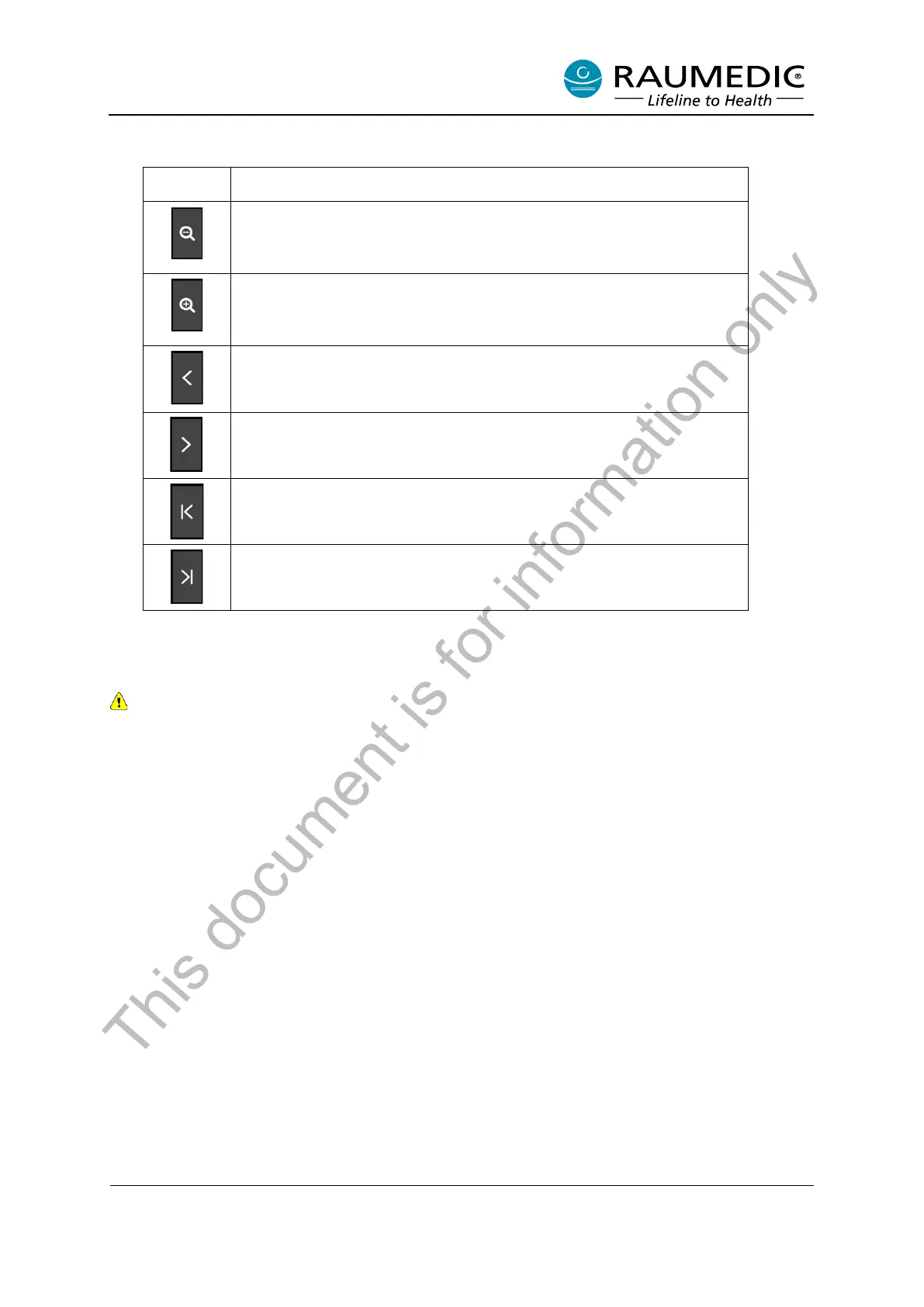
Table 13: Soft keys for chronological adjustment in the Trend Graph View
Temporal resolution rougher (the displayed chronological sequence is
longer)
Temporal resolution finer (the displayed chronological sequence is
shorter)
Chronological navigation back
Chronological navigation forward
Chronological navigation back to the start of the measurement
Chronological navigation forward to the current recording time
• Displaying older trends
For technical reasons, trends can only be opened on the Welcome screen if no measurement is
running on the NeuroSmart.
To display older trends, please perform the following steps. See Figure 15.
<1> Use the Select button in the Start screen to select “View measurement…”
<2> Confirm the selection with the Confirm button
<3> Select the patient using the patient number. The associated Clinic ID changes automatically
depending on the patient number
<4> Select the measurement number with the Select button.
<5> Confirm the selection with the Confirm button. The data is then loaded and displayed in the
Trend Graph View. The functions for the display in the Trend Graph View are described in the
previous section. See Figure 14 and Table 13.
This document is for information only



 To Next Page