RAUMED NeuroSmart Instruction Manual
Manufacturer: RAUMEDIC AG, Hermann-Staudinger-Strasse 2, 95233 Helmbrechts, Germany
zwo-541EN Rev 3 / 2022-05-03
Page 13 of 61
[1] Various views can be displayed in the main display area (see Section 3.3.1). Readings, alarm sta-
tuses, curve progressions or the trend can be displayed as well.
[2] Information such as date, time, patient clinic ID, battery level, storage capacity, screen lock, and
alarm status is displayed in the status area. The device cannot be operated in the status area.
[3] The soft keys in the menu area can be used to toggle between views. Other functions such as for-
warding, brightness adjustment, setting, and message displays are also in the menu pane.
3.3.1 Views in the main display area
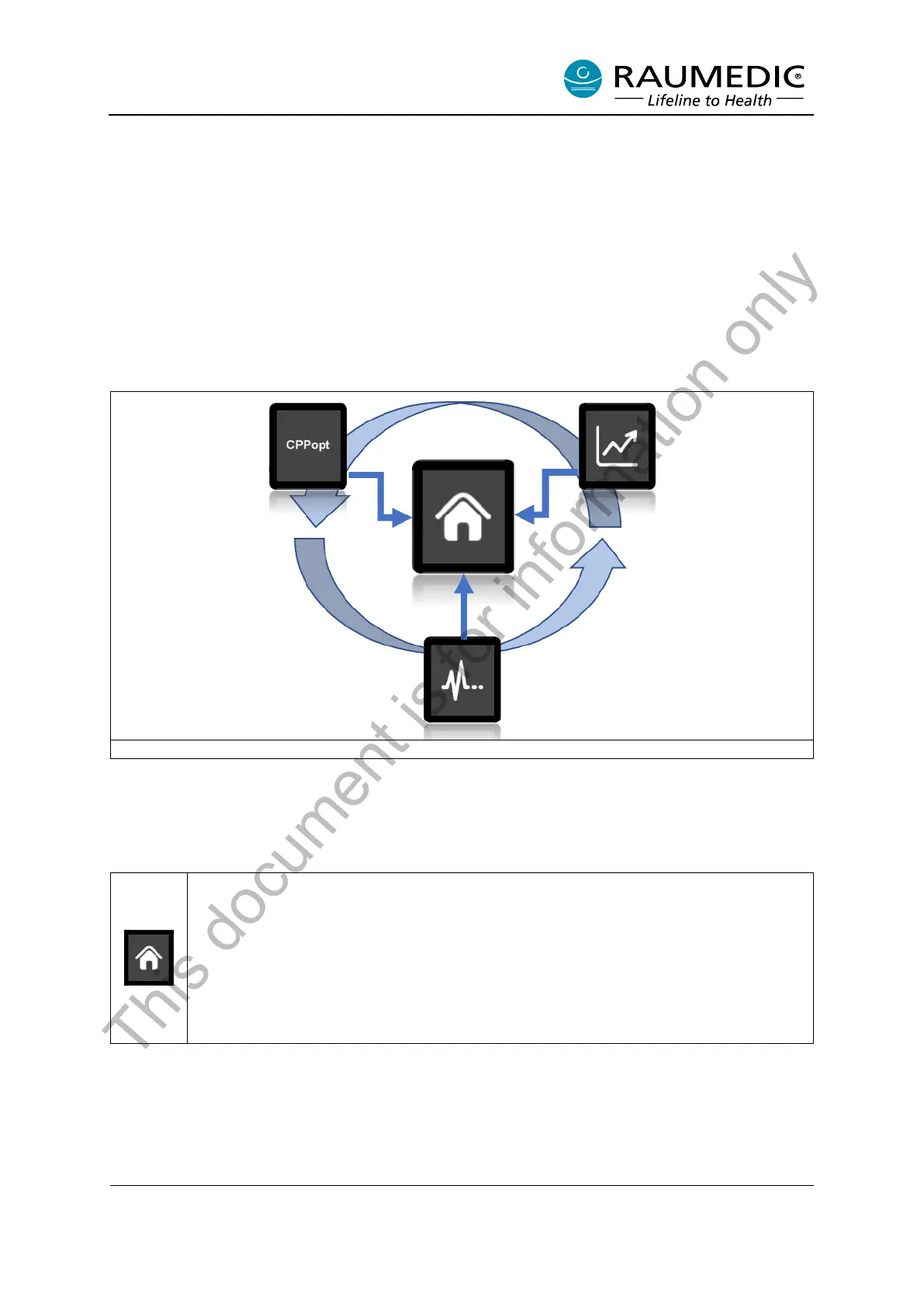
There are four different views that can be shown in the main display area. The views have a fixed
sequence that revolves around the Reading View (see Figure 4).
Figure 4: Arrangement of views in the main display area
The Reading View is regarded as the main view. Use the Home Button to go directly to the Reading
View from any other view display.
Table 7: Views in the main display area
Reading View:
The readings are the focus of the Reading View and are displayed in a large size. Alarm
statuses are also displayed in the Reading View. If an alarm status exists and the Reading
View is not open in the main display area, the main display area switches to the Reading
View. Depending on the number of parameters to be measured, the number of measure-
ment fields and their display size can vary so that the display elements can be shown in
as large a size as possible. In this way, 1-6 display fields may be shown in the Reading
View.
This document is for information only



 To Next Page