RAUMED NeuroSmart Instruction Manual
Manufacturer: RAUMEDIC AG, Hermann-Staudinger-Strasse 2, 95233 Helmbrechts, Germany
zwo-541EN Rev 3 / 2022-05-03
Page 48 of 61
4.1 Information if an error occurs
If you cannot fix errors yourself and require technical support, information is needed for troubleshooting.
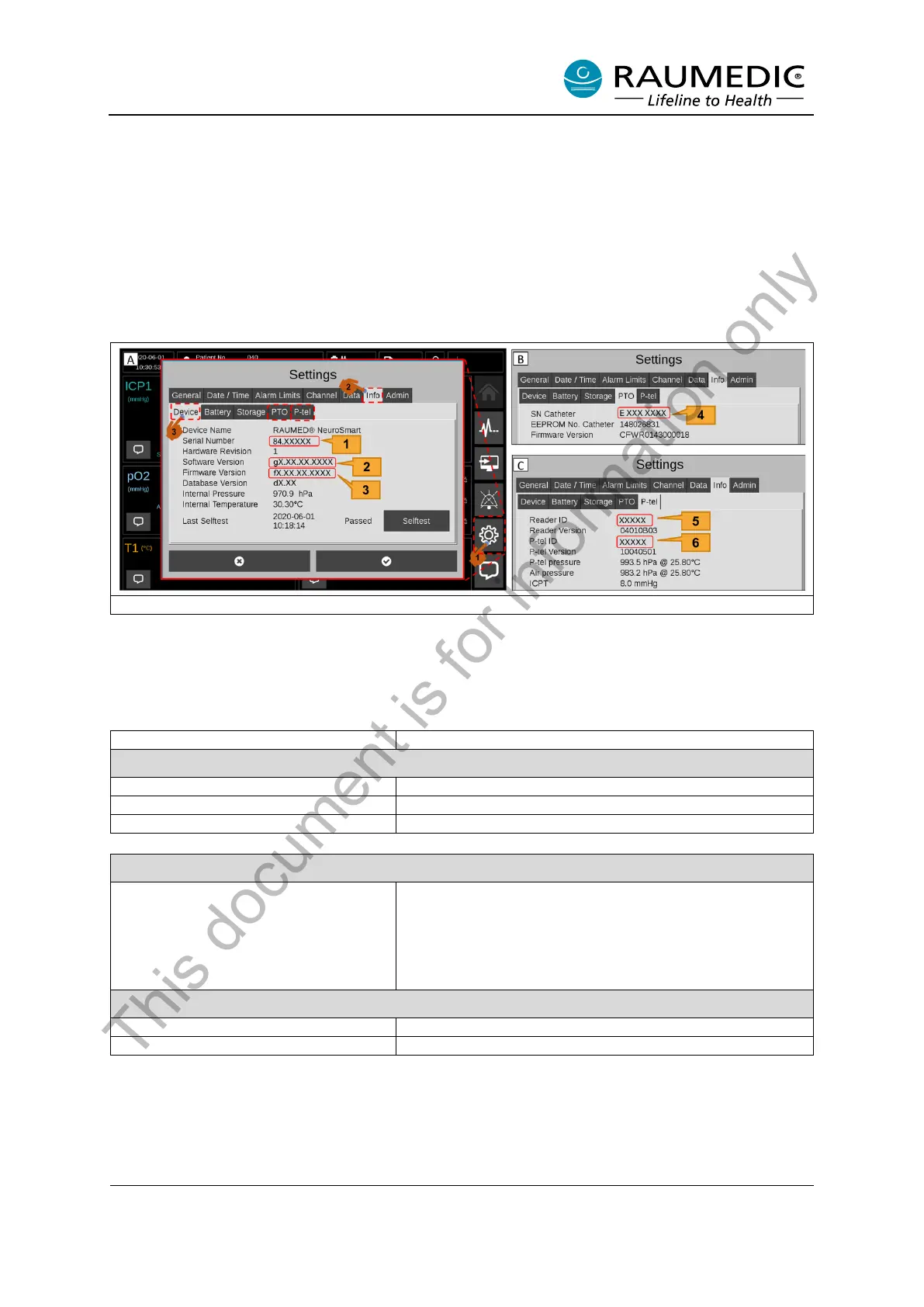
To access the information, please carry out the following steps: <1> Settings; <2> then the “Info” tab;
<3> then go to the “Device” tab and select “PTO” or “P-tel”. See Figure 28.
Read the NeuroSmart information as shown in Figure 28 (Pos. 1-6) and please forward the information
to Service as shown in Table 21.
Figure 28: Access information
Note: The PTO and P-tel tabs are only available if the associated catheters are connected to the Neu-
roSmart.
Table 21: Information to pass on to Service
Instructions and structure of numbers
Information about the NeuroSmart
Pos. [1] in Figure 28A; number structure: 84.XXXXX
Pos. [2] in Figure 28A; number structure: gX.XX.XX.XXXX
Pos. [3] in Figure 28A; number structure: fX.XX.XX.XXXX
Information about the neurosurgical pressure catheter (cable-connected)
The catheter’s serial number can be read off it. Number
structure: E XXX XXXX (7-digit number)
Pos. [4] in Figure 28B
With PTO and TO catheters, the serial number can addi-
tionally be recognised in the NeuroSmart.
Information about telemetric pressure measurement
Reader TDT1 readP Serial Number
Pos. [5] in Figure 28C; number structure: 5-digit number
NEUROVENT-P-tel Serial Number
Pos. [6] in Figure 28C; number structure: 5-digit number
This document is for information only



 To Next Page