RAUMED NeuroSmart Instruction Manual
Manufacturer: RAUMEDIC AG, Hermann-Staudinger-Strasse 2, 95233 Helmbrechts, Germany
zwo-541EN Rev 3 / 2022-05-03
Page 43 of 61
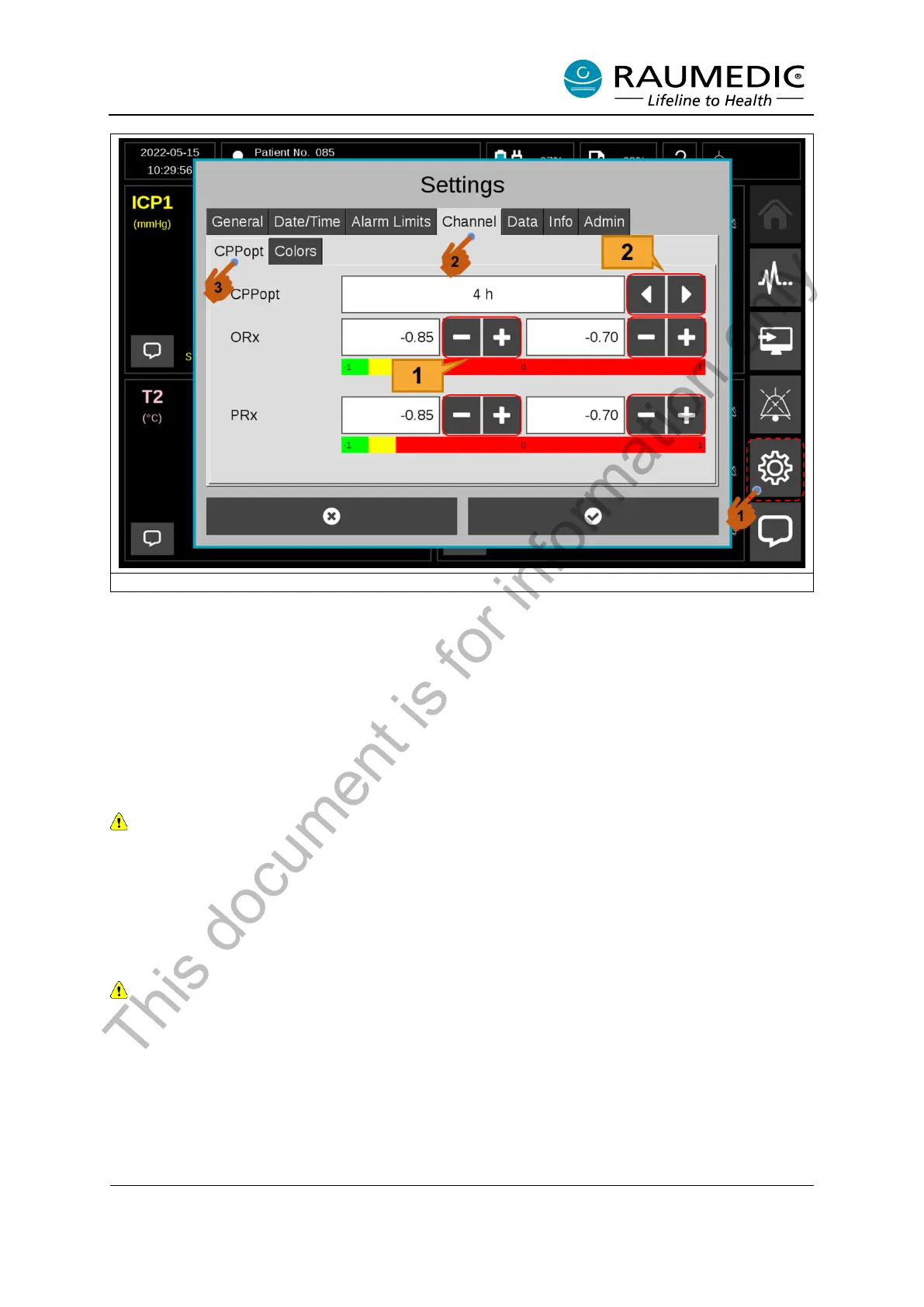
Figure 27: Setting calculation of PRx, ORx, CPPopt
[1] ORx/PRx colour selection keys.
[2] CPPopt calculation time selection keys.
3.8.3 View expanded parameters
The expanded parameters are displayed in the CPPopt View.
PRx and ORx
The colours previously set for PRx and ORx values are displayed beneath the ORx and PRx graph.
When performing a new measurement, please note that the first PRx value can be displayed after 5
min., and the first ORx value can be displayed after 1 hour.
CPPopt
If the ICP and ART are measured at the same time, the first approximation (prognosis) for CPPopt is
displayed after 30 min. Depending on the setting (4 hour, 6 hour, 8 hour or 12 hour), the CPPopt is
calculated on the basis of past data. CPPopt is then recalculated and displayed every minute.
If the device is restarted and a measurement carried out on the same patient, check whether the
previously measured data can be used for the current CPPopt calculation. If existing measurement
data is available and the past time of this data is less than the CPPopt calculation time that has been
set, the data from the previous measurement is still used for the current CPPopt calculation.
This document is for information only



 To Next Page