RAUMED NeuroSmart Instruction Manual
Manufacturer: RAUMEDIC AG, Hermann-Staudinger-Strasse 2, 95233 Helmbrechts, Germany
zwo-541EN Rev 3 / 2022-05-03
Page 28 of 61
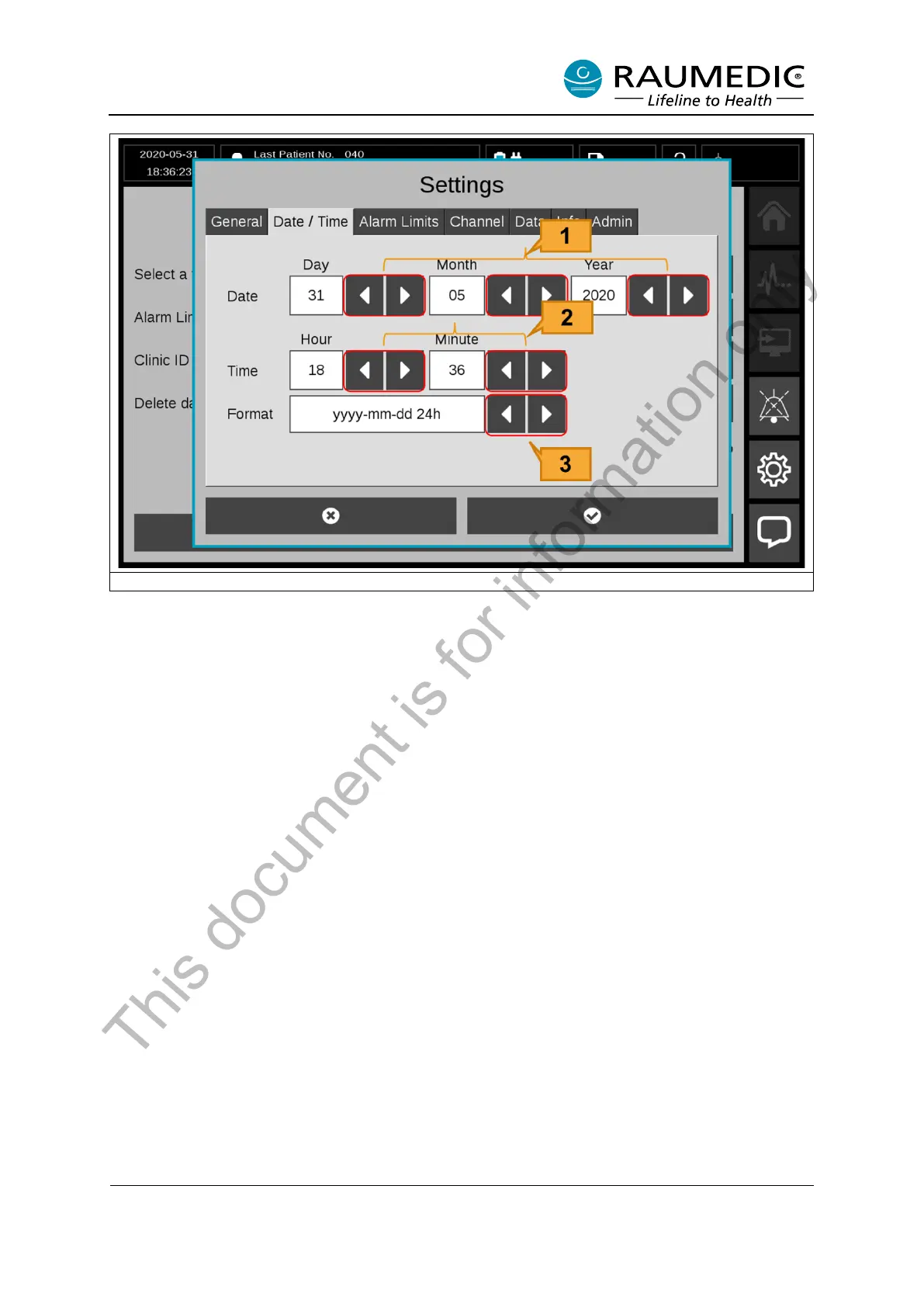
Figure 16: Setting the date/time
[1] Date Select buttons
[2] Time Select buttons
[3] Time Format Select buttons: Selectable: “yyyy-mm-dd 24h” or “dd.mm.yyyy 24h”.
3.5.3 Graphic setting
• Colour setting
Colour mapping of measuring positions is used for faster recognition of readings or graphs. The Neu-
roSmart is shipped with pre-selected colour mapping. You can assign specific colours for the measuring
positions.
To do this, please perform the following steps.
<1> Setting <2> Channel <3> Colours <4> Select measuring position <5> Assign colour for the meas-
uring position. See Figure 17.
This document is for information only



 To Next Page