105
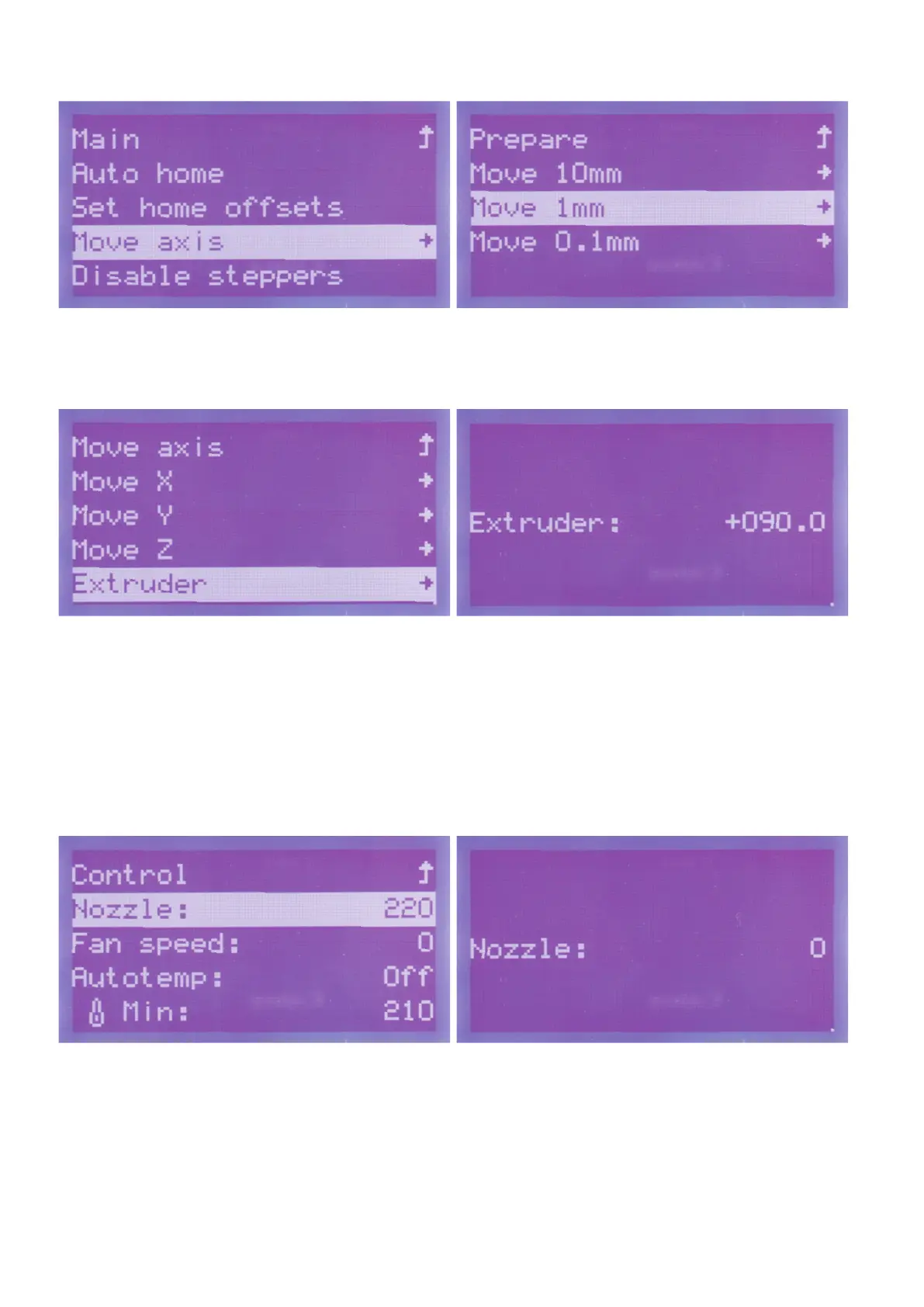
Turntheoperatingknob(10)untilyouhaveselectedthemenuitem
"Move axis"andpushthebuttonoftheoperatingknob(10).
Turntheoperatingknob(10)untilyouhaveselectedthemenuitem
"Move 1 mm"andpushthebuttonoftheoperatingknob(10).
Go to the item "Extruder" and push the button of the operating knob
(10).
Turntheoperatingknob(10)totherightuntilthedesiredvalue,e.g.,
"+090.0"isdisplayed.Theextruderinfeedmovesthelamentbythe
set value.
Youneedtochoosethevaluesothatalittlelamentisextruded.
Itispossiblethatyouhavetowaitforaspecicvalue(e.g.+030.0)to
be reached before you can increase the value again.
Toreturntothemenu,pushtheoperatingknob(10).
Switchingofftheextruderheating
Now go to the menu "Control" and the item "Nozzle:220", and push
thebuttonoftheoperatingknob(10).
Turntheoperatingknob(10)totheleftuntilthevalueissetto0.The
heating of the extruder is switched off by this.
Toreturntothemenu,pushtheoperatingknob(10).



 To Next Page