104
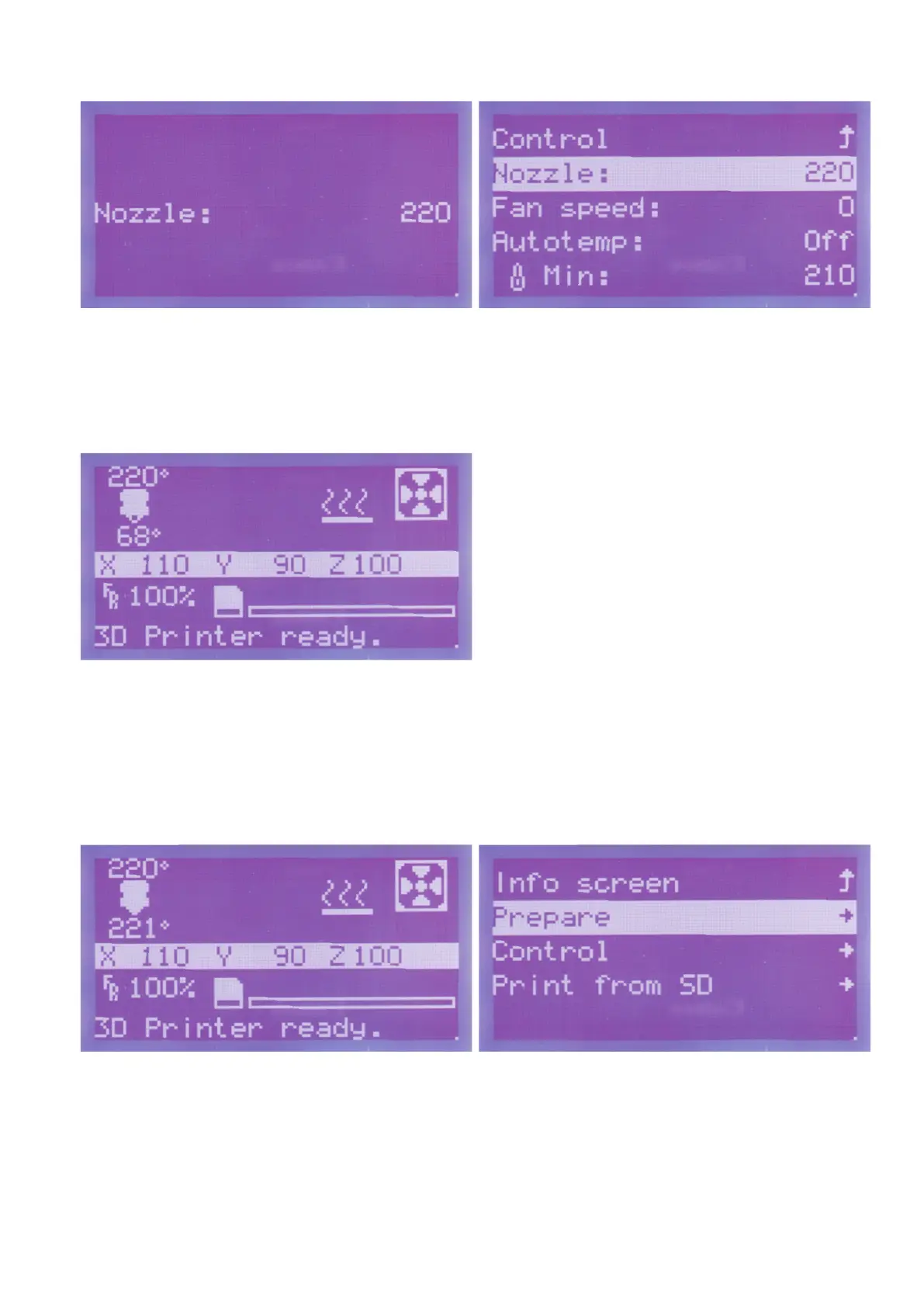
Turntheoperatingknob(10)totherightuntilthedesiredvalue"220"
(here:220°C)isdisplayed.Theextruderisheatedupatonceafter
turning.
Toreturntothemenu,pushtheoperatingknob(10).
Now the same value as set before should be shown here.
In our example, we have preselected the maximum temperature of
thelamentused.Youcanadjustthevalueaccordingtoyourla-
ment.
The printer will switch back to the main menu automatically after a
few seconds. The previously set target temperature and the current
temperature of the extruder below are displayed here.
Wait until the extruder is fully heated and let it continue to heat for one
more minute. Then continue.
Insertionofthelament
Pushbuttonfortheoperatingknob(10)inthemainmenu. Turntheoperatingknob(10)untilyouhaveselectedthemenuitem
"Prepare"andpushthebuttonoftheoperatingknob(10).



 To Next Page