103
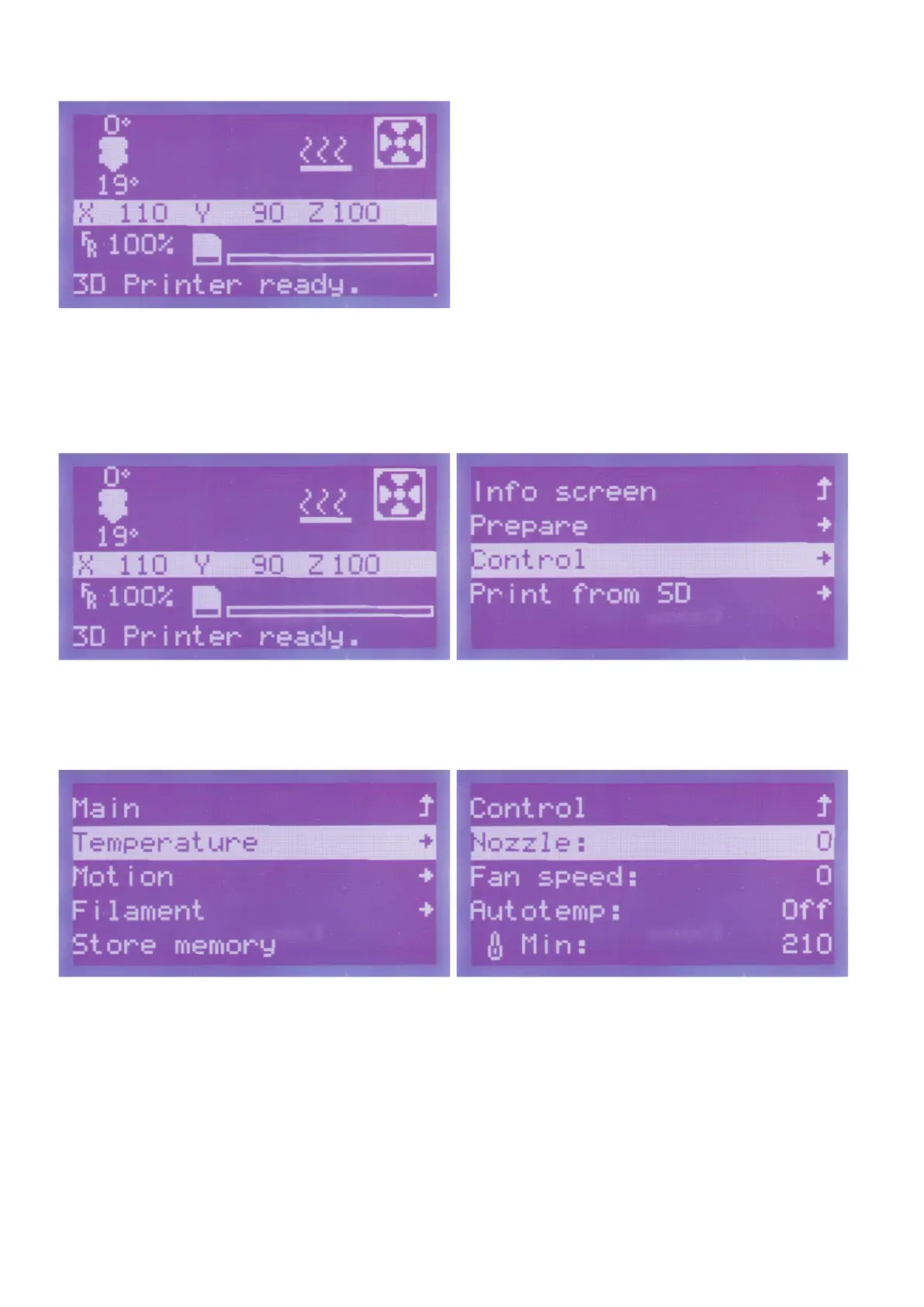
The printer will switch back to the main menu automatically after a
few seconds. The axes are displayed with the current position values
here now.
Heatuptheextruder
Pushbuttonfortheoperatingknob(10)inthemainmenu. Turntheoperatingknob(10)untilyouhaveselectedthemenuitem
"Control"andpushthebuttonoftheoperatingknob(10).
Turntheoperatingknob(10)untilyouhaveselectedthemenuitem
"Temperature"andpushthebuttonoftheoperatingknob(10).
Turntheoperatingknob(10)untilthemenuitem"Nozzle:0" is se-
lectedandpushthebuttonoftheoperatingknob(10).



 To Next Page