143
Calculationandcorrectionofthefeed
The formula for calculation of the actually conveyed volume is as follows:
Totallengthinmm-residualamountinmm=actuallyconveyedvolumeinmm
100mm - 53.37mm= 46.63mm
The formula for calculating the new value "Steps per mm" is as follows:
Conveyedvolumeinmm:Actuallyconveyedvolumeinmm*CurrentvalueStepspermm=NewvalueStepspermm
50mm: 46.63mm * 127.00= 136.18
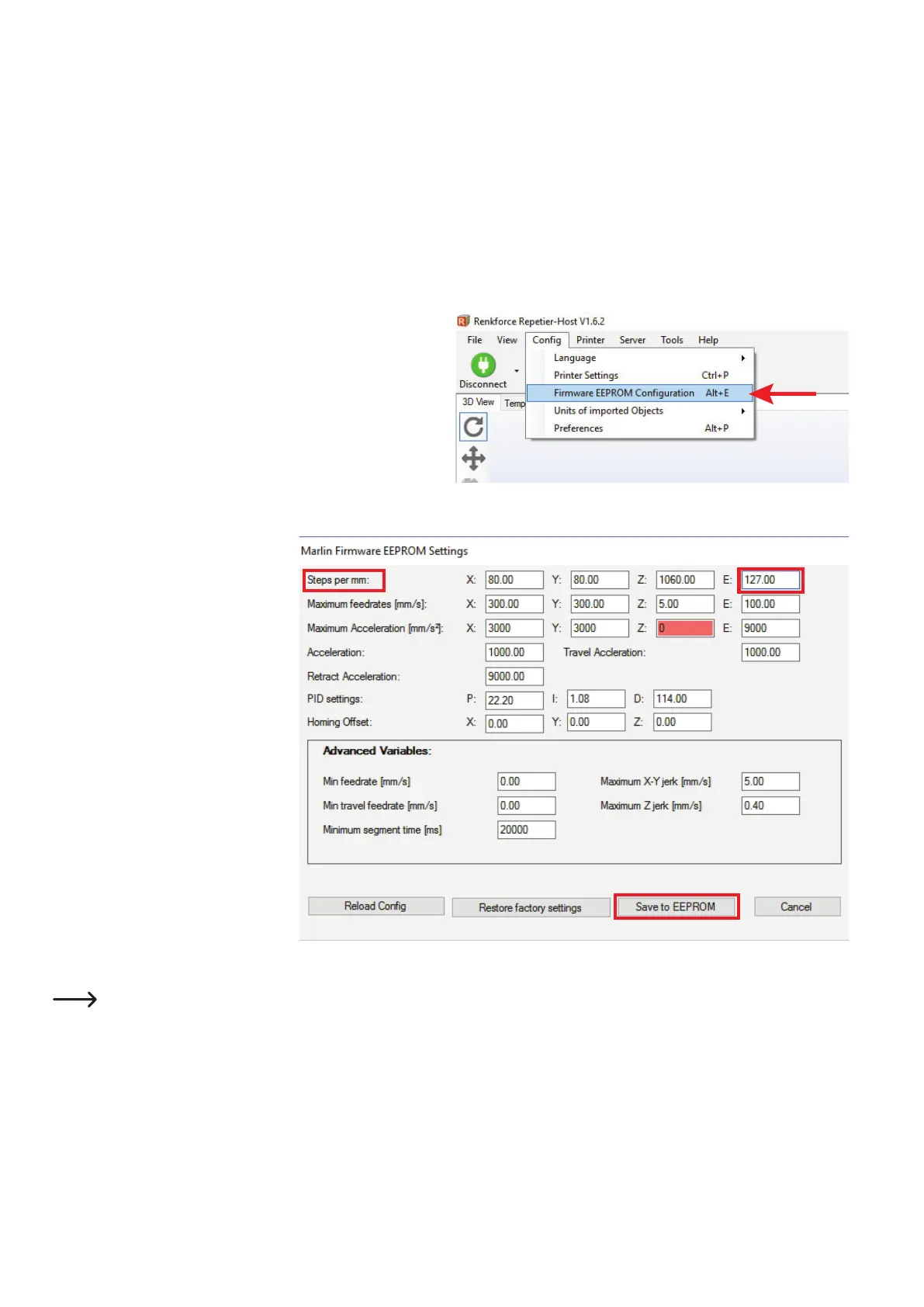
• Afteryouhavecalculatedthevalue,opentheEEPROMcongura-
tion.
• Inthemenubar,choose"Conguration" and the "Firmware EE-
PROMConguration".
• Inthenewrmware,changethevalue
in the 1st line at "Steps per mm", be-
hind "E:"
• Changethedefaultvalue127.00 to the
value calculated anew before. In our
example, enter 136.18intheeld.
Observe that you also must write the
new value with a dot instead of a com-
ma.
• To accept the change, click "Save to
EEPROM".
Thisadjustsandcorrectsthevalueforthelamentinfeed.Tocheckthevalue,select100mmagainatthelamentandhaveitex-
trude50mmagain.If50mmlamentareleftover,thevalueisright.Otherwise,correctitagain.
Important!Youalwaysneedtousethecurrentvalue"Stepspermm"forcalculation.Ifyouhavealreadychangedthevalue,
donotuse127.00foryourcalculation,butthevaluecurrentlyenteredintheEEPROM.



 To Next Page