7. Diagnostics & Service
7.1 Diagnostics Menu
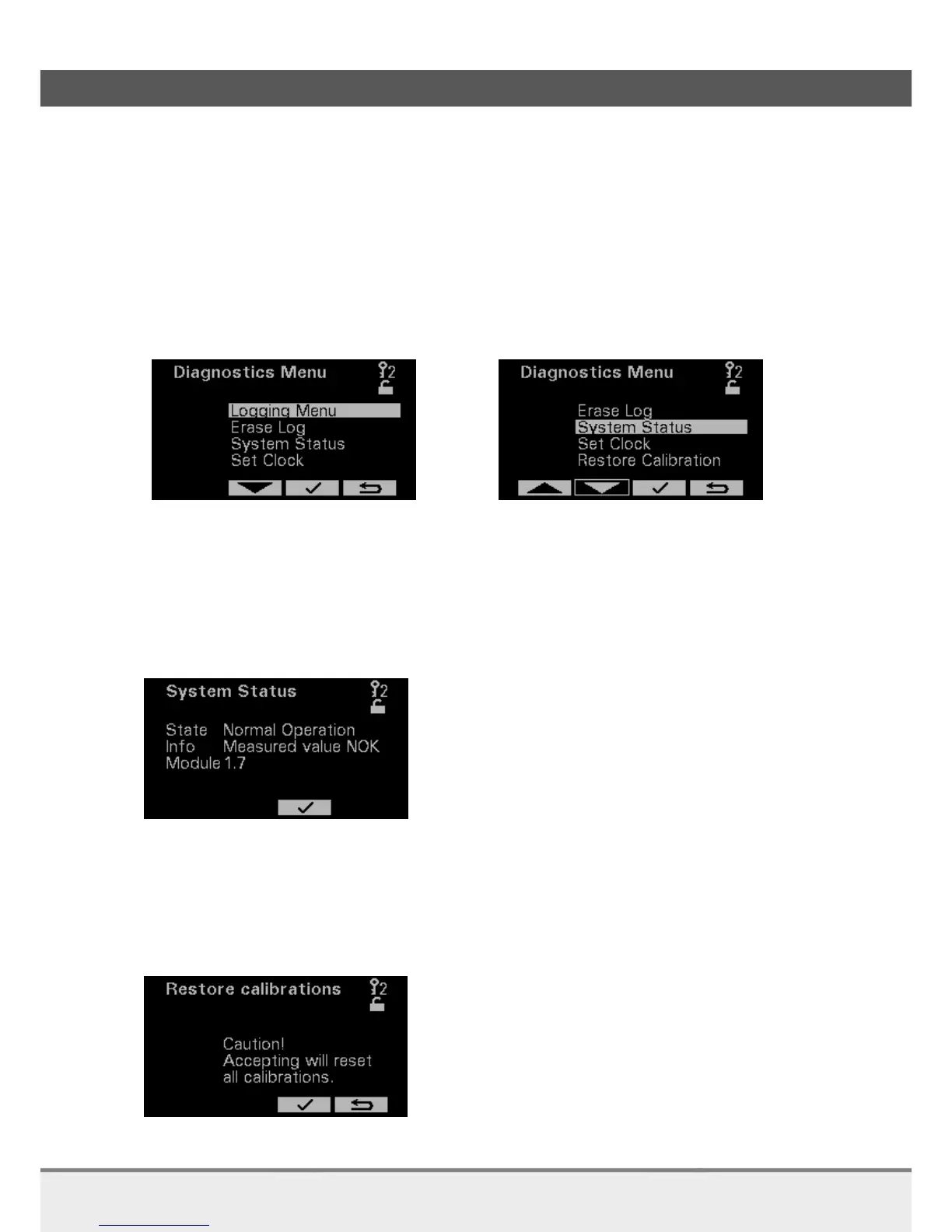
In the Diagnostics Menu you can choose out of five options:
System Status
Restore Calibration
Set Clock
Logging Menu
Erase Log (not visible on picture below)
7.1.1 System Status
On this page you will find the status of the analyzer.
When the analyzer is running OK it shows Normal Operation.
When the analyzer is not running OK anymore, it shows the error and information about that
error.
7.1.2 Restore calibrations
Preparations
Please read this section carefully before starting!
On this page you can restore all calibrations to the factory calibrations.


 To Next Page
 Loading...