SDM – Slurry Density Meter
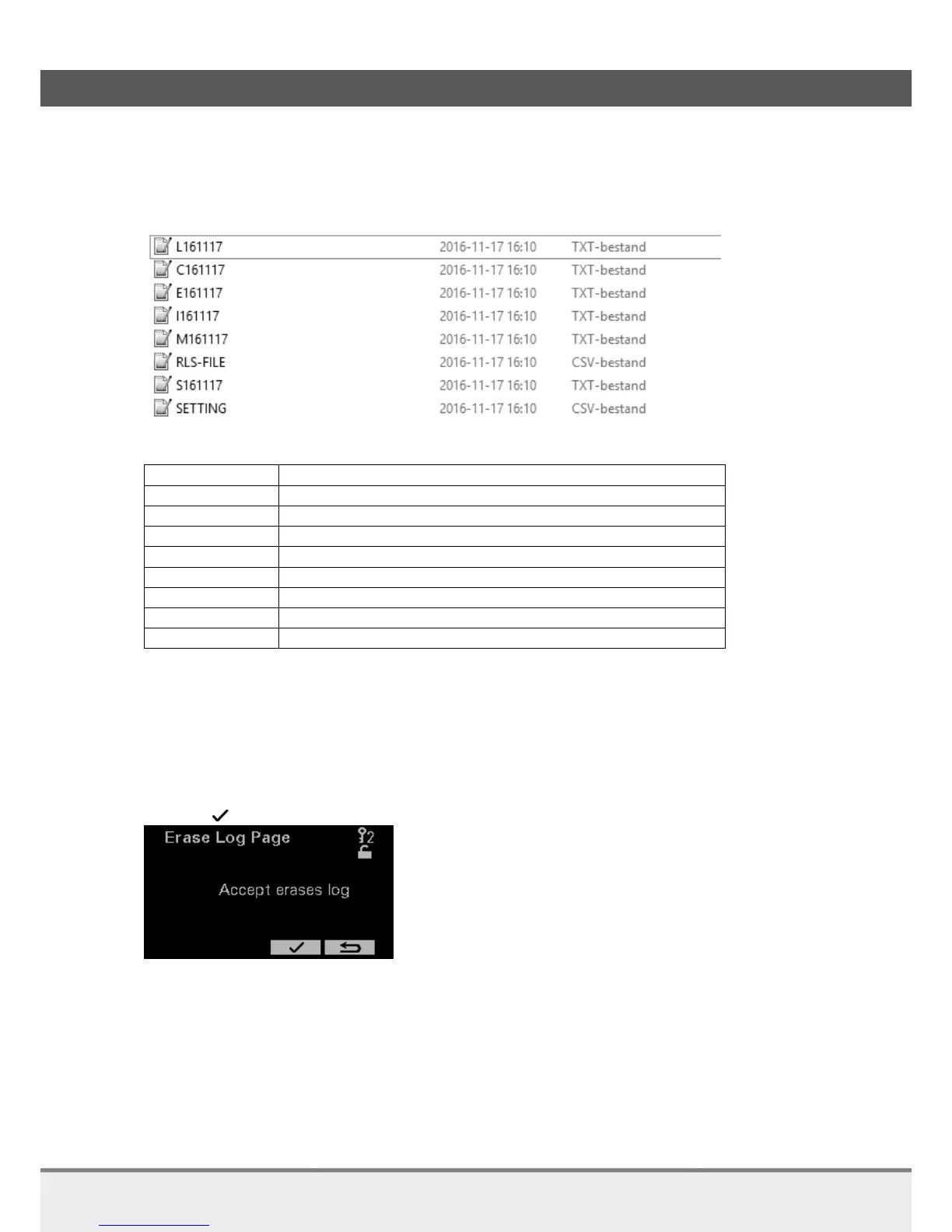
The following files are now on the USB-stick:
The file with the interface echo is starting with “I” followed by the date.
In the below picture the Interface Echo file has the name “I160822.txt”. The name of the file contains
information about year, month and day.
Following table gives an explanation about the filenames:
Liquid echo (availability dependent on model)
All measured values at time of “Get Log”
Liquid calibration in analyzer (Loadable for distributors)
Settings (Loadable for distributors)
7.1.6 Erase Log
The device is permanently logging. This has the advantage that after an incidental measurement error the
log can be retrieved.
When a test is started there can be a desire to clear the data already present in the analyzer.
Pressing to erase the log.



 To Next Page