EasyManua.ls Logo

Rhosonics SDM-4 - Status Analyzer

Default Icon
65 pages
Print Icon
To Next Page IconTo Next Page
To Previous Page IconTo Previous Page
Loading...
SDM Slurry Density Meter
32 www.rhosonics.com
OPERATION
3.2.3 Status analyzer
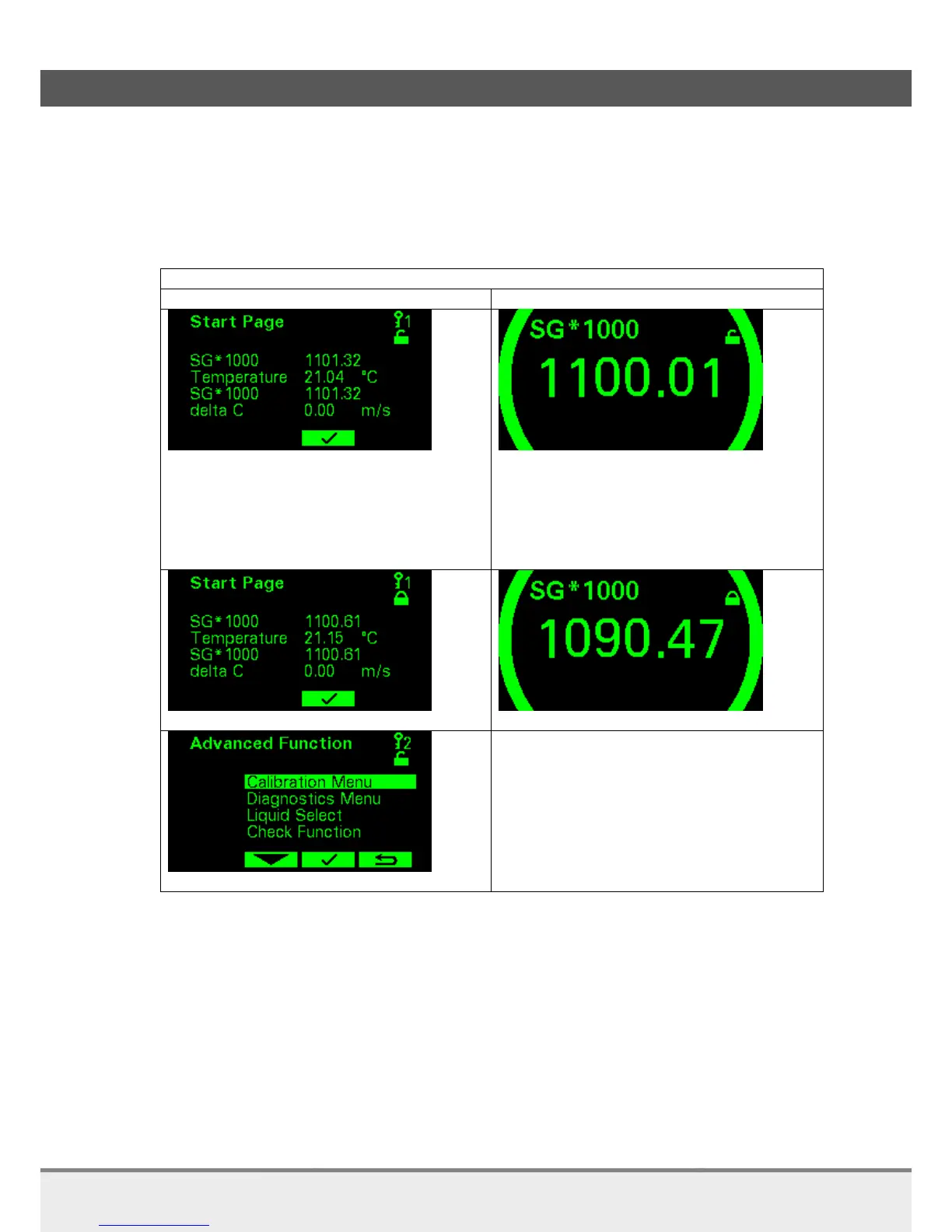
Status of the device is displayed according NAMUR recommendation NE107. Each backlight color and icon
describes a different status.
When a button on the sensor is pressed the screen goes from time out to active. When a button isn’t
pressed for a while the screen goes to time out.
NOTE: Indicated variables can differ for your analyzer.
Active
Time Out
Unlocked (Local access)
Normal operation
Device is operating within specified
range
Output is valid
The backlight color is green.
Unlocked (Local access)
Normal operation
Device is operating within specified
range
Output is valid
The backlight color is green.
Locked (Remote access)
Access level 2
In time Out Access level will be reset to level 1.

Table of Contents

Related product manuals