7.1.5 Collect log data using USB
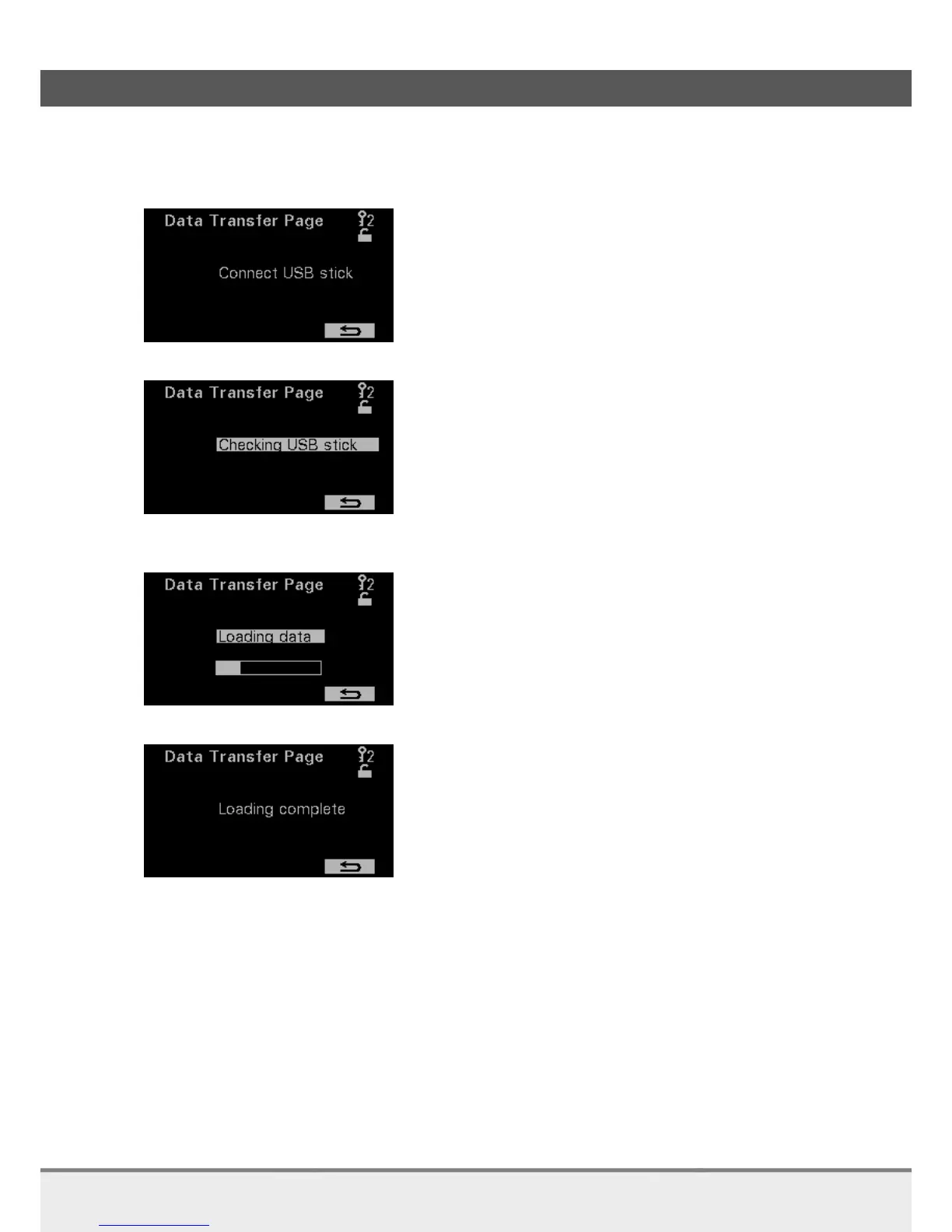
When the log data screen is opened a request follows to connect the USB stick.
Insert the USB stick and the analyzer will automatically check the USB stick.
The USB stick is checked. This is followed by saving the echoes and settings and measured values. Within
20 seconds this should be finished. If failed, the display shows so.
After this the log is retrieved from the logging memory. This will take several minutes.
The flashing of loading data as well as the updating of the progress bar indicates that saving the data is in
progress.
When saving data is finished the message loading complete appears. It is now possible to leave this page
and remove the USB-stick.



 To Next Page