2.7.5 Connection USB-port to a PC
Procedure for connecting the analyzer to a PC using the USB-port on the front
Connect USB-port to the service PC (use USB-A male to male cable)
To avoid communication problems it is recommended to put the device into the HART write
protect mode. This is set via the display on the sensor.
Navigate to Check Function on the analyzer
Access code: 1802 necessary
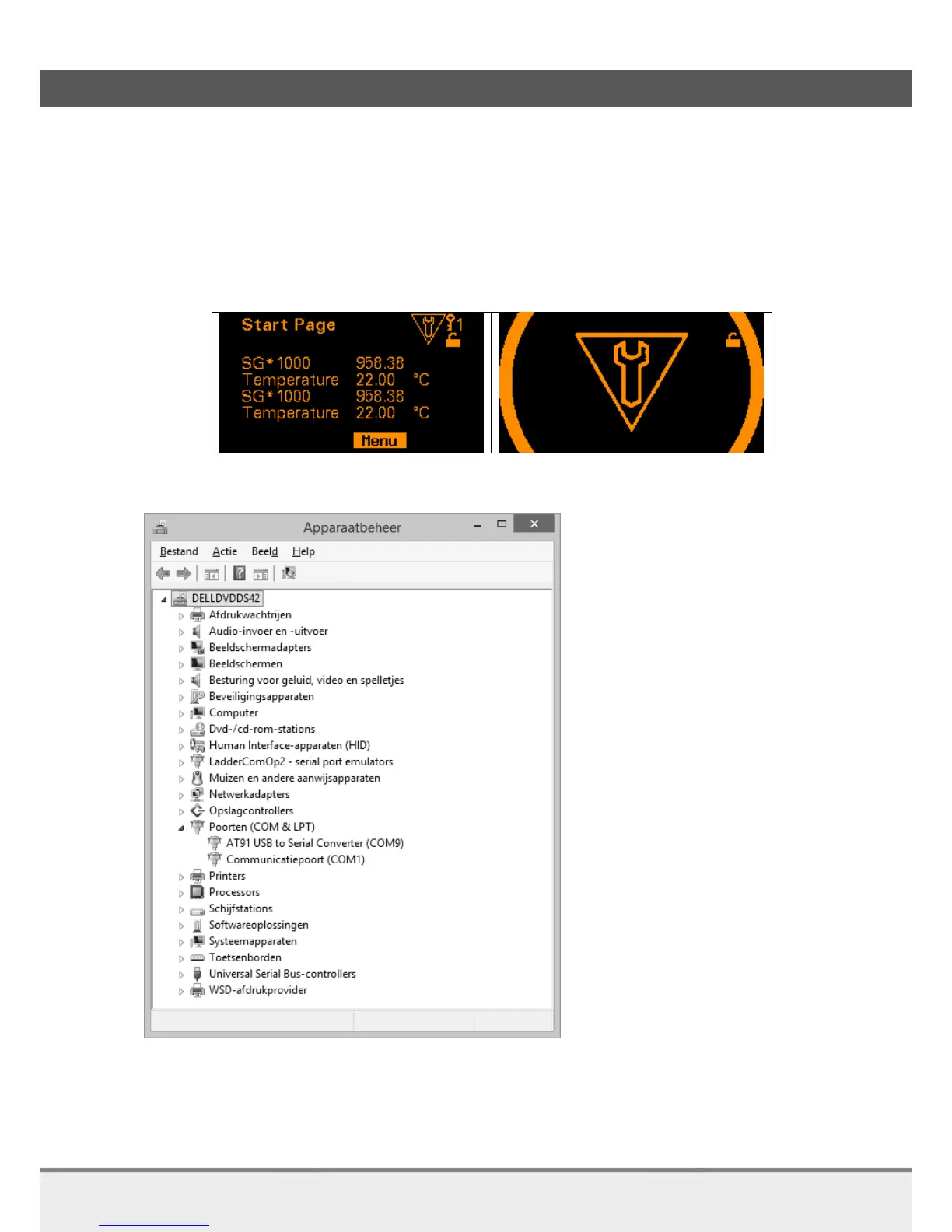
Set Check Function to On, screen becomes orange
Result of Check Function set to On
Go to the Device Manager on the PC.
AT91 is now present at COM-port (PC)
Device manager (Dutch version Windows: Apparaatbeheer),
AT91 USB on COM-port number 9 (COM9)



 To Next Page