4.4 USB-port
The USB-port is used for:
Load settings into the analyzer.
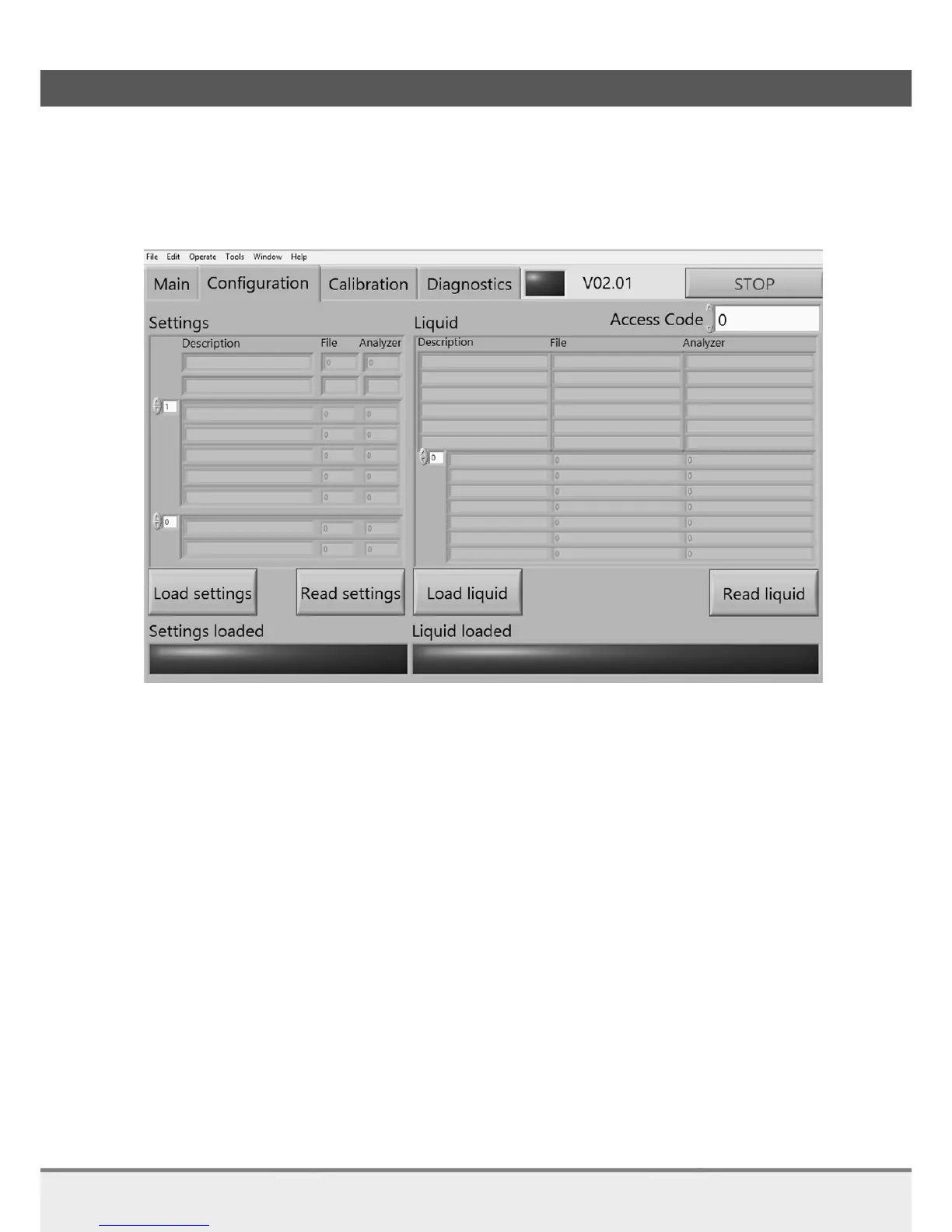
4.4.1 Configuration
Settings loaded
1 Load settings
For loading settings, the file SETTING.CSV needs to be on this exact location:
C:\Users\”USERNAME”\Documents\LabVIEW Data\
When this location doesn’t exist please create this location.
Press Load settings
When Lamp Settings loaded is green the settings are loaded
2 Read settings
For reading settings, the file SETTING.CSV needs to be on this exact location:
C:\Users\”USERNAME”\Documents\LabVIEW Data\
In this case the files are necessary to get the description for the settings.
When this location doesn’t exist please create this location.
Press Read settings
When the descriptions and values in analyzer are visible and the file column is greyed out the
settings are read from the analyzer



 To Next Page