Float/Separation Fan Duct
1. Transport roller unit (page 25 "Transport Roller Unit")
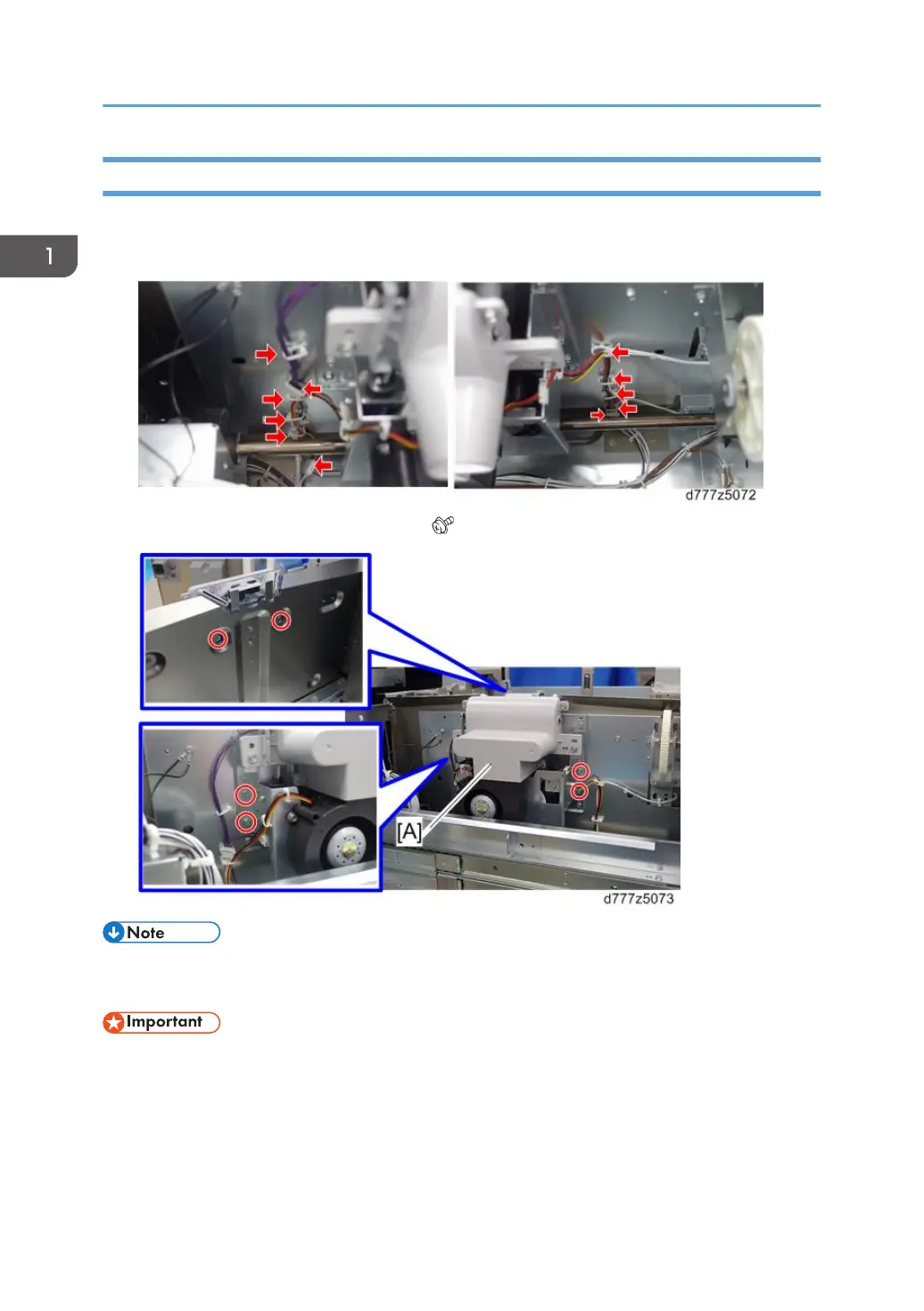
2. Remove the eight clamps and the three connectors.
3. Remove the float/separation fan duct [A] ( x6).
• When installing the float/separation fan duct, connect the connectors before installing the duct.
Installing the duct first will make it difficult to connect the connectors.
• Do not remove the bracket [A] that adjusts the position of the float/separation fan duct. This
bracket is factory installed and cannot be adjusted outside the factory.
1. Replacement and Adjustment
26



 To Next Page