Suction Fan 1, 2 (Tray 1, 2)
• Suction fans 1, 2 can be removed using the same procedure for each tray. The following is the
procedure for replacing the fan in tray 1.
1. Remove the rear right and left covers (page 8 "Rear Right Cover", page 8 "Rear Left Cover").
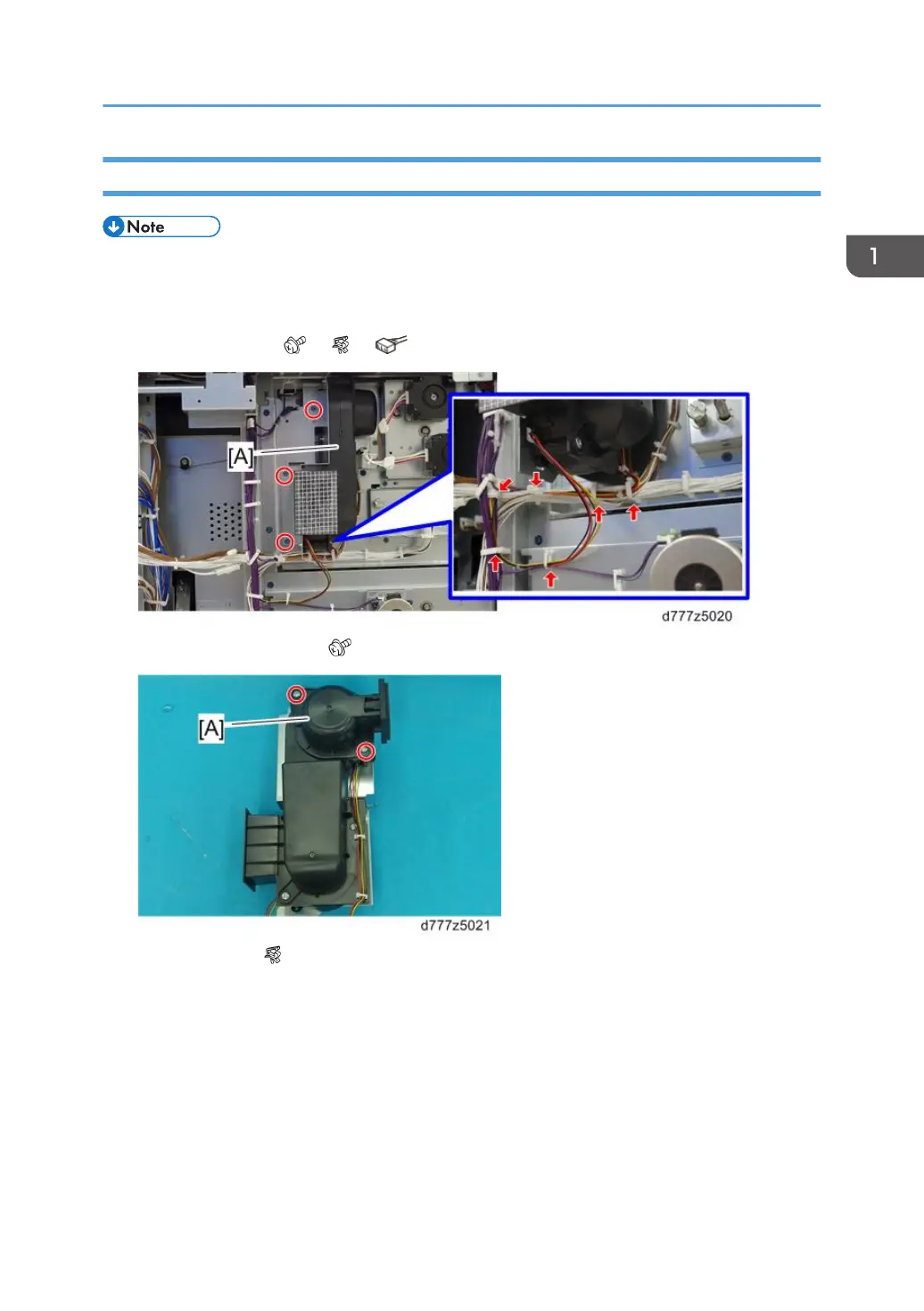
2. Suction fan duct [A] (
x3, x4, x2)
3. Upper suction fan duct [A] ( x2)
4. Suction fan 1 [A] ( x2)
Rear Side
53



 To Next Page