Side Fences (Front, Rear)
Common Procedure for Removing the Side Fences (Front, Rear)
1. Tray front cover (page 15 "Tray Front Cover (Tray 1, 2)")
2. Paper tray (page 16 "Paper Tray")
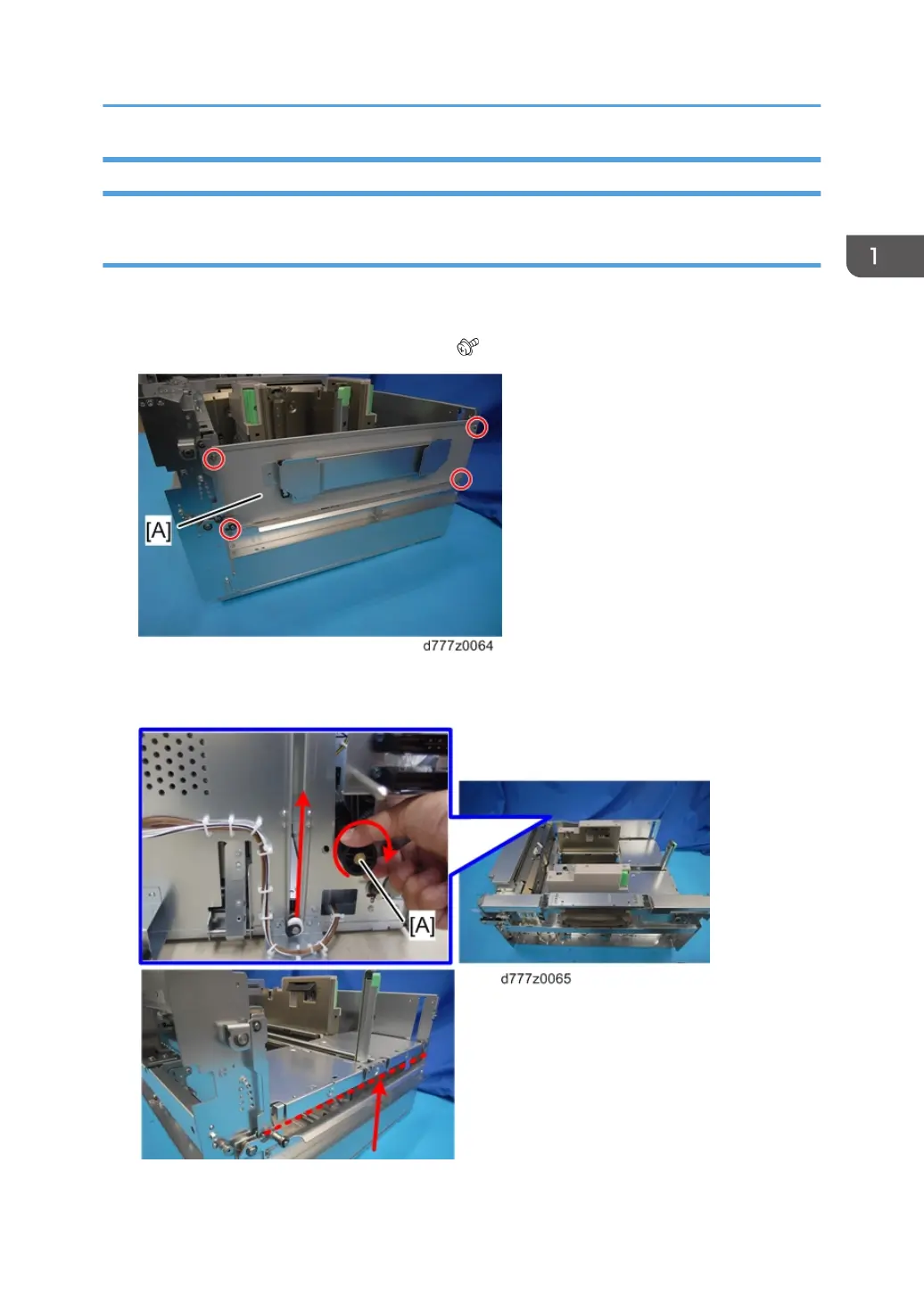
3. Remove the plate [A] from the end fence side ( x4).
4. Turn the wire pick-up roller [A] at the rear of the paper tray in a clock-wise direction to raise the
bottom plate until it becomes visible on the end fence side.
Paper Feed Unit (Trays 1, 2)
35



 To Next Page