• When installing the motor, refer to re-installation for the bypass transport motor 2 (page 55
"Bypass Transport Motor 2").
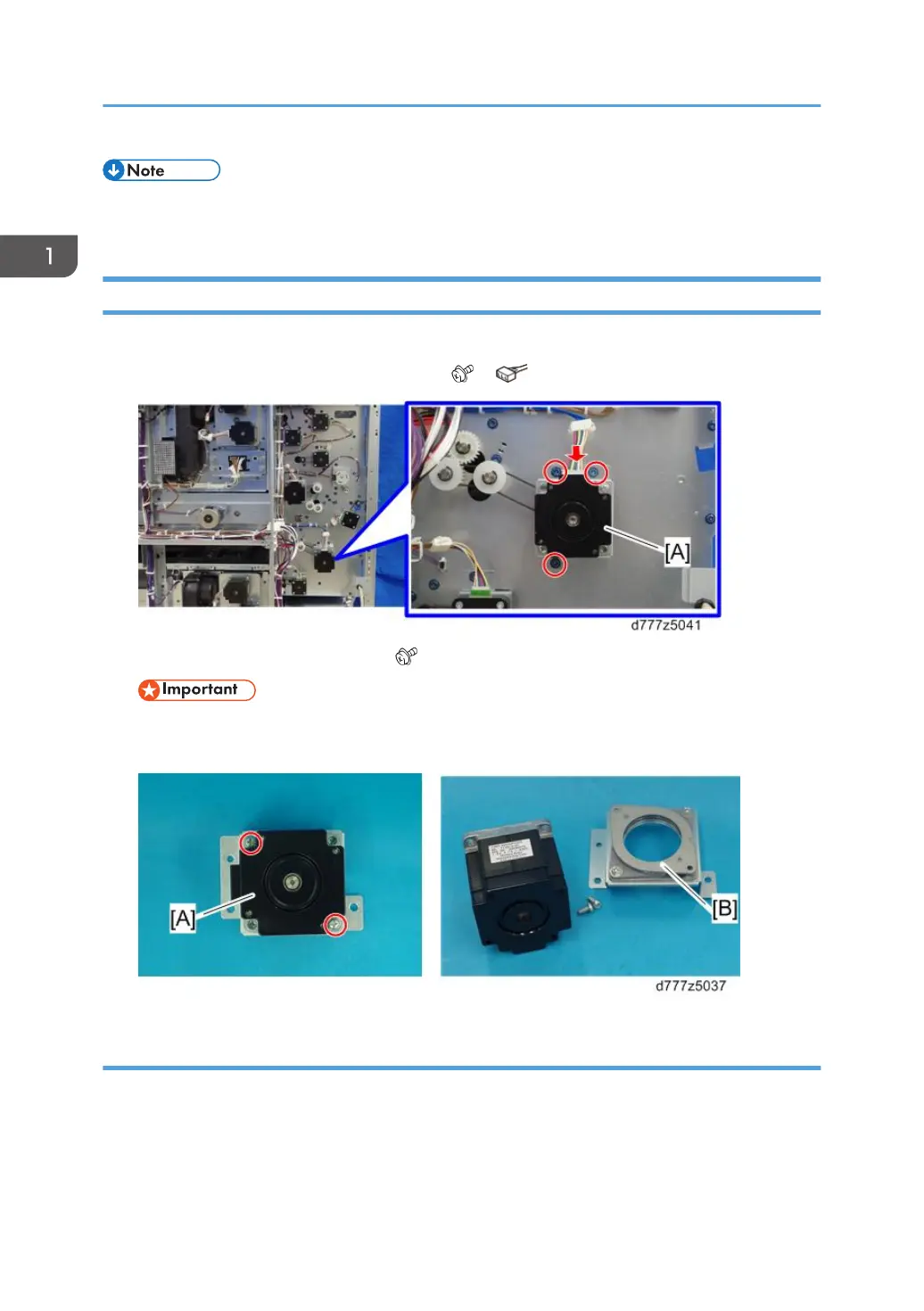
Tray 2 Vertical Transport Motor 2
1. Remove the rear right and left covers (page 8 "Rear Right Cover", page 8 "Rear Left Cover").
2. Tray 2 vertical transport motor 2 bracket [A] ( x3, x1)
3. Tray 2 vertical transport motor 2 [A] ( x2)
• Do not remove the damper [B] between the motor and the bracket. This damper is factory
installed and cannot be adjusted outside the factory.
Re-installation
1. When attaching the bracket to the motor, install it so that the connector openings [A] face the two
screw holes [B].
1. Replacement and Adjustment
68


 To Next Page
 Loading...