PSU Box
PSU box
1. Remove the rear right and left covers (page 8 "Rear Right Cover", page 8 "Rear Left Cover").
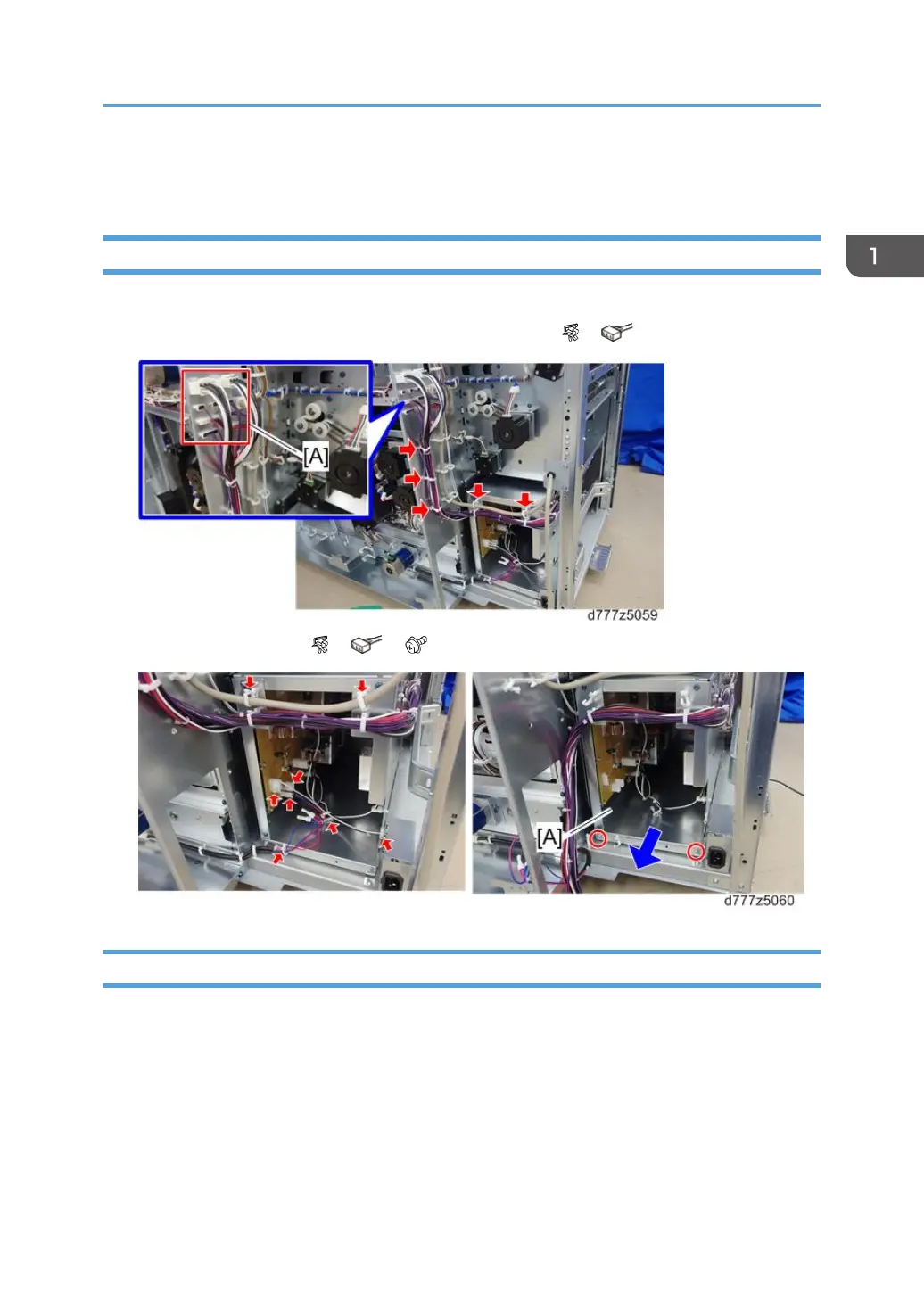
2. Open the five clamps and disconnect the nine connectors [A]( x5, x9).
3. Pull out the PSU box [A] ( x5, x3, x2).
PSU1, 2
1. PSU box (page 81 "PSU box")
2. Open the six clamps.
PSU Box
81



 To Next Page