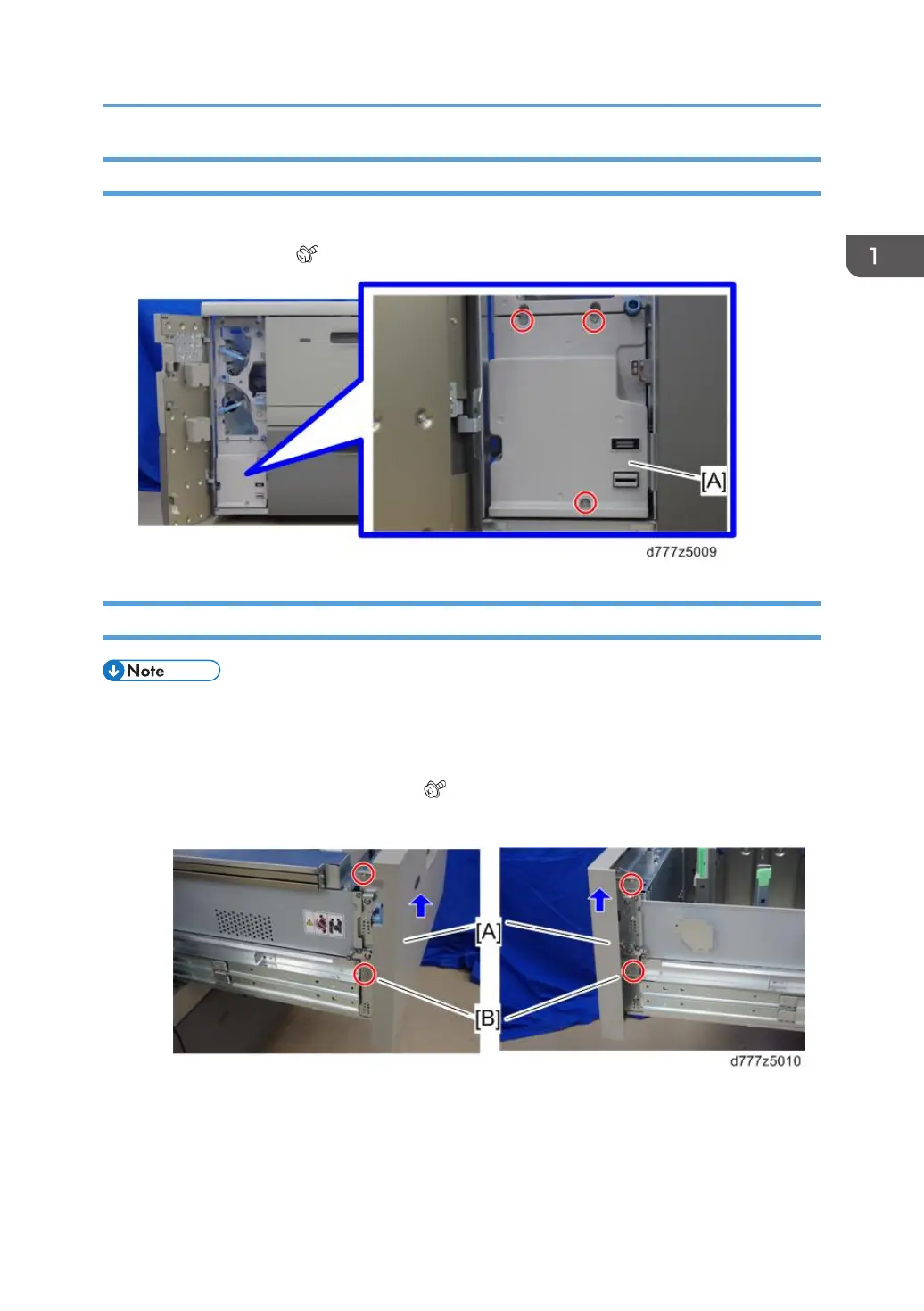
Lower Inner Cover
1. Open the front door.
2. Lower inner cover [A] ( x3)
Tray Front Cover (Tray 1, 2)
• The replacement procedure for tray front cover of tray 1 and 2 are the same. The following is the
procedure for replacing the tray front cover of tray 1.
1. Pull out the paper tray.
2. Lift the tray front cover [A] and remove it ( x4).
• The lower screw [B] is a shoulder screw.
Exterior Covers
15



 To Next Page
 Loading...