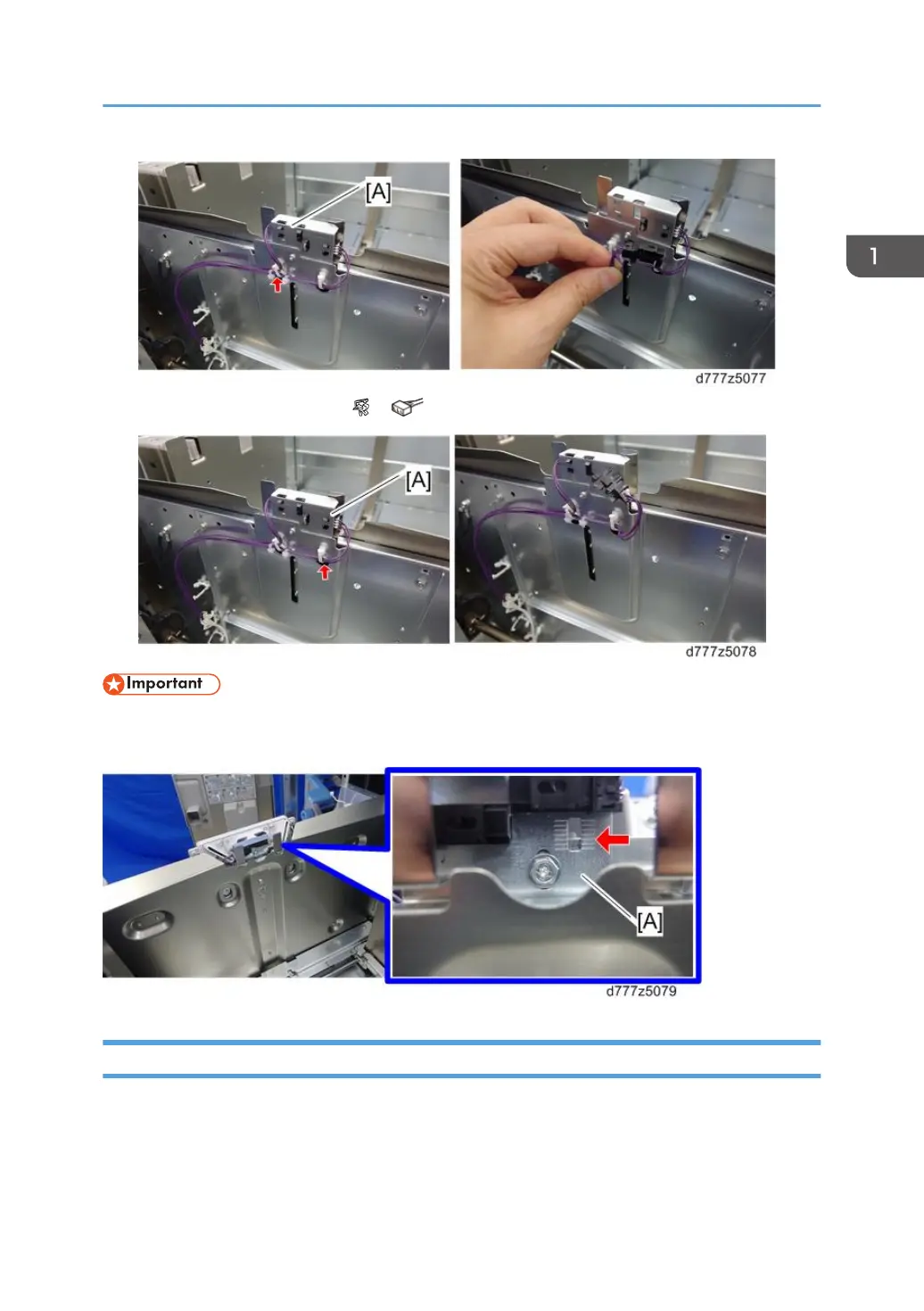
4. Paper upper limit sensor 2 [A] ( x1, x1)
• The position of the paper upper limit sensor bracket [A] is adjusted at the factory. If it is removed,
make sure that it is reinstalled in the same position.
Main Paper Remaining Sensor
1. Transport roller unit (page 25 "Transport Roller Unit")
2. Float/separation fan duct (page 26 "Float/Separation Fan Duct")
3. Use your fingers to hold the pulley [A] in place while you remove it [A].
Paper Feed Unit (Trays 1, 2)
29



 To Next Page
 Loading...