Re-installation
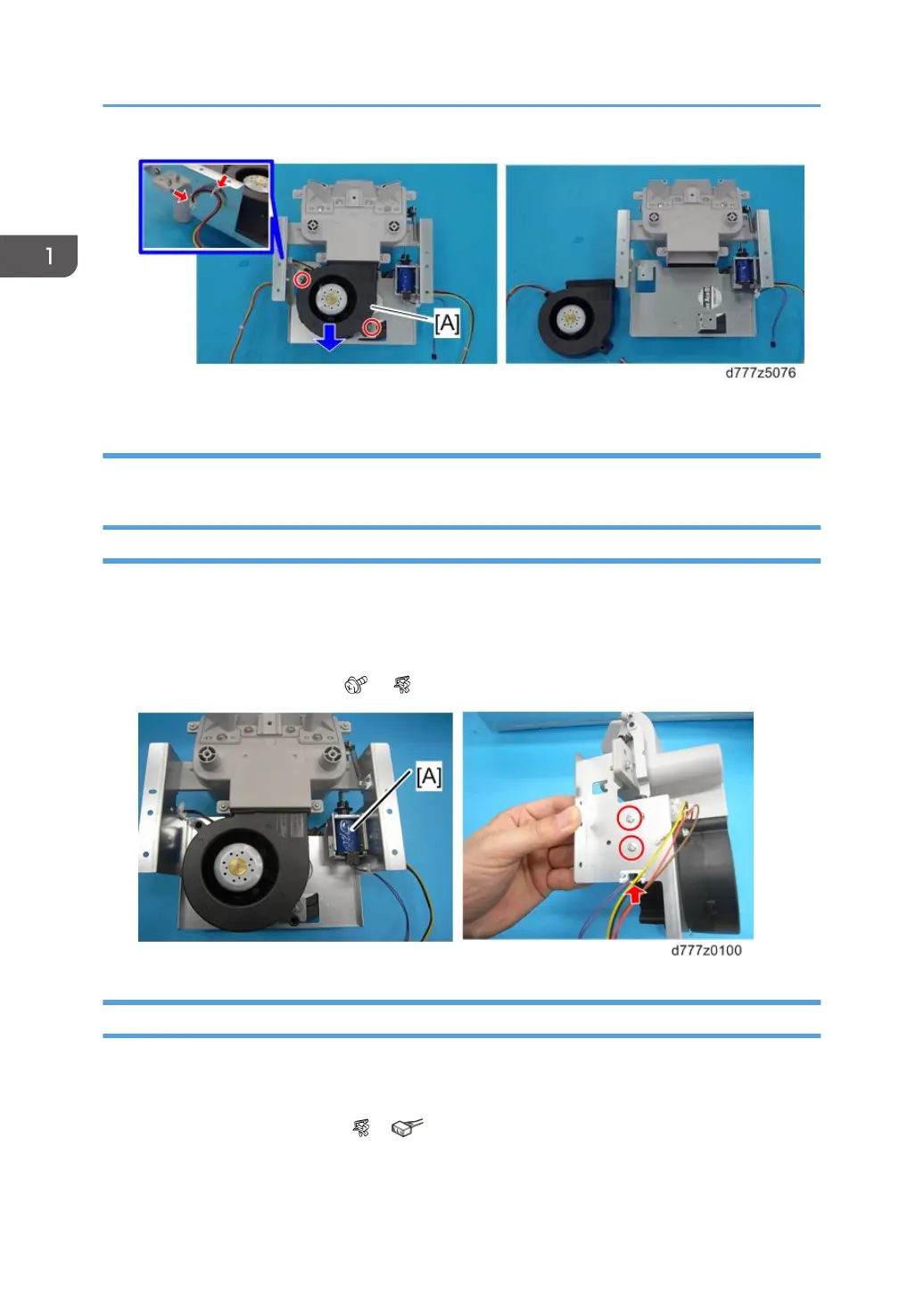
Install the separation fan so that its label faces to the left.
Float Fan Shutter Solenoid
1. Paper tray (page 16 "Paper Tray")
2. Transport roller unit (page 25 "Transport Roller Unit")
3. Float/separation fan duct (page 26 "Float/Separation Fan Duct")
4. Float fan shutter solenoid [A] ( x2, x1)
Paper Upper Limit Sensor 1, 2
1. Transport roller unit (page 25 "Transport Roller Unit")
2. Float/separation fan duct (page 26 "Float/Separation Fan Duct")
3. Paper upper limit sensor 1 [A] ( x1, x1)
1. Replacement and Adjustment
28



 To Next Page