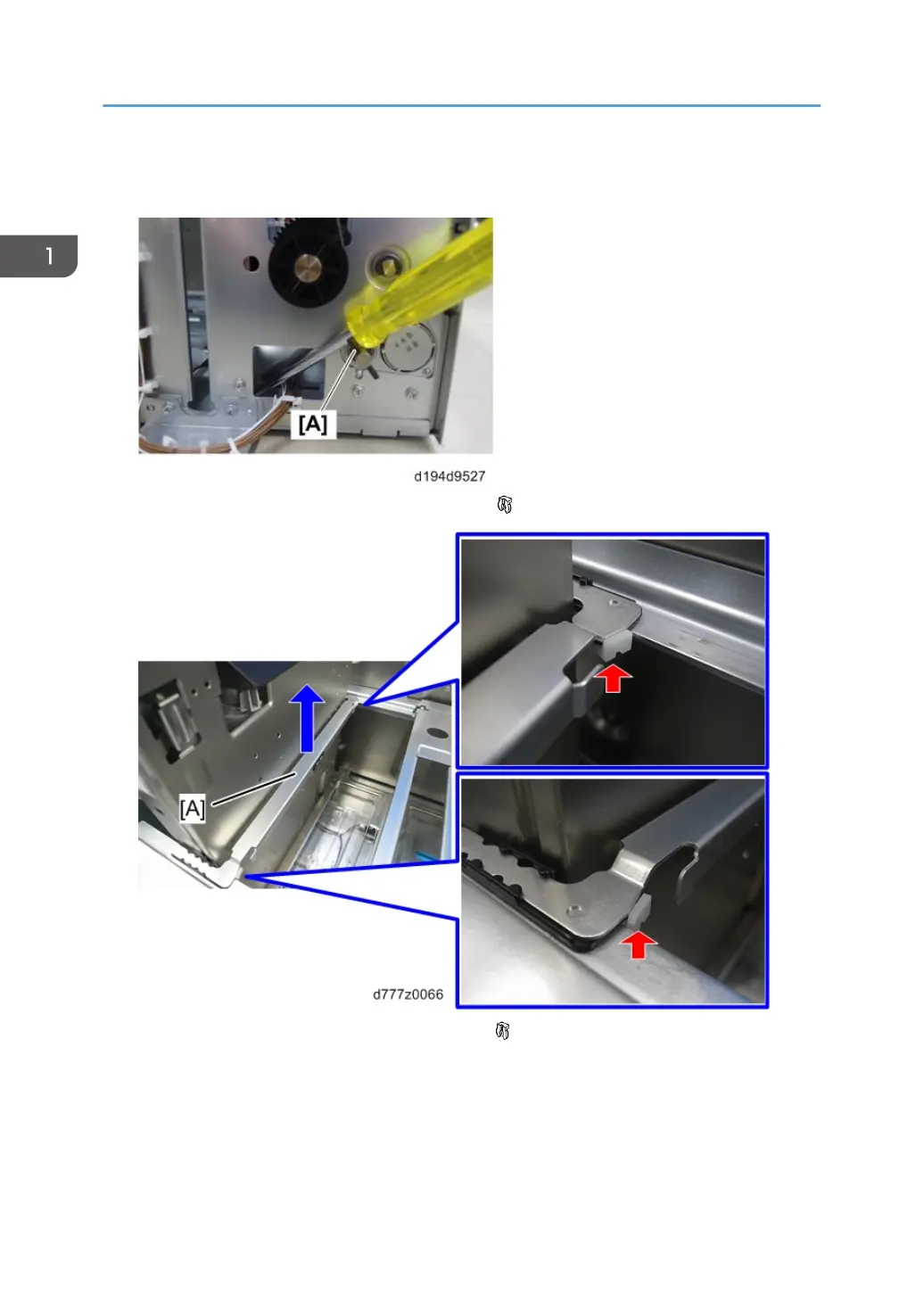
5. When the bottom plate has been raised, insert a screwdriver or similar object in the hole in the
sheet metal at the bottom of the wire pick-up roller to prevent the pin [A] from turning.
6. Remove the side fence guide [A] from the front side ( x2).
7. Remove the side fence guide [A] from the rear side ( x2).
1. Replacement and Adjustment
36



 To Next Page
 Loading...