Registering Addresses and Users for Facsimile/Scanner Functions
178
7
M Press the {User Tools/Counter} key.
Note
❒ After entering a fax number, be sure to press the {OK} key. If you press the
{Escape} key without pressing the {OK} key, the entered number is not
registered.
❒ When a group is registered, you can also add this fax destination to the
group. For details about registering group, see "Registering Names to a
Group".
❒ For registration of a name, see "Registering Names".
Reference
p.152 “Registering Names”
p.180 “Using a Fax Destination as a sender”
p.182 “Programming the SUB Code”
p.183 “Programming the SEP Code”
p.184 “Setting the International TX Mode”
p.185 “Setting label insertion”
p.246 “Registering Names to a Group”
Changing a Fax Destination
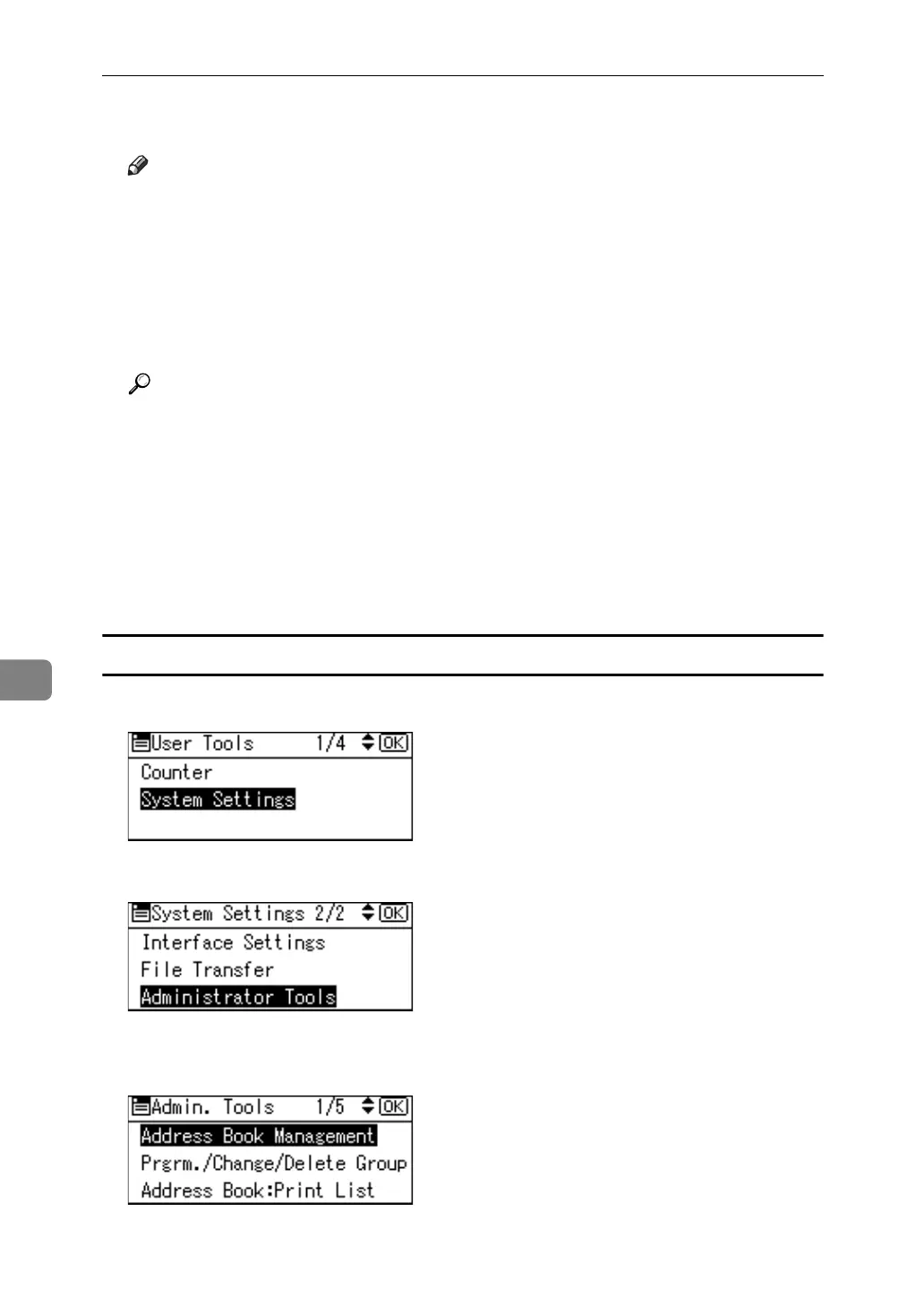
A Select [System Settings] using {U} or {T}, and then press the {OK} key.
B Select [Administrator Tools] using {U} or {T}, and then press the {OK} key.
C Select [Address Book Management] using {U} or {T}, and then press the {OK}
key.



 To Next Page