1. Before You Begin RICOH Ri 2000 User Manual
57
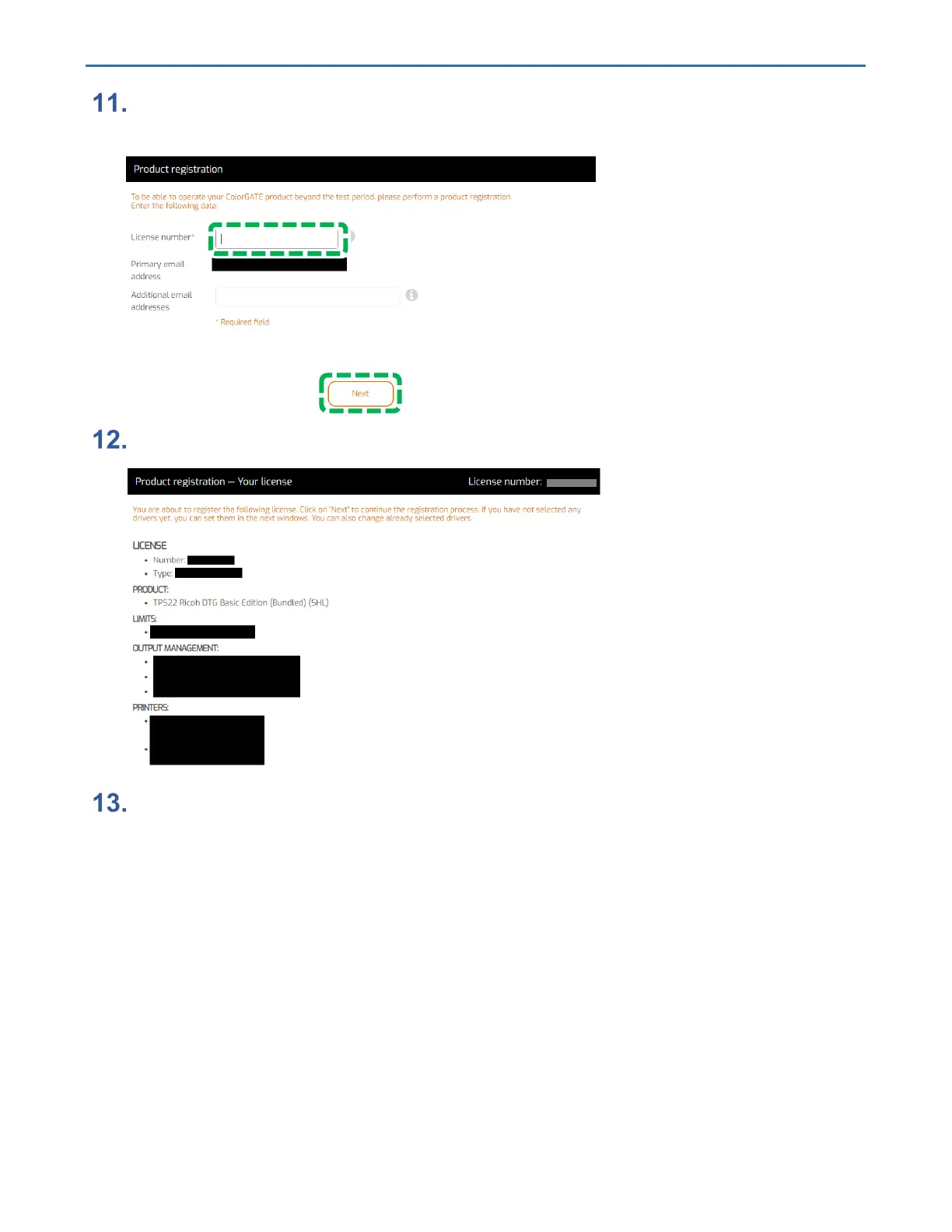
Enter the license number of the license card included with the RICOH Ri 2000
and click [Next].
Check the contents of the license, and if there are no problems, click [Next].
The printer selection screen is displayed. Select “Ricoh Ri 2000” and click
[Next].
The image below is when Ri 2000 is selected.



 To Next Page