2.Replacement and Adjustment
34
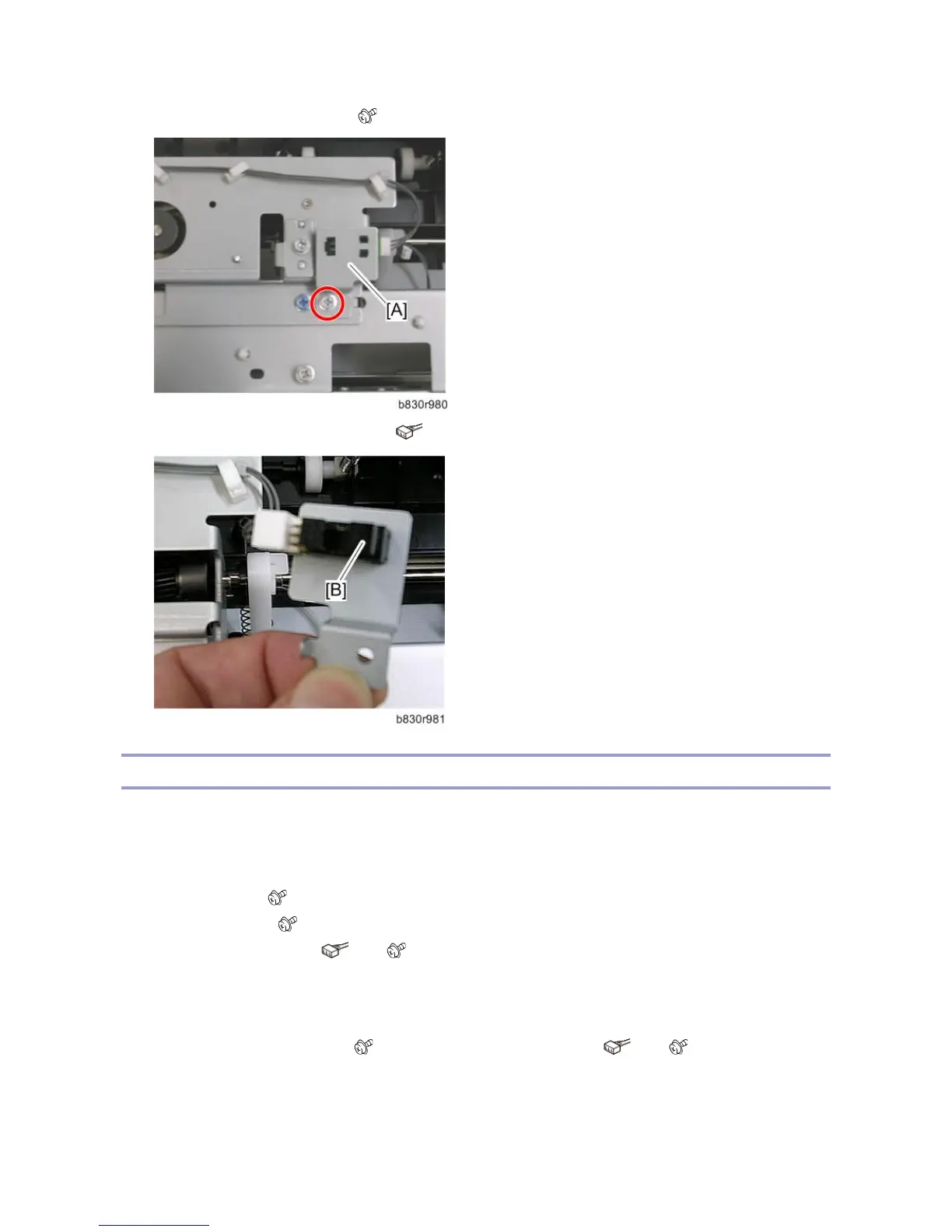
3. Remove the sensor bracket [A]. ( x 1)
4. Remove the exit guide HP sensor [B]. ( x 1, Pawls x3)
Upper Tray Full and Exit Sensors
Upper Tray Full Sensor
1. Remove the top cover (Left Covers, Rear Cover, Top Cover, Shift Cover)
2. Remove the following parts :
Sensor cover [A] ( x 2)
Sensor bracket [B] ( x 1)
Upper tray full sensor [C] ( x 1, x1)
* See the diagram below.
Upper Tray Exit Sensor
1. Remove the sensor bracket [D] ( x 1) and upper tray exit sensor [E]. ( x 1, x 1)



 To Next Page